


How to Enable Crossplay on a Palworld Server

In this guide we are going to go through the process to set up crossplay on your Palworld server. Ever since the v 0.5.0 crossplay has been fully supported on Steam, Xbox, PS5 and Mac. This opens up your server to expand on which player platforms can join.
How to Enable Crossplay
Open your Dashboard
Locate your Palworld server and click on the Panel button.
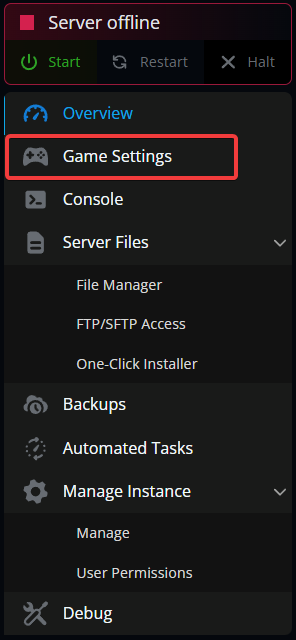
Once on your Palworld panel, click Game Settings.
Once on the game settings page, scroll till you see the Server Access section.
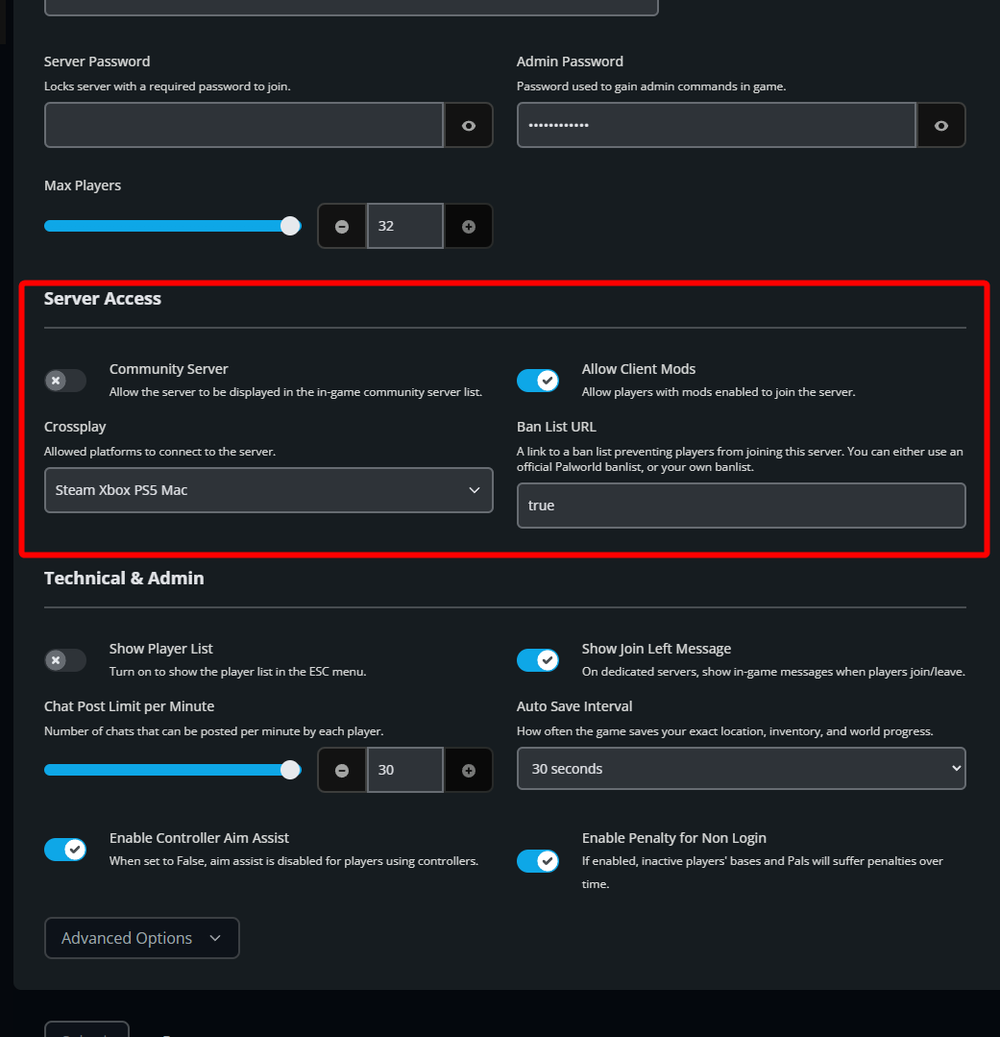
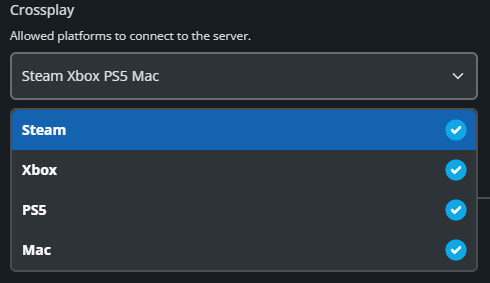
Locate the crossplay section, select the dropdown and select the platforms you want to be able to access your server.
Once selected, scroll down and select Submit.
Restart your server.
Conclusion
You now have crossplay setup and enabled on your palworld server. The selected platforms will now be able to join your server.
Need Help?
If you have questions or run into any issues, our support team is here to help! Reach out using the support widget on our website or visit our support center for further assistance.