


How to Join an Echoes of Elysium Server

To jump into your adventures on the floating islands, you and your community first need to connect to the game server. This guide will walk you through the two primary ways to join your Echoes of Elysium server: connecting directly via IP Address or finding your world in the in-game server browser.
Connect via IP Address
Log in to your Nodecraft Dashboard.
Navigate to your Echoes of Elysium server.
Open the Echoes of Elysium server control panel.
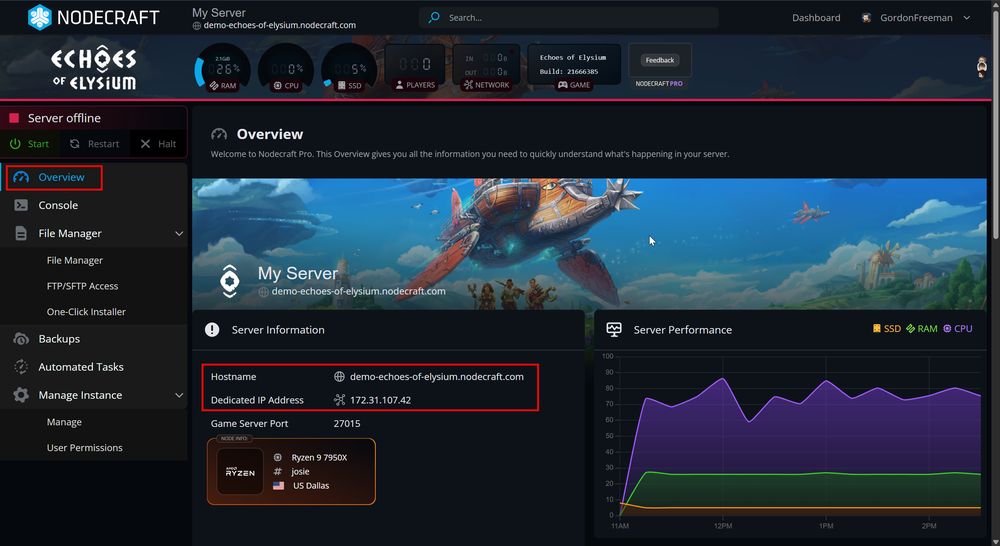
In the Overview section, locate the Numeric IP in the Server Information block and copy it.
Launch Echoes of Elysium.
Click Join.
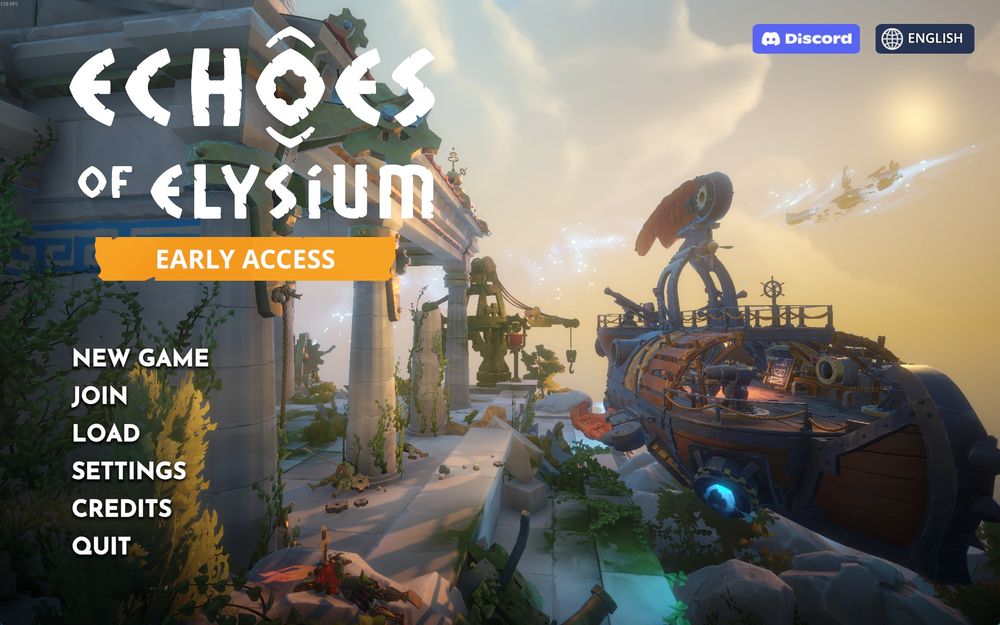
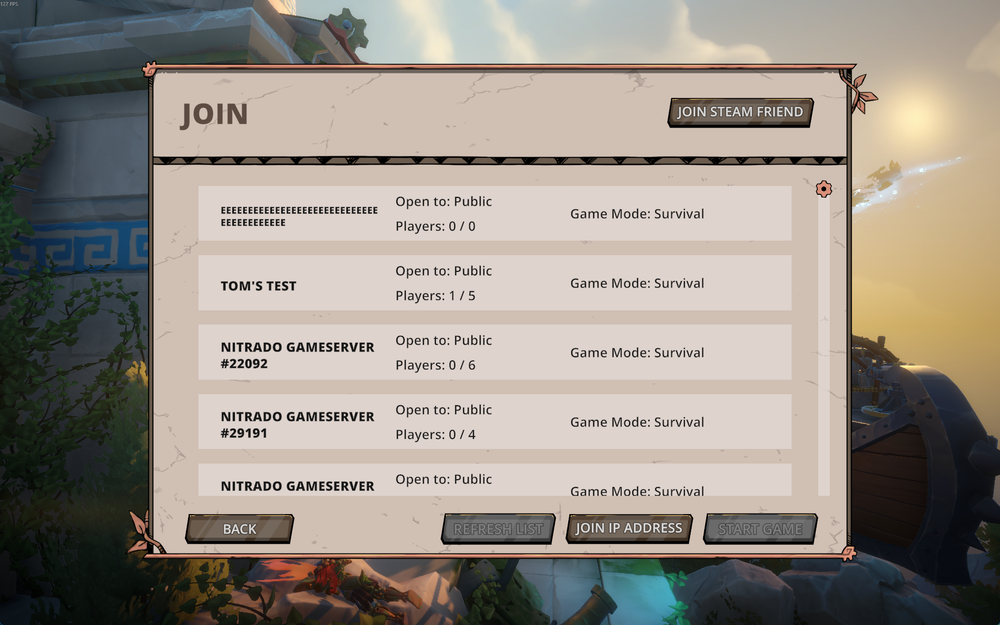
Click Join IP Address.
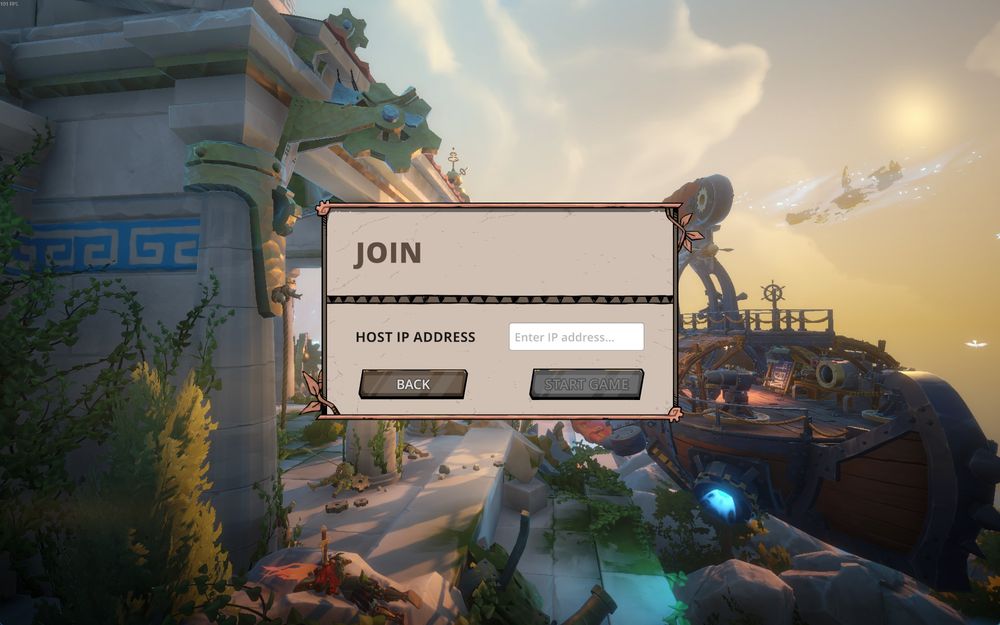
Paste the IP address into the Server Address field.
Click Start Game.
If your server is password protected, enter the password in the field that pops up and hit Next.
Note: Learn How to Add a Password to Your Chronicles of Elysium Server.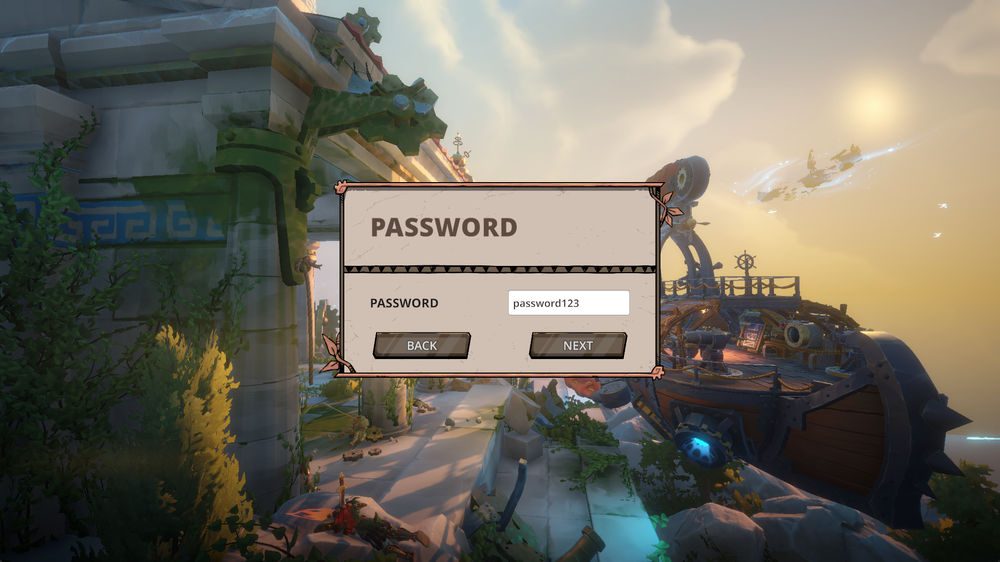
Connect via the "Browse Games" Option
Ensure your server is online, and you've given it a recognizable name in the configuration settings.
Launch Echoes of Elysium.
Click Join.
Scroll to find your server in the list.
Click Start Game.
If your server is password protected, enter the password in the field that pops up and hit Next.
Note: If you aren't sure how to name your Echoes of Elysium server, check out our guideHow to Change the Name on Your Chronicles of Elysium Server.
Troubleshooting Tips
Ensure your server is running and displays 'Online' in green on the panel.
Conclusion
Once you are connected, the floating islands of Echoes of Elysium are right at your fingertips. Using a direct IP is quick and reliable, while the in-game browser makes it easy for friends to spot your server by name. If something does not look right, a quick check of your server’s status in the panel usually gets things back on track!
Need Help?
If you have questions or run into any issues, our support team is here to help! Reach out using the support widget on our website or visit our support center for further assistance.