


How to Add and Remove Mods from a CurseForge Modpack

Modpacks are not locked in stone. Sometimes you want to remove a mod that changes gameplay in ways you do not like, and other times you want to add something new that better fits how you play.
The CurseForge launcher makes both of these changes straightforward once content management is enabled for your profile. In this guide, you will learn how to remove or disable existing mods and how to add new ones to a modpack installed through CurseForge.
Removing a Mod
Open the Curseforge launcher.
Click on the My Modpacks tab.
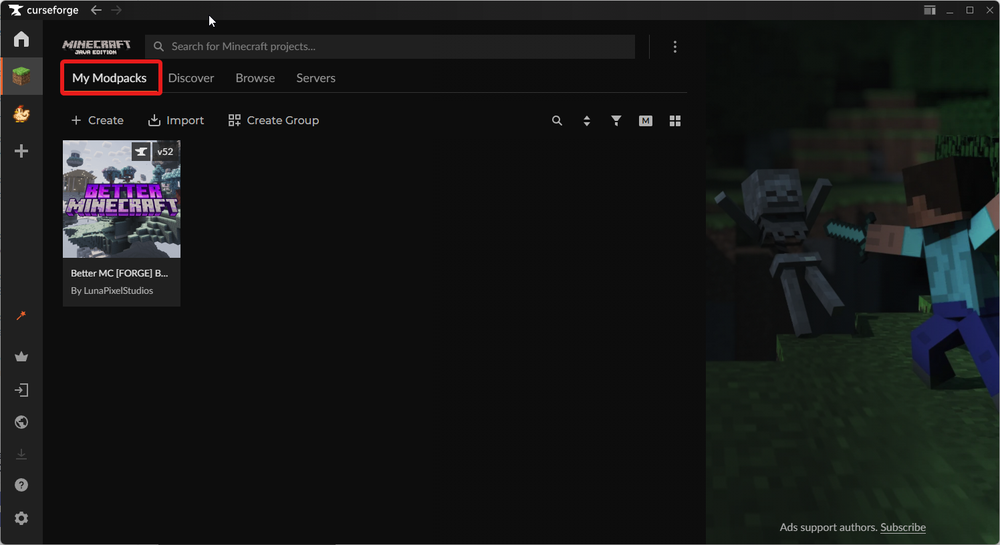
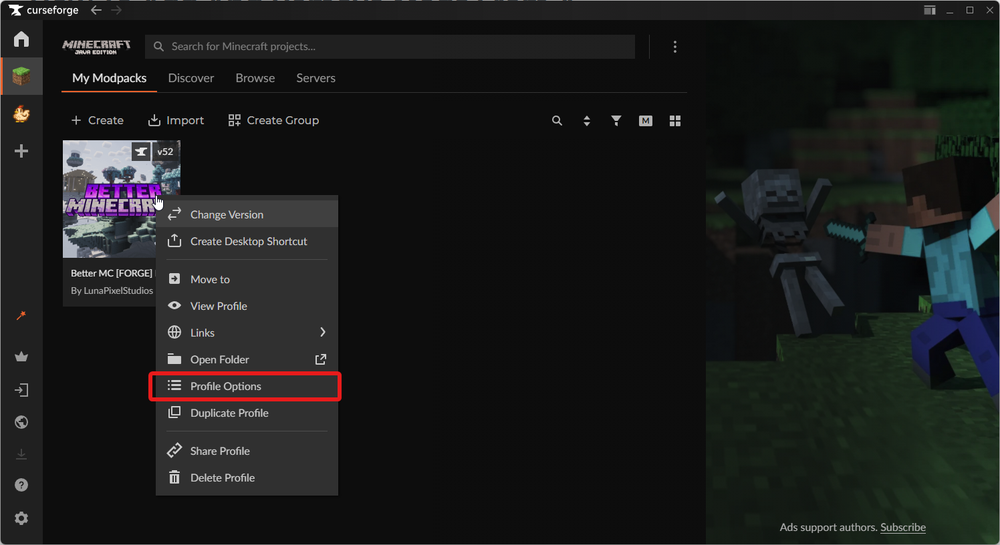
You can now hover over the modpack that you’d like to remove a mod from, right click and select Profile Options.
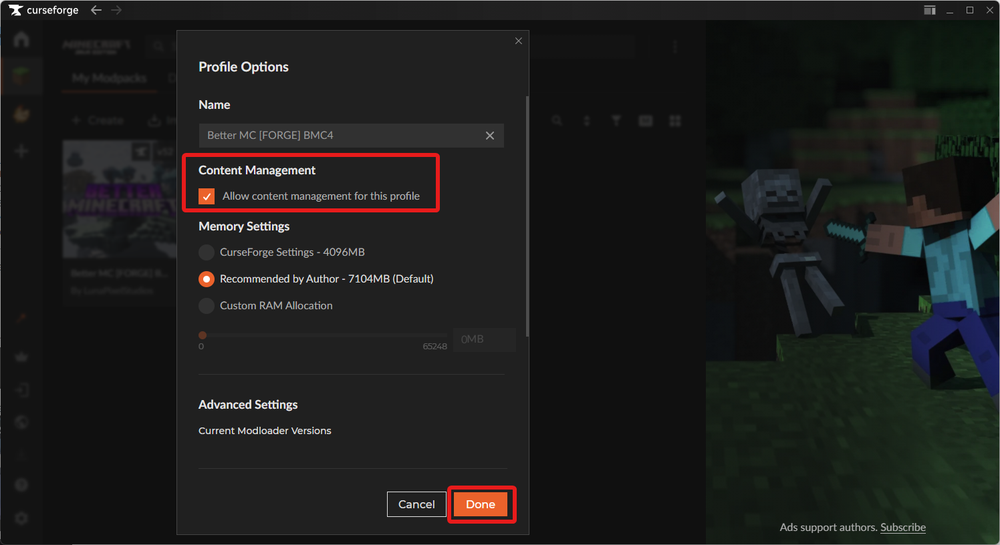
Once the profile options window opens up, check the box that says Allow content management for this profile then click Done in the bottom right of the window.
Now click on your modpack, then navigate to the Content tab.
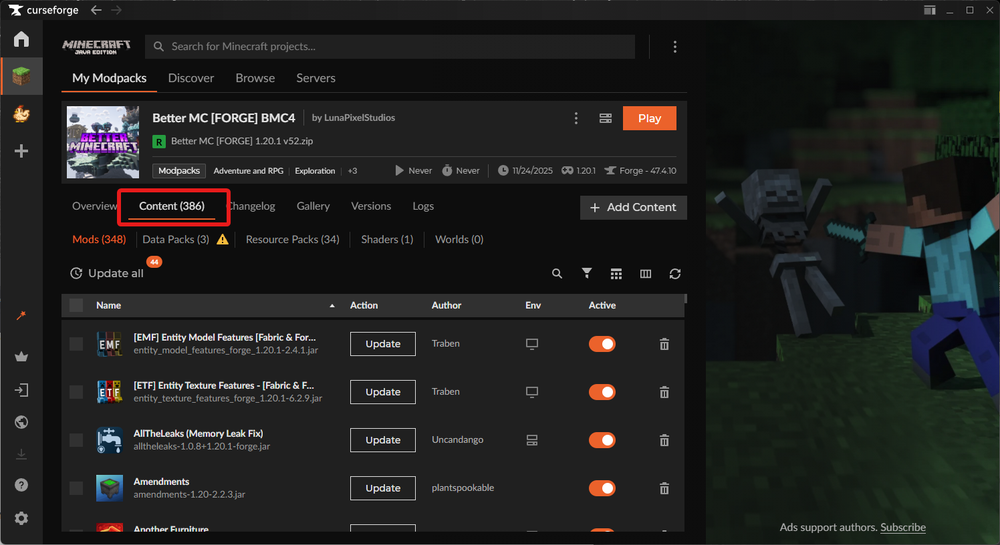
On the Content tab you will see all of your currently installed mods.
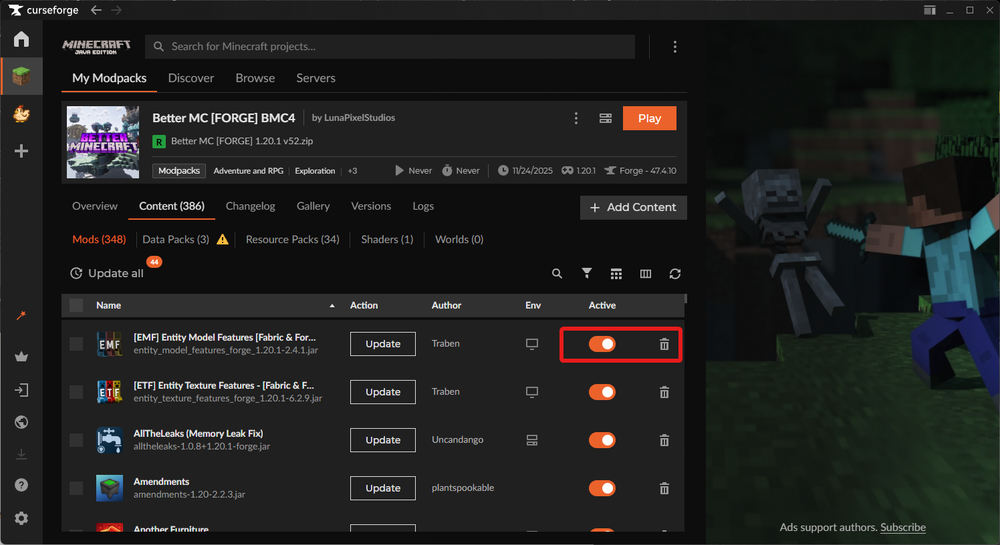
You can now search for the mod that you’d like to remove. Once you find the mod that you’d like to remove you have two options, disable or remove. To disable you can click the orange toggle or fully remove it by clicking on the trash can to the right of the toggle.
Adding a Mod
To add a mod, navigate to your modpack and click on the Content tab.
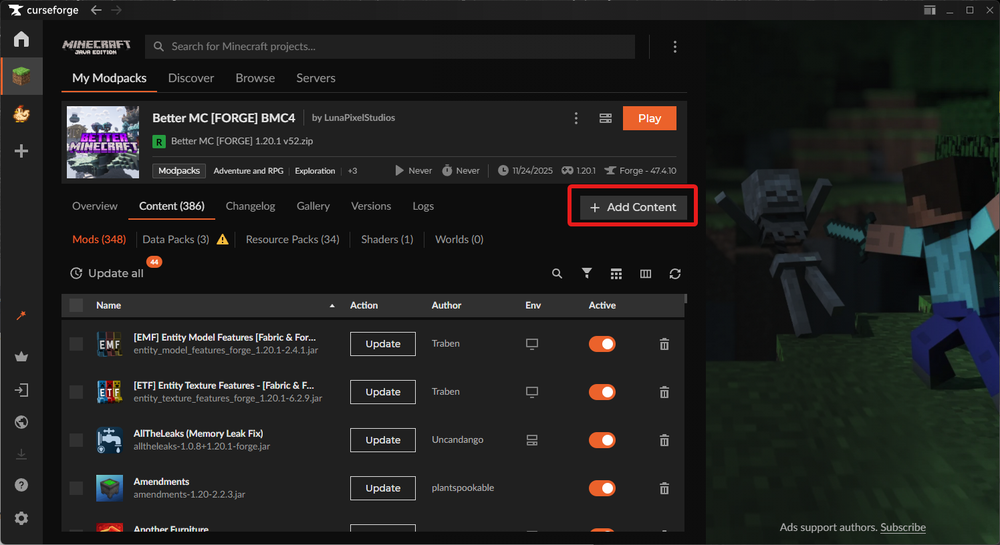
Click on the Add Content button.
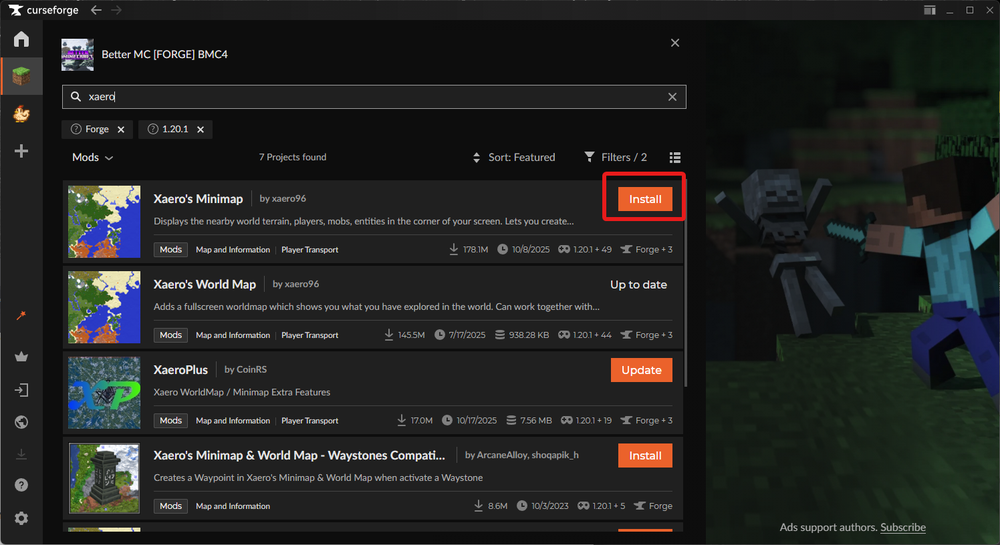
You can now search for the mod that you want to install followed by clicking on the install button.
Conclusion
You can now manage the mods inside your CurseForge modpack by enabling content management, then using the Content tab to remove, disable, or install mods as needed. These changes let you adjust gameplay without rebuilding your entire pack.
After making changes, launch the modpack to confirm everything loads correctly. If something behaves unexpectedly, revisit your recent changes to identify which mod was added, disabled, or removed.
Need Help?
If you have questions or run into any issues, our support team is here to help! Reach out using the support widget on our website or visit our support center for further assistance.