


How to Load a World on VNyan

VNyan worlds are where the magic actually happens. From cozy rooms to full-on custom stages, loading the right world sets the tone for your stream before you even go live. If you are new to VNyan or just swapping scenes, loading a world is a quick process once you know where to click. This guide walks through how to load a world in VNyan so you can get your setup looking snazzy!
VNyan worlds are where the magic actually happens. From cozy rooms to full-on custom stages, loading the right world sets the tone for your stream before you even go live. If you are new to VNyan or just swapping scenes, loading a world is a quick process once you know where to click. This guide walks through how to load a world in VNyan so you can get your setup looking snazzy!
Open VNyan on your computer.
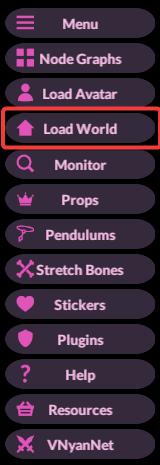
On the right side, click on Load a World.
Locate and Open the file you would like to use for your world. This may be named something like field.vnworld.
Allow the application time to load in your chosen environment!
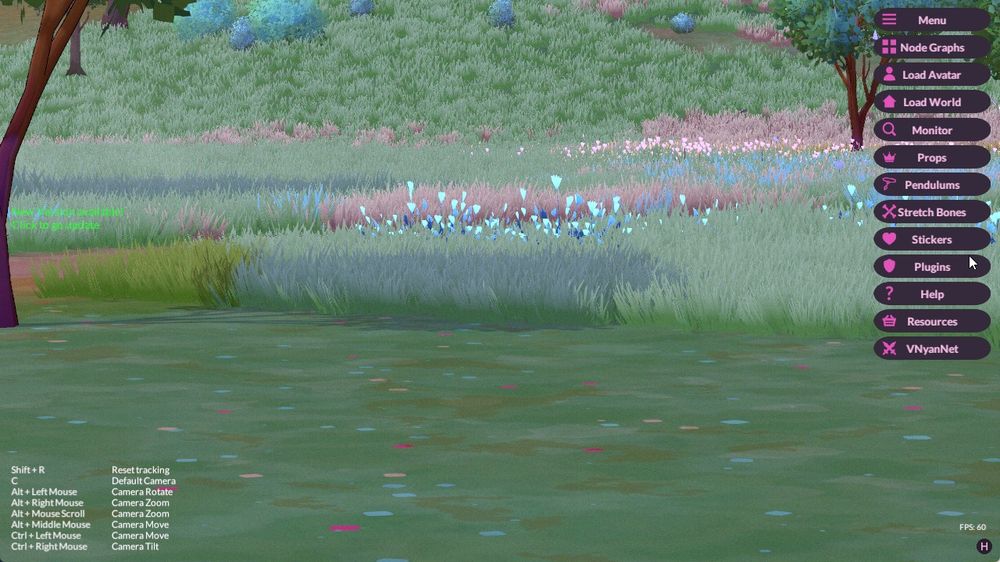
Note: Keep in mind that some worlds may take longer to load! Be prepared for a bit of stuttering as it loads in.
Once the world finishes loading, your scene is ready to go. Give it a quick check, make any final adjustments, and you are all set to start streaming.
Need Help?
If you have questions or run into any issues, our support team is here to help! Reach out using the support widget on our website or visit our support center for further assistance.