


How to change or disable your RCON password

RCON is great for remote server management. It allows remote connections to your server with unlimited access, protected by a password.
Note: Be sure that your Garry's Mod server is fully stopped before making any configuration changes or setting updates!
Enabling RCON through the panel
Navigate to your Nodecraft dashboard.
Click the Panel button for your Garry's Mod server.
Stop your server.
Expand the Game Settings tab, and then click Garry's Mod Game Settings.
Click the Connection tab and then scroll to the bottom.
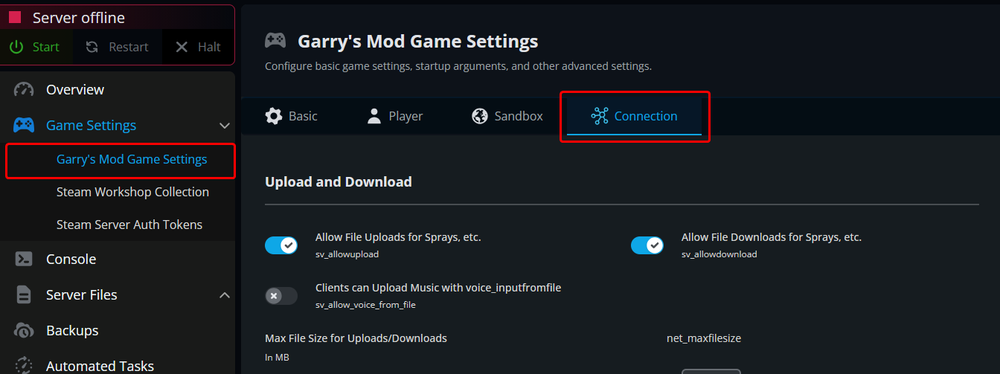
In the RCON Settings section, change the RCON Password setting to whatever you'd like the password to be. If you don't want to enable RCON, leave the box empty.
Note: Be sure that your RCON password is secure. A weak RCON password can allow attackers to fully access your server!
Click Submit at the bottom.
Start your server.
Conclusion
You should have now been able to enable/disable your RCON and change the password to it.
Need Help?
If you have questions or run into any issues, our support team is here to help! Reach out using the support widget on our website or visit our support center for further assistance.