


How to Install Sodium Plus on the Modrinth Launcher

This guide will walk you through the process of installing Sodium Plus on the Modrinth launcher in just a few quick steps. Sodium Plus is a client side only modpack focused on optimization and does not need to be installed on your server to use it.
Installing Sodium Plus on Modrinth
Open The Modrinth launcher and click on the compass icon in the lefthand sidebar which is the DIscover tab.
![A screenshot of the Modrinth app home screen. The left sidebar is visible, and the Library icon is highlighted with a red rectangle. The main area displays featured modpacks such as Cobblemon Official Modpack [Fabric] and Aged.](https://cms-a.nodecraft.com/f/133932/1280x800/354bc659c1/27.png/m/1000x0/smart)
Once on the Discover page you may see Sodium Plus, however, if you do not see it you can search for the modpack using the search bar.
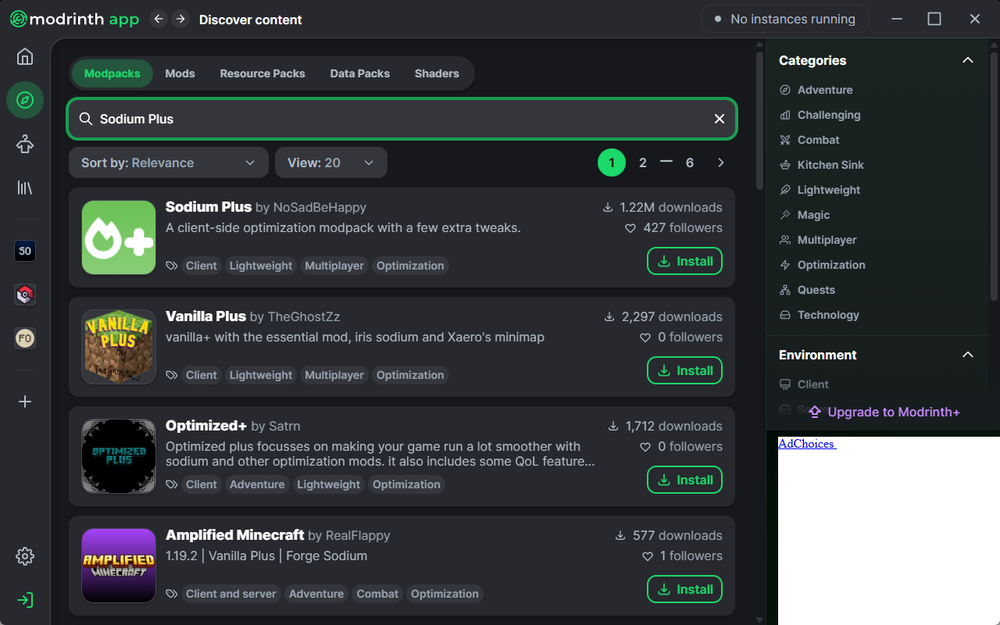
Once you locate Sodium Plus you can click the install button and the download will immediately start.
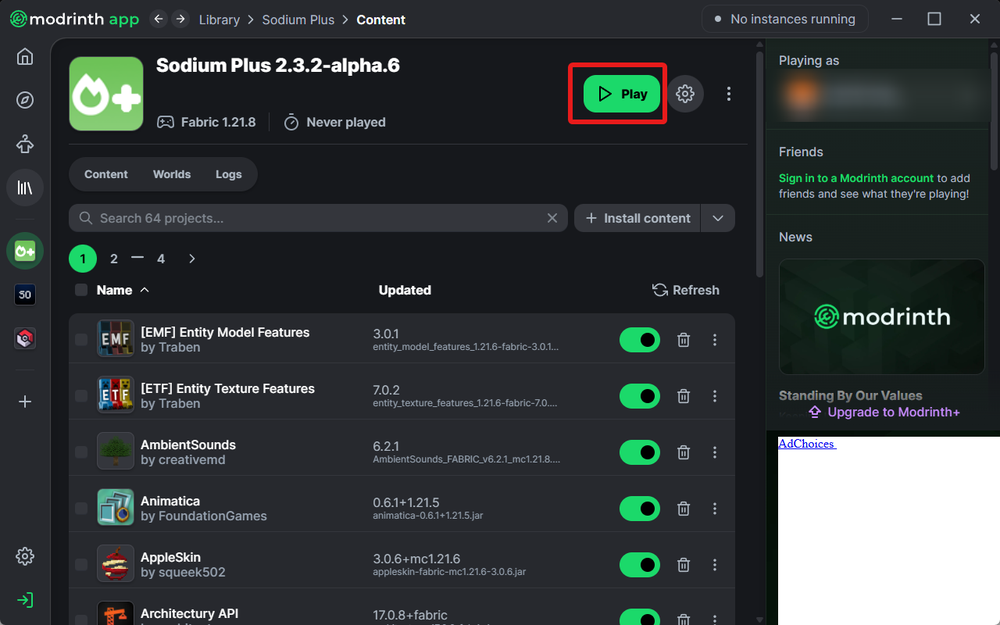
Once completed, the launcher will automatically open the modpacks page for you where you can edit the mods or settings. If that is not needed, you can start the modpack using the play button in the upper right corner.
Need Help?
If you have questions or run into any issues, our support team is here to help! Reach out using the support widget on our website or visit our support center for further assistance.