


How to Purchase a HumanitZ Server

The outbreak has already happened, and surviving alone rarely ends well. A HumanitZ server gives you full control over your world, letting you build, explore, and survive alongside friends without interruptions. Running your own server means you decide who joins, how the world is set up, and how difficult survival becomes. This guide walks you through how to purchase a HumanitZ server through Nodecraft so you can get started surviving.
Note: Claim your free 24-hour or 3-day trial today!
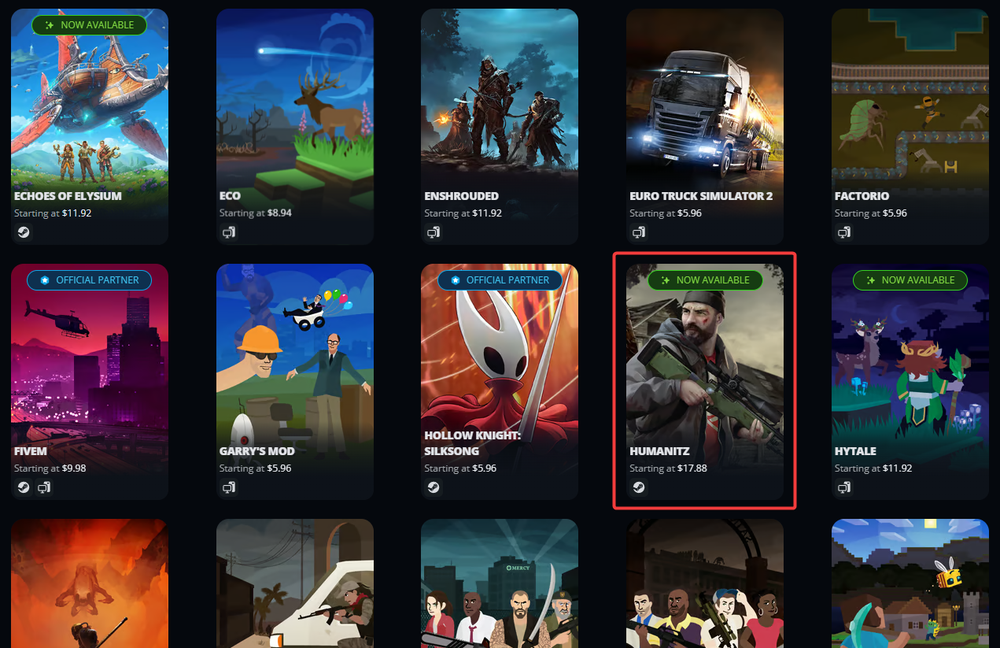
Get started by navigating over to Nodecraft's website for HumanitZ servers or choose HumanitZ from the available games!
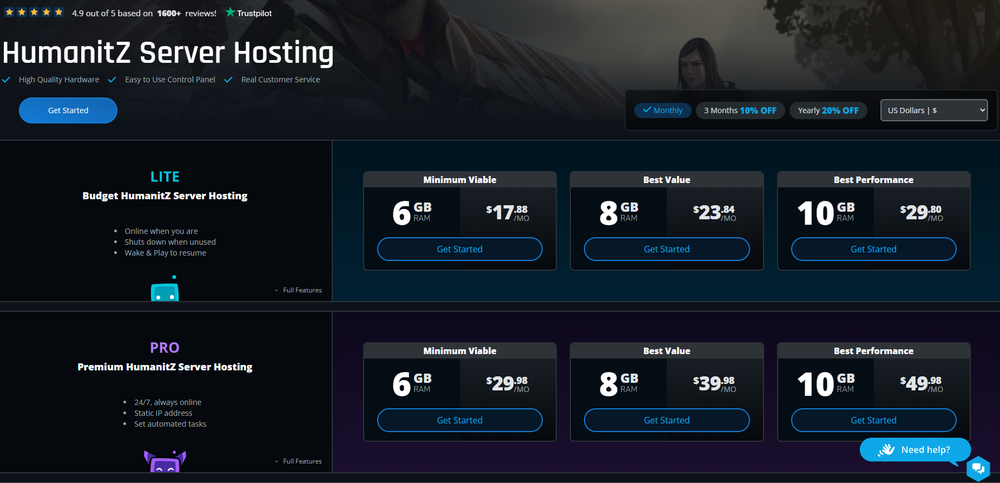
Choose the server plan you'd like to use.
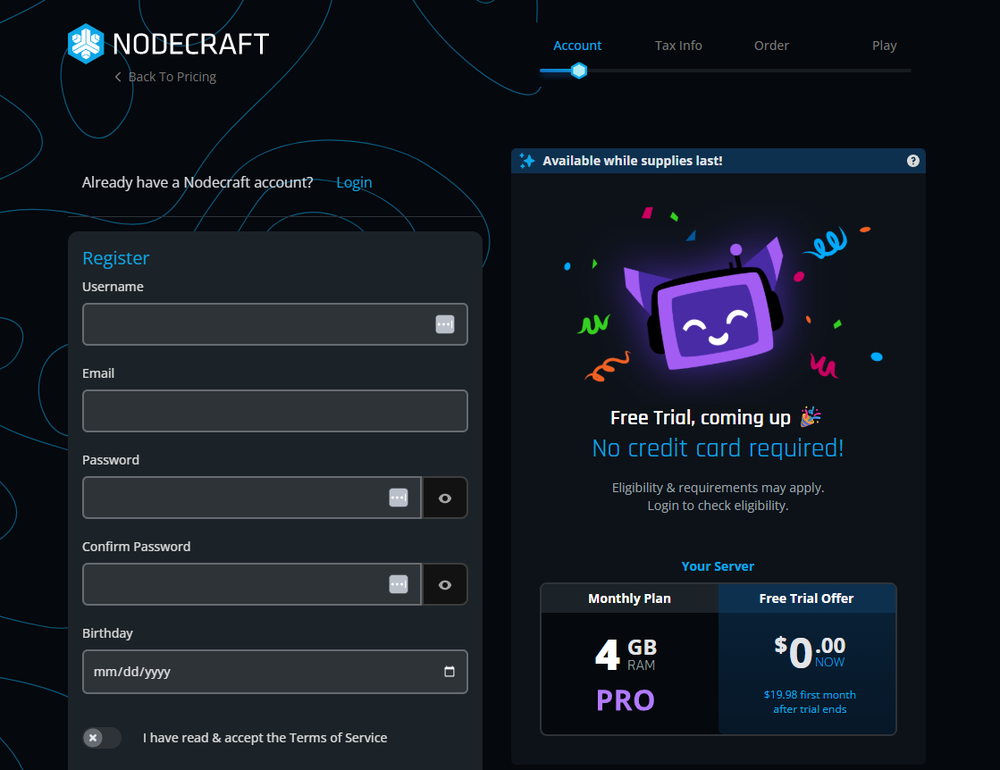
You now need to register for your account. Enter in your desired Username, email, password, and birthday! Be sure to read and agree to the Terms of Service as well.
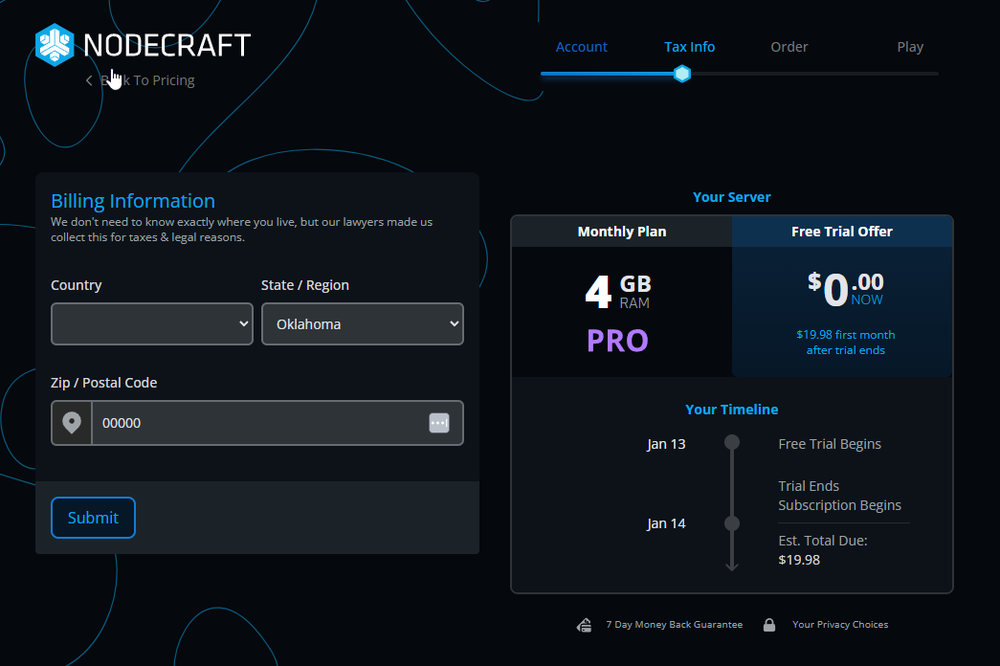
Now you'll want to enter in a few basic billing details such as the country and state you live as well as your zip/postal code.
Next, you will need to verify your phone number for a 24-hour trial, or you can enter in billing details to unlock a 3-day trial. You will not be charged until the trial ends and your full plan begins.
Once your free trial has been claimed, or you've completed purchase of a server, click Start Server Setup.
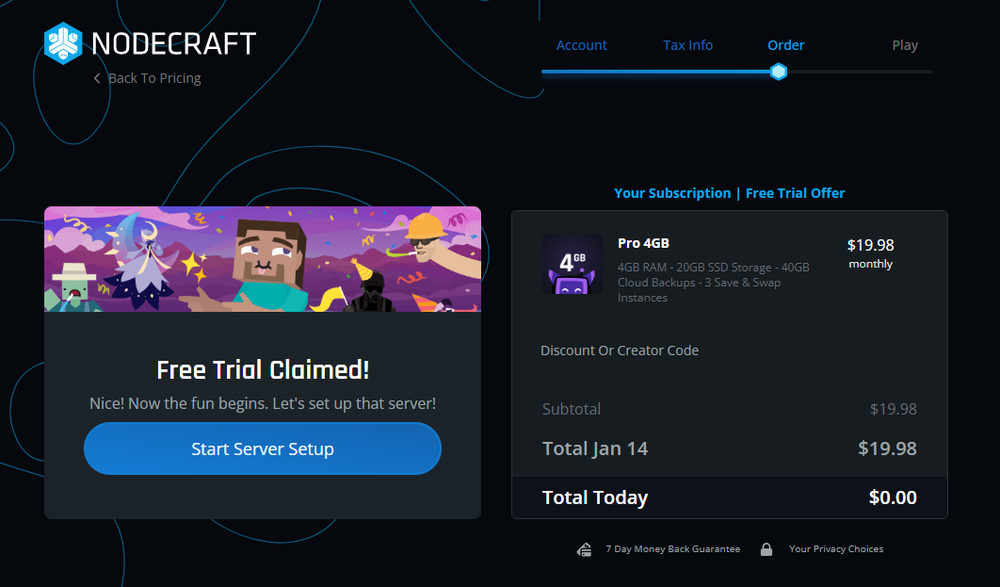
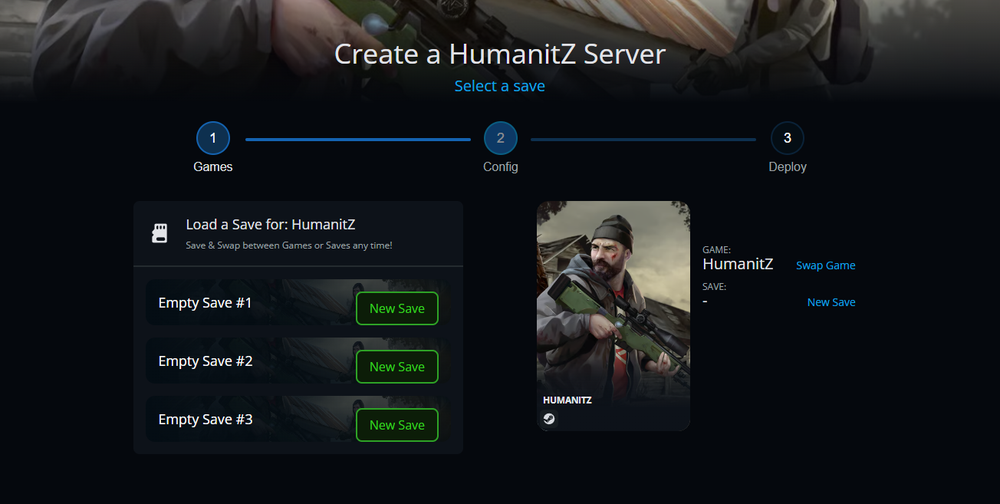
It's time to set up your server! From the available list of games, choose HumanitZ. This is the game selection for what your server will be created with.
Choose an existing save to load for your server or click the New Save button if this is your first HumanitZ Server.
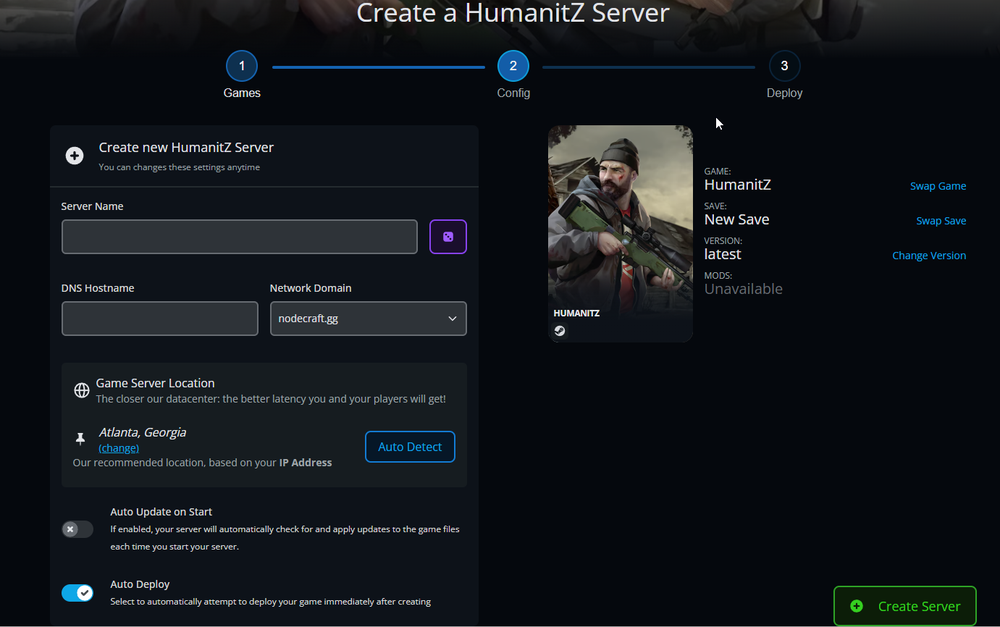
Enter a Server Name and what you would like your DNS Hostname to be. You can also choose a specific location for your server. We do recommend ensuring the Auto Deploy option is toggled on.
Click Create Server.
Your server will now create and deploy. From here, you'll want to load into your Dashboard and click the Panel button available on your HumanitZ Server banner.

Once your server is purchased, you are ready to jump into your own HumanitZ world and start building your survival story. From adjusting settings to inviting friends, everything can be managed directly from your Nodecraft dashboard.
Need Help?
If you have questions or run into any issues, our support team is here to help! Reach out using the support widget on our website or visit our support center for further assistance.