

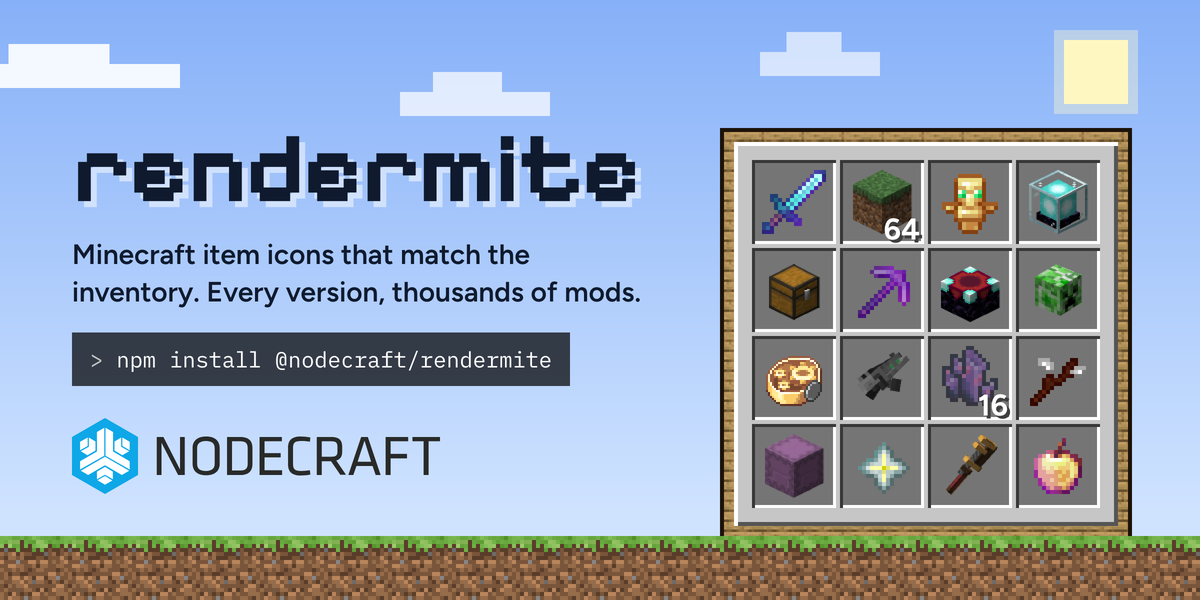
Anything that shows a player's inventory, the contents of a chest, or a /give command needs item icons. Without them, you're left printing the item's ID, and create:precision_mechanism doesn't mean much to most people.
We built rendermite for Nodepanel, and today we're open sourcing it. Point it at any Minecraft version, or a folder full of mod jars, and it renders icons that match what you see in-game. It's on npm, and the icons are free to use straight from our CDN at assets.rendermite.dev.
It already draws every Minecraft item you see in Nodepanel, and it powers a few of the free Minecraft tools here too.
Icon rendering is hard
The textures are all in the game jar, but an inventory icon is rarely just a texture. A grass block in your inventory is a little 3D cube, drawn with a fixed camera angle and the game's own lighting on each face. A sword is a flat sprite, but it's tilted by a display transform. On top of that, armor is tinted, enchanted items shimmer, clocks and compasses animate, and none of that lives in a single PNG you can just copy out of the jar.
Minecraft has also changed how it describes models several times over the years, from the sprite sheets of the early releases, through the Flattening in 1.13, to today's item definitions, armor trims and decorated pots. Mods make it even more complex, which bring their own model loaders, OBJ meshes, GeckoLib geometry and, in a fair few cases, JSON that only works because Minecraft's parser is very forgiving.
We weren't the first to tackle this. Aternos' renderchest is excellent, and rendermite started life as a Node.js and TypeScript rewrite of it, built to match its output closely. What we needed on top of that was one codebase for every version, first-class mod support, and enough speed to re-render thousands of mods whenever a new release lands. On the same 1.21.8 assets:
| Renderer | Wall time | Icons written |
|---|---|---|
| renderchest (Docker, 8 cores) | 186s | 1,573 |
| rendermite (one Node.js process, 8 worker threads) | 12.1s | 2,035 |
That's roughly 20x the icons per second (about 15x faster end to end), and it covers 462 more items.
What rendermite does
rendermite reads the same models, textures and transforms the game client does, then draws each icon as close to how the in-game inventory draws it as possible.
Every version - one codebase handles Minecraft from 1.0 through 26.3 and the latest snapshots. Old versions get era detection and legacy sprite sheet slicing; new ones get item definitions, trims, decorated pots and loaded crossbows.
Thousands of mods - Forge, NeoForge and Fabric models, OBJ meshes, GeckoLib geometry, 1.7.10-era assets and texture-only jars supported. Over 4,200 mods are already rendered and hosted.
In-game details - per-face lighting, tints, the enchant glint as its own layer, and animated textures exported as animated WebP.
No blank icons - when an item is drawn in code rather than from a model, rendermite works through a chain of sensible fallbacks. Anything it truly can't draw lands in a failures file with a reason, instead of shipping a blank icon.
Output - Lossless WebP and PNG (plus GIF and AVIF if you want them), a CSS sprite sheet with a class per item, and a JSON list of every item it rendered.
It also does more than icons. rendermite blocks exports a version's block geometry, textures, tints, lighting and entity models as plain data, so a renderer in the browser can draw a whole world. We've tested it by exporting a pack for every jar in a set of 3,000 mods, and the 3D map further down is built from these packs.
Where you'll see it in Nodepanel
If you run a Minecraft server with us, you've probably seen rendermite in action already!
Editing a player's inventory
Open Manage Worlds, pick a world, then open a player. You get their health, food, XP, game mode and position, plus their armor, inventory, hotbar and ender chest, all drawn as the real items. The stack counts are there, and so is the slot they were holding when they logged off.
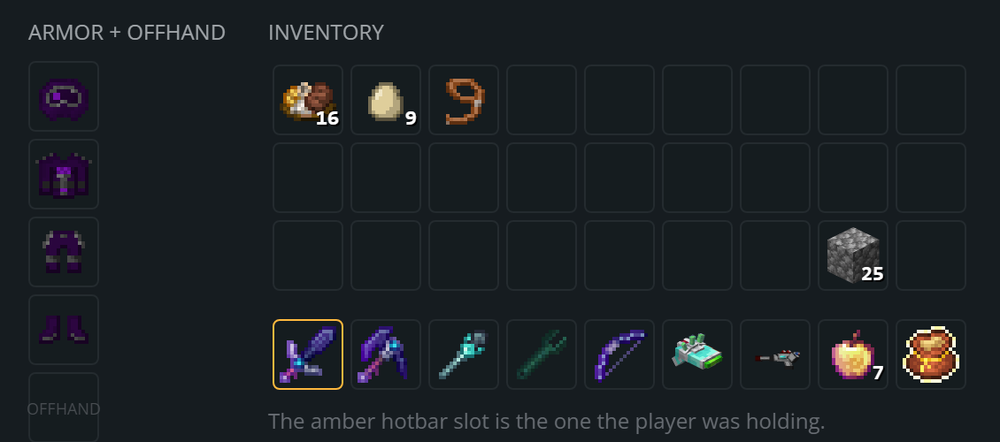 Modded servers work too. Each mod's icons ship as their own small stylesheet, and nodepanel only fetches the ones a save actually uses, so opening a player on a 200-mod pack doesn't mean downloading icons for 200 mods.
Flying around your world in 3D
The block packs we mentioned earlier are what draw the 3D map in Manage Worlds. Pick a world and you can fly around it right in the browser, WASD and all, with a minimap in the corner and the block under your cursor named as you go. Because the packs come from the same mod jars your server runs, modded blocks show up as themselves instead of as purple-and-black checkerboards. Our modded test world below is 2,761 chunk sections and about 2.1 million triangles from 58 mod block packs, all running in a browser tab.
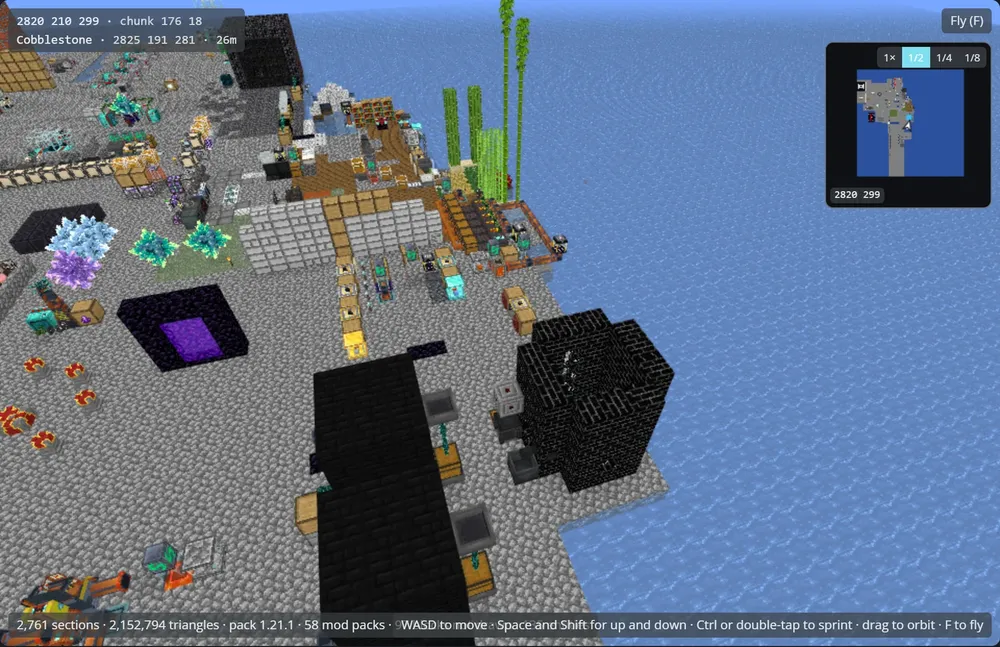 The same packs bring along the game's own biome colours, block light and entity models, so grass is the right shade of green, torches glow, and entities appear where they're standing.
Free tools, no server needed
You don't need to host with us to use any of this though. Most of the Minecraft pieces in Nodepanel also power our free Minecraft tools, which run in your browser and don't need an account.
| Tool | What it does | Where rendermite comes in |
|---|---|---|
| Item ID List and /give Command Generator | Search every item and block from 1.0 to 26.3, then build a /give command with the right syntax for your version, numeric IDs and all | Every item's icon, for every version |
| NBT Editor and Viewer | Open and edit NBT files like level.dat and player data, then download the result | Player files open in the same inventory editor as nodepanel, icons included |
| Region / Chunk Editor and Viewer | Drop in a region file or a whole world, browse chunks in 2D or 3D, and remove damaged chunks | The 3D view draws blocks from rendermite's block packs, mods included |
The region editor reads your files right in the browser, so your world never gets uploaded anywhere, which makes it super handy for fixing up a singleplayer world too.
Use it in your own projects
Building a server website, a Discord bot, a wiki or your own panel? There are two ways to use rendermite.
Use the hosted icons. We've already rendered every vanilla version and over 4,200 mods, and they're served free from assets.rendermite.dev. Add one stylesheet, then use a class per item:
<link rel="stylesheet" href="https://assets.rendermite.dev/icons/26.3/rc-minecraft-64.css">

<span class="rc-item rc-minecraft_diamond_sword rc-enchanted"></span>
That rc-enchanted class adds the glint, animation included. Modded icons work the same way, with a small stylesheet per mod at /icons/modded/css/<namespace>.css, or as single images like /icons/modded/items/create/wrench.webp if you'd rather skip the CSS.
Render your own. Got a private modpack, or a version that came out ten minutes ago? Install the package and point it at your jars:
npm install @nodecraft/rendermite
npx rendermite --version 1.20.4 --mod ./create-1.20.1.jar --namespace create --output ./icons/create
Everything the CLI does is also exported as a library, and the README covers the output formats and block packs in more detail.
Go render something
Have a look at rendermite.dev, grab the code on GitHub, or open a world in Nodepanel and go poke around a player's inventory. If an icon looks wrong, or a mod you love is missing, open an issue. We'd love to see what you build with it!