


How to Change the Server Name on an Echoes of Elysium Server

Giving your Echoes of Elysium server a name is a small change that makes a big difference. A custom server name helps your community recognize your world in the in-game server list and makes your server feel a little more like home. Whether you are branding your server, organizing multiple worlds, or just tired of seeing a generic name, updating it only takes a minute.
Change Your Server Name
Log in to your Nodecraft Dashboard.
Navigate to your Echoes of Elysium server panel.
On the left side of the panel, click Game Settings.

Under the Basic tab, locate the Server Name option.
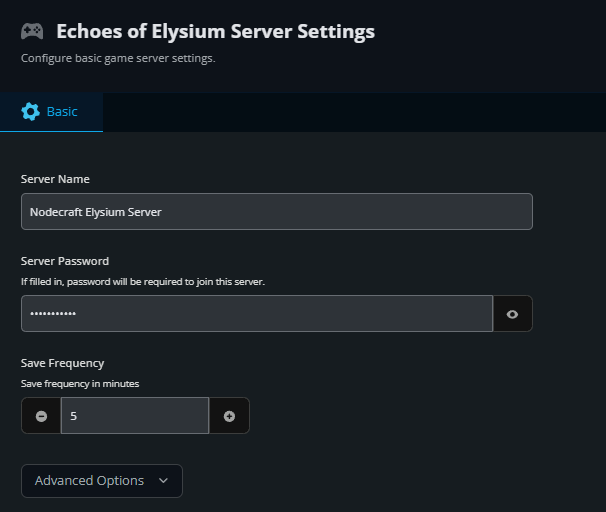
Enter the name you want your server to use.
Click the Submit button at the bottom to save your changes.
Your new server's name will update when the server is restarted and be used when players search for your server in-game.
Conclusion
That’s all it takes to put your server’s name on the map. A clear, recognizable server name makes it easier for players to find your world and adds a bit of personality to your floating islands. If you ever want to rebrand, host an event, or just freshen things up, you can come back and change it again anytime.
Need Help?
If you have questions or run into any issues, our support team is here to help! Reach out using the support widget on our website or visit our support center for further assistance.