


How to Spawn Items on a Hytale Server

Sometimes you just need an item. Maybe something vanished, maybe you are testing a build, or maybe you just want to experiment before committing to a full grind. Whatever the reason, spawning items on your Hytale server is a quick and powerful way to stay in control of your world. With the right permissions, you can give items directly to yourself or other players using simple commands, either in game or through the server console. This guide walks you through both methods so you can spawn items on your Hytale server!
Give In-Game
Press / to open your command window in-game which will auto append a / for the command.
Type: give (player) (item) [amount if desired]

Give Through the Console
Open your Dashboard.
Locate your Hytale server and click on the Panel button.
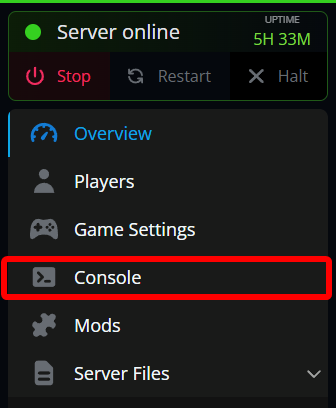
Click on Console.
In the console type: give (player) (item) [amount if desired]
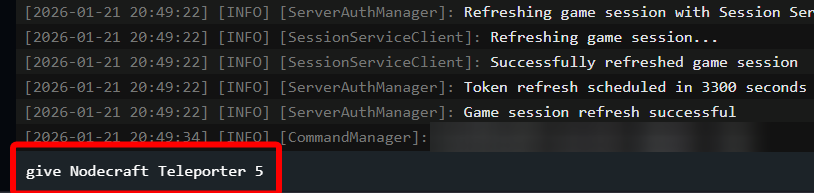
Note: When in the console no / is needed for the command like when used in-game.
Conclusion
That’s all it takes to spawn items on your Hytale server! Once you get comfortable with the give command, fixing mistakes, testing new items, or helping players out becomes second nature. It is a small tool, but it gives you a lot of flexibility when managing your world. Keep it in your back pocket, because it is one of those commands you'll probably end up using more than you expect.
Need Help?
If you have questions or run into any issues, our support team is here to help! Reach out using the support widget on our website or visit our support center for further assistance.