


How to Set Avatar Presets

In this guide we are going to cover how you can create and use avatar presets on Hytale. Previously you were only able to have one set avatar that you had to keep customizing if you wanted something different. Now with presets you have up to 10 different looks that you can easily change between at any time.
How To Create a Preset
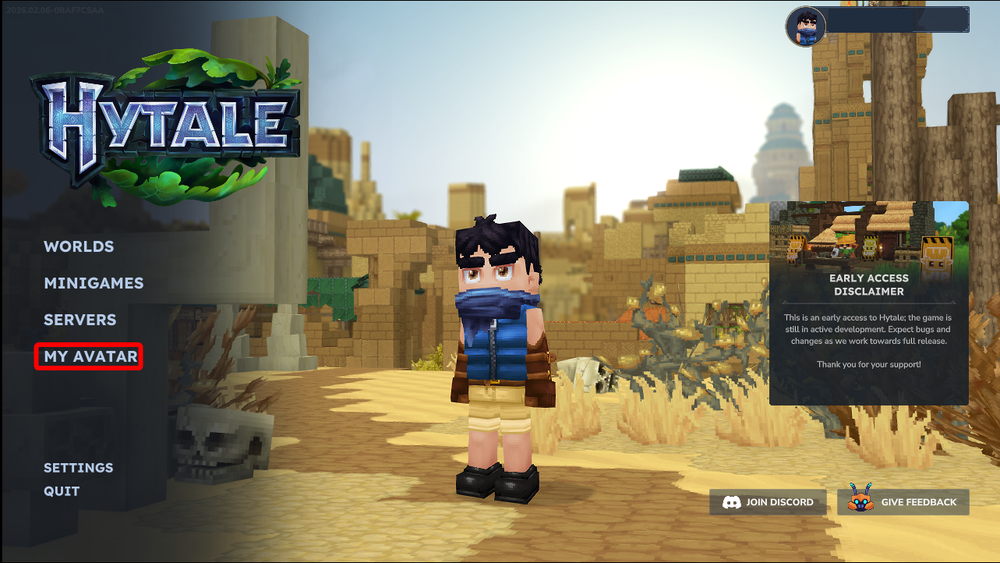
Open your game and select My Avatar.
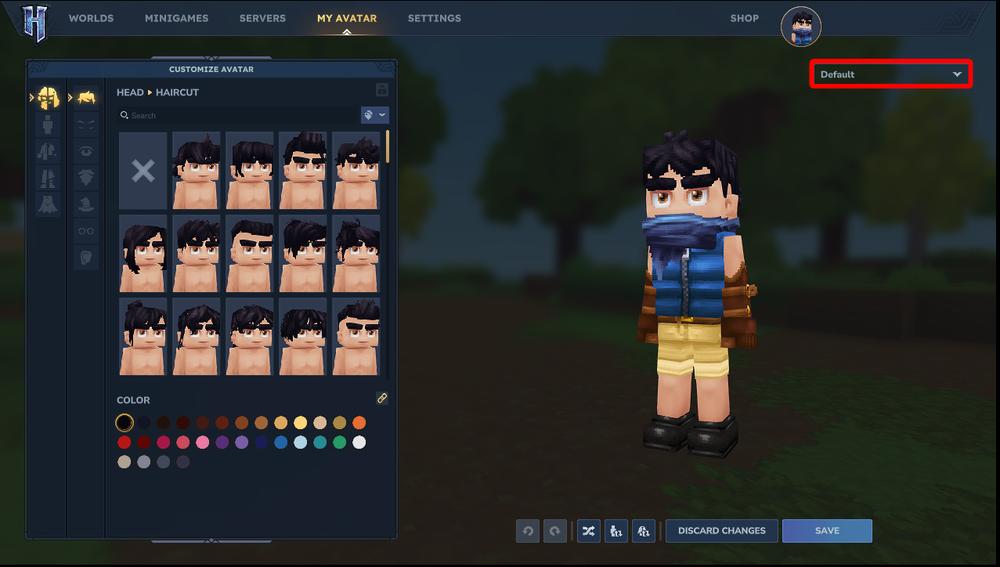
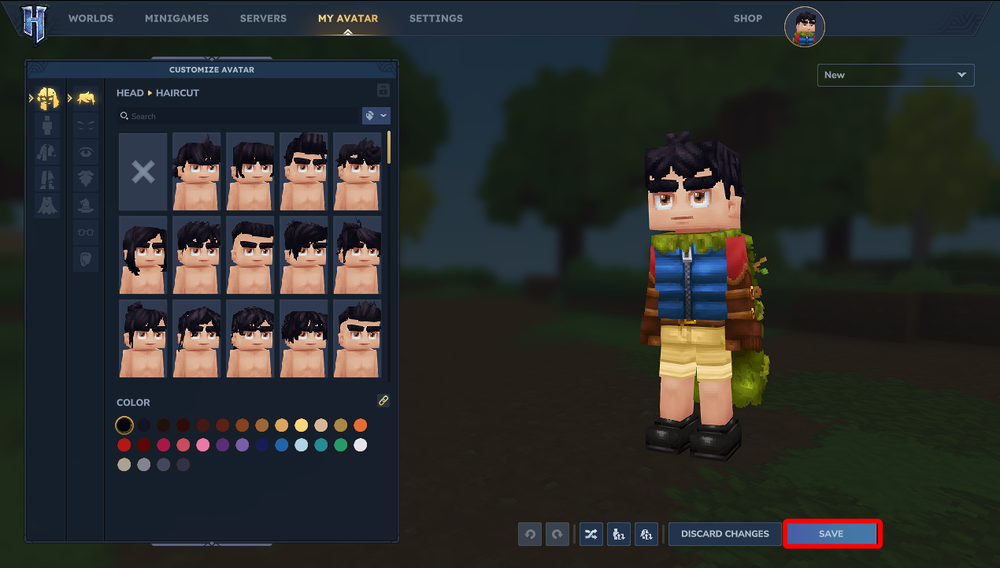
Once on the Avatar page, look at the upper right corner and you will see a dropdown.
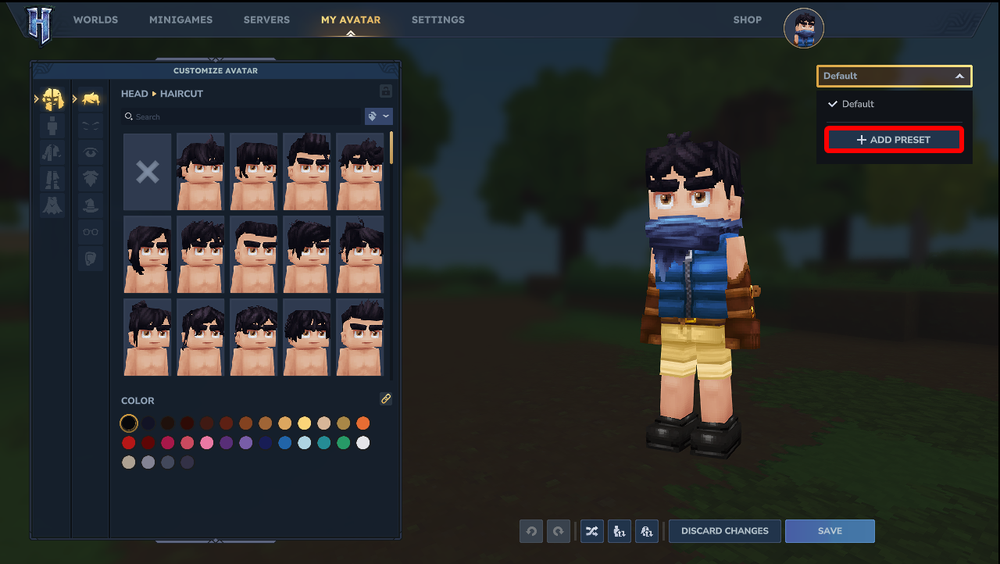
Your previous Avatar that you created will be the default. Click on the dropdown and click on + Add preset.
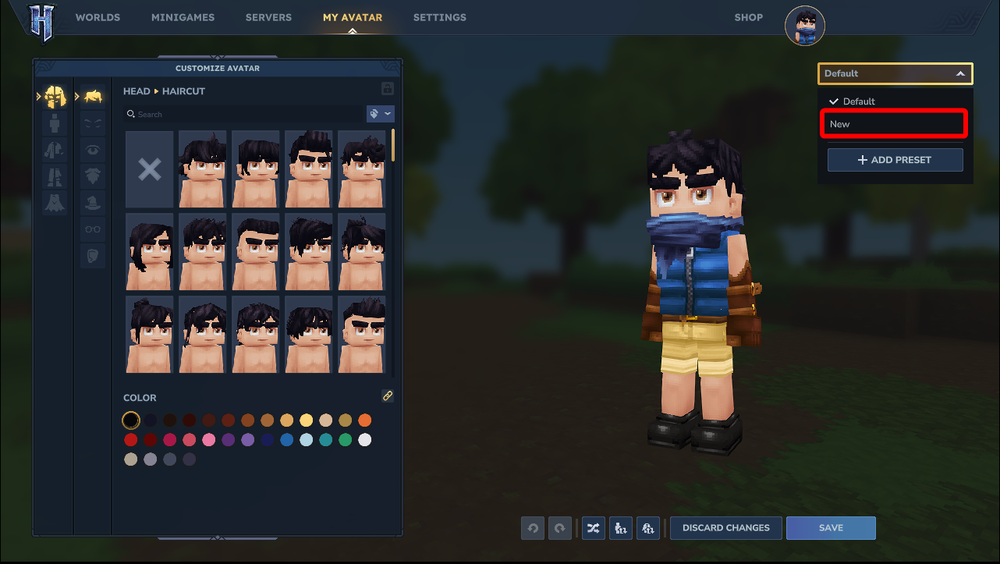
Give it a name and click Add then customize your avatar as normal.

How To Change the Preset You Are Using
Return to the Dropdown on your avatar page and select the avatar you want to use.
Once Selected, click Save.
Conclusion
You have now created a new Avatar preset or changed to one of your previously created avatars.
Need Help?
If you have questions or run into any issues, our support team is here to help! Reach out using the support widget on our website or visit our support center for further assistance.