


How to Turn On My Friend's Server
Ready to play, but your friend's Nodecraft Lite server is currently offline? If the server owner has enabled sharing, you can wake the server yourself without waiting for them to come back.
You can start a Lite server using either its Share Link or Nodecraft's Discord integration.
Nodecraft Lite's Discord Integration
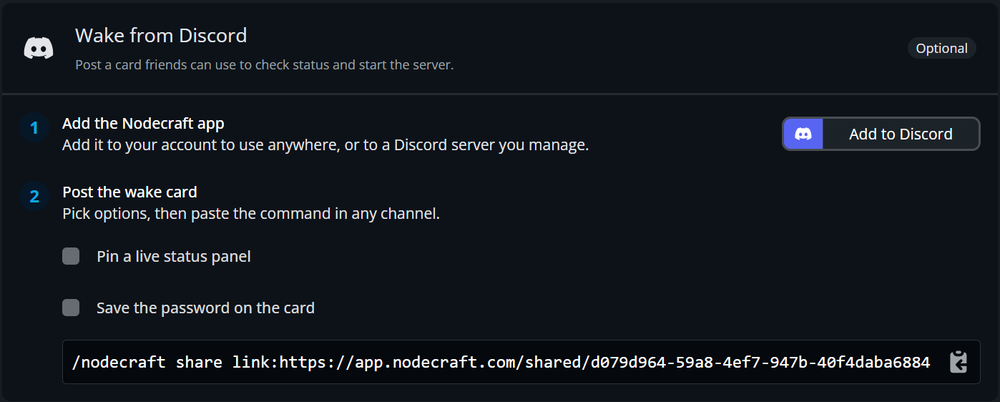
Make sure your friend added the Discord Share Bot to the Discord Server from their server control panel in Nodecraft. If there isn't a card available, ask the server owner for the Discord sharing details or follow our Discord integration guide here!
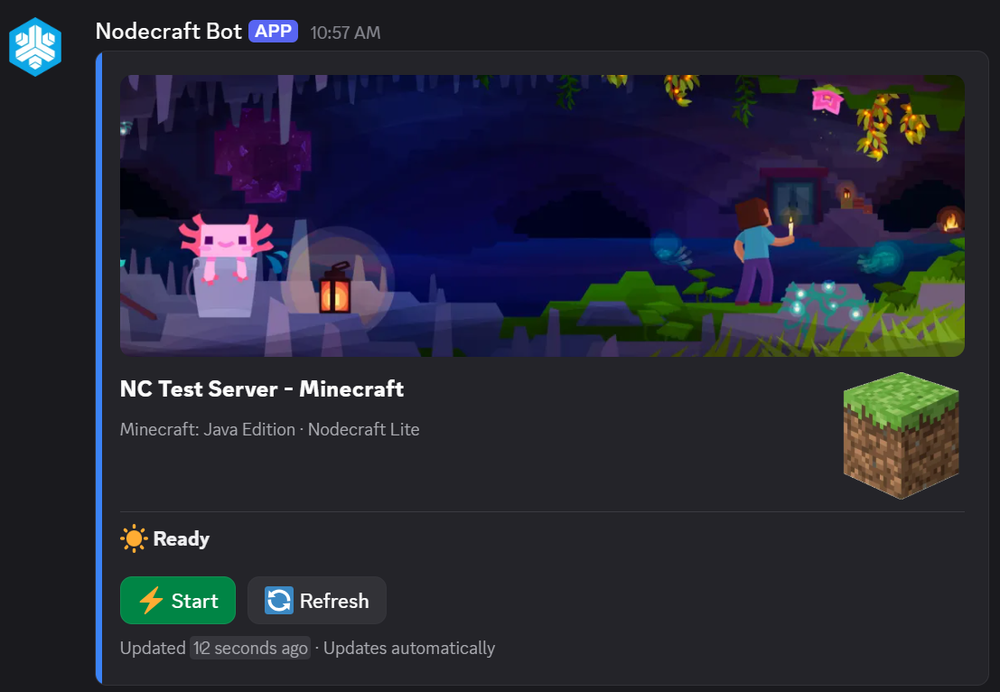
Click the Start button on the server status card.
Nodecraft's Share Link
1. Get the Share Link and password, if required, from your friend.
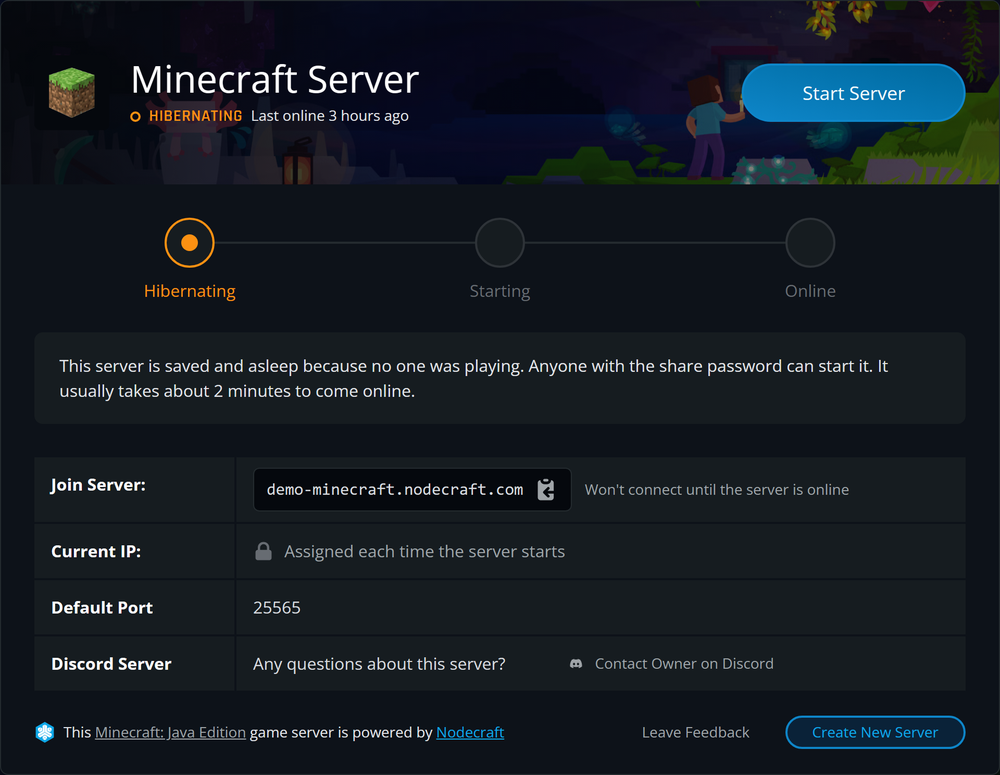
2. Open the Share Link and click Start Server.
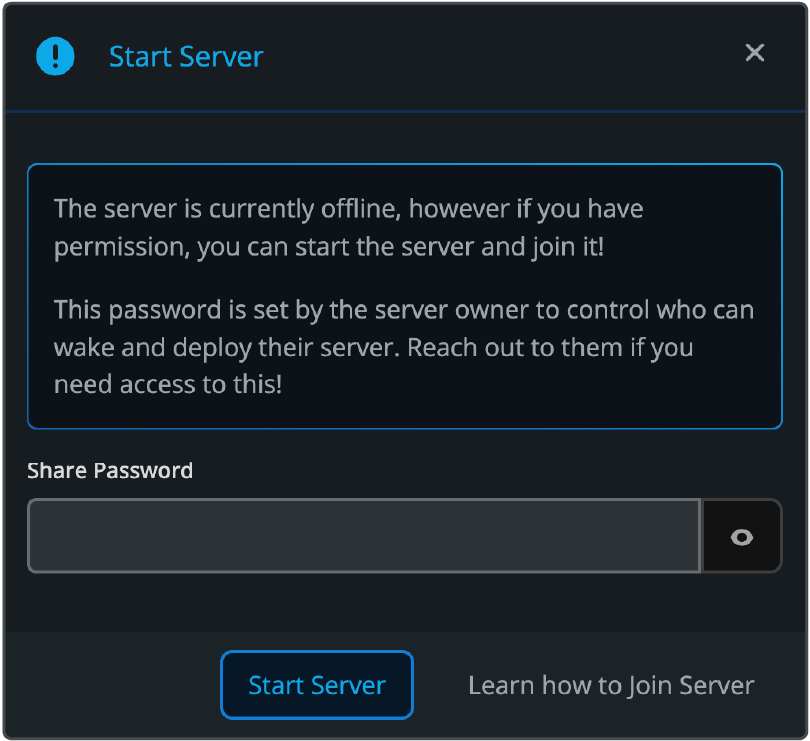
3. Enter the password if prompted.
 4. Wait for the server status to change to Online.
Note: The time to deploy and launch varies by game and mods, but the Share Link will show when the server is Online.
5. Use the IP address, port, or DNS hostname from the Share Page to join the server.
Final Thoughts
You do not need access to your friend's Nodecraft account to start their Lite server.
As long as the owner has enabled sharing, you can wake the server using its Share Link or Discord integration, wait for it to come online, and then jump back into the game.
For instructions on setting this up as a server owner, see our guide here!
Need Help?
If you have questions or run into any issues, our support team is here to help! Reach out using the support widget on our website or visit our support center for further assistance.