


How to Enable Hardcore Mode on Your Minecraft Server

Hardcore Mode turns Minecraft into a true one life challenge. Once a player dies, they are removed from the world and placed into spectator mode instead of respawning, which creates a higher tension survival experience. This guide will walk you through where to find the Hardcore setting inside your Nodecraft control panel and how to turn it on.. By the end, your server will be running in Hardcore Mode and ready for your players.
Note: Be sure that your Minecraft server is fully stopped before making any configuration changes or setting updates!
Enable Hardcore Mode
This section walks you through locating the Hardcore setting inside the Minecraft Server Settings menu.
Navigate to your Minecraft servers’ dashboard.
Locate and click the Game Settings option on the left-side of your dashboard.
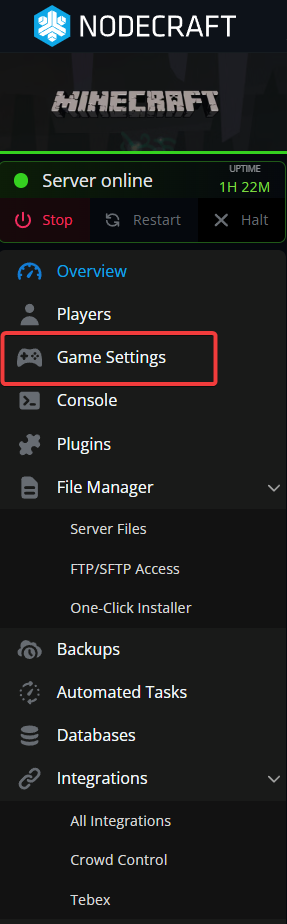
Click the Minecraft Server Settings option.
Choose the Gamemode tab at the top.
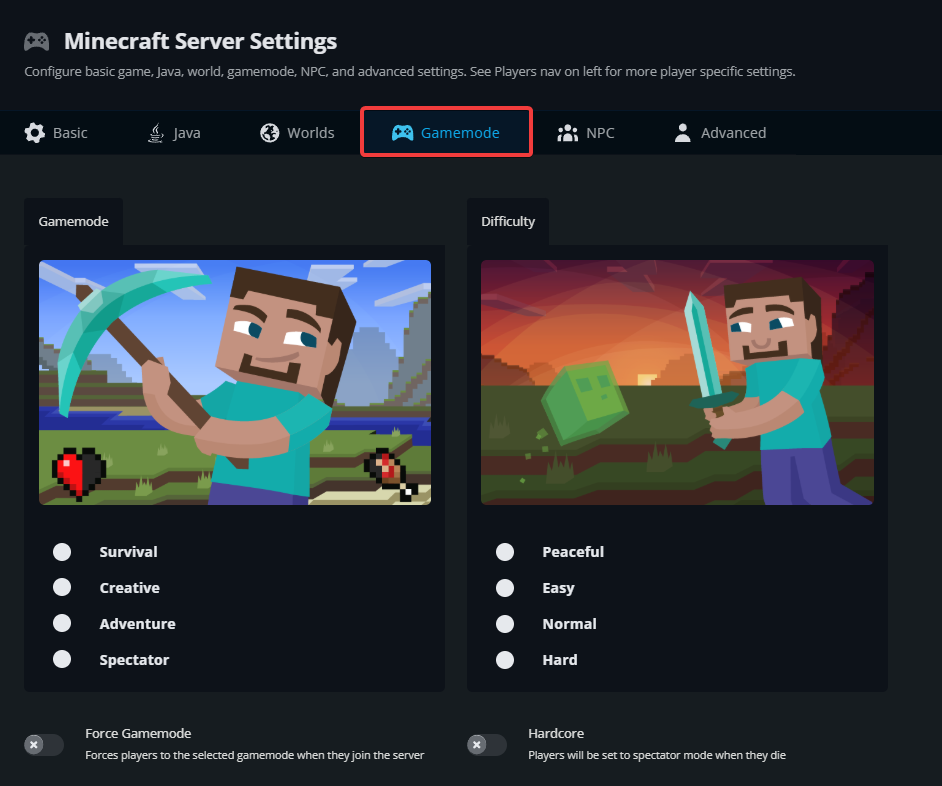
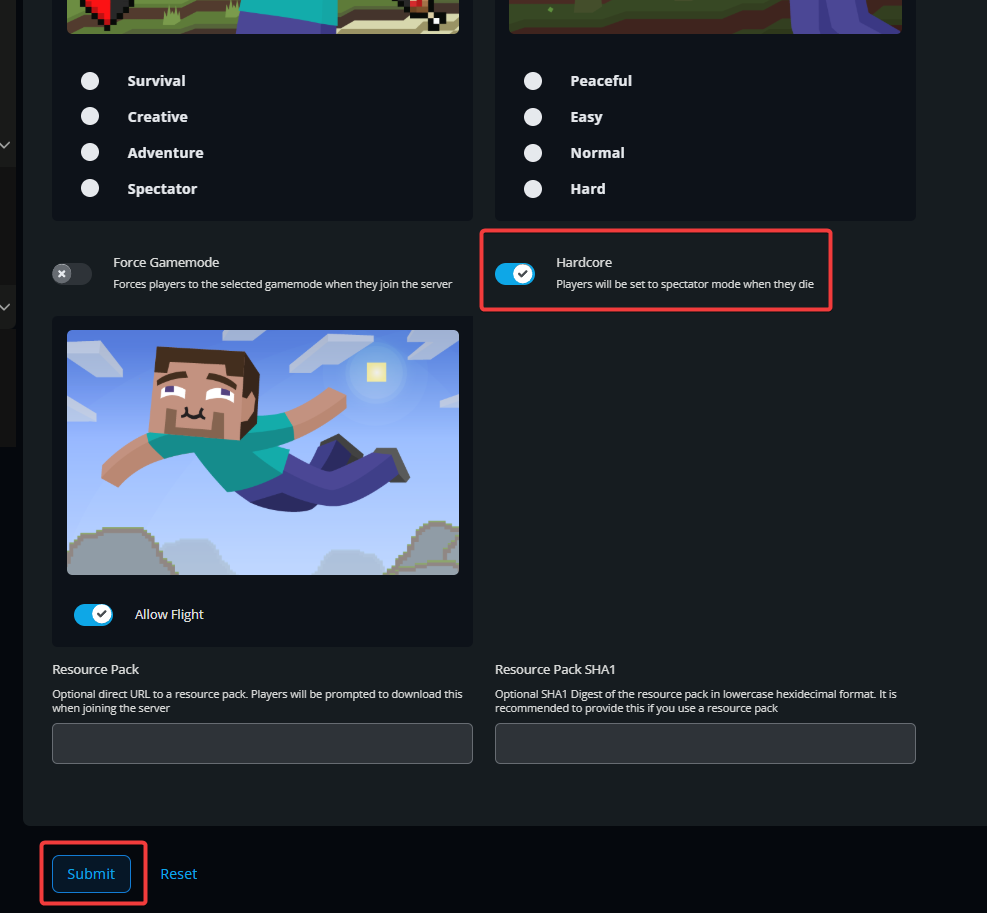
Under Difficulty, toggle the Hardcore option.
Click the Submit button to save your changes.
Start your server.
Hardcore Mode is now active, which means the training wheels are officially off. Whether you make it five minutes or five in game weeks, each choice counts. Explore, survive, and maybe keep a backup handy just in case.
Need Help?
If you have questions or run into any issues, our support team is here to help! Reach out using the support widget on our website or visit our support center for further assistance.