


How to Find Your Hytale World Seed

Create a Hytale Server today! Save & Swap between game servers with ease and no added cost.
In this guide we’ll be going over how you can find your world seen for your Hytale server.
Finding Your World Seed
Open your Dashboard.
Locate your Hytale server and click on the Panel button.
Once on your panel, click on Game Settings.
From the game settings page, click on the World tab.
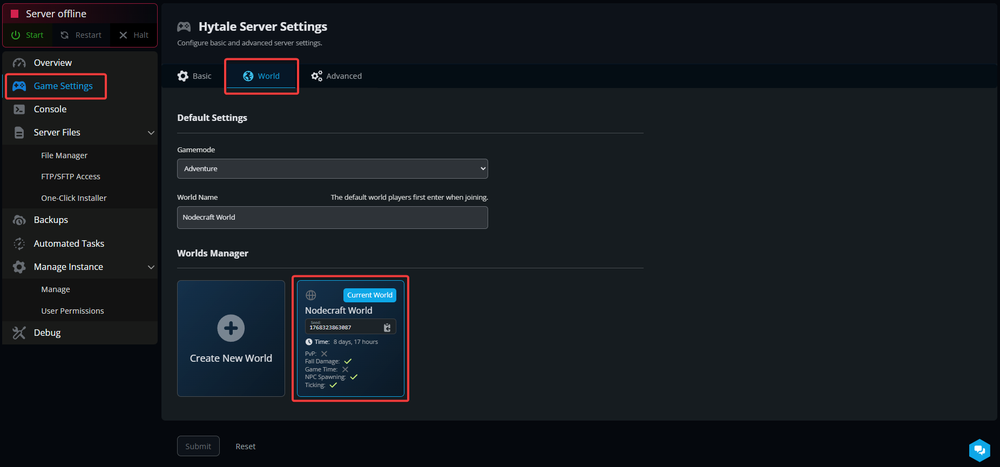
You can locate the world you want to seed for, and the seed will be displayed under its name. It can also be found by mousing over the world box and clicking Settings.

Conclusion
That is how you can find your seed not just for your current world but all worlds that you have saved on your server.
Need Help?
If you have questions or run into any issues, our support team is here to help! Reach out using the support widget on our website or visit our support center for further assistance.