


Hytale - All About Farming

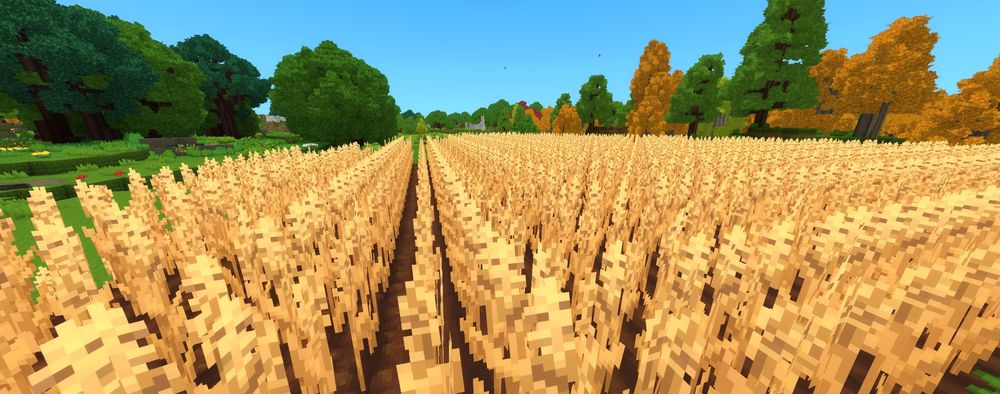
Farming in Hytale is one of the easiest ways to get reliable food, crafting materials, and useful items early on. While the basics are simple, the game does not do a great job of explaining how everything fits together, especially if you are brand new.
This guide walks through how farming works in Hytale, including tools, seeds, watering, crop growth, and harvesting. Everything here works the same way in both singleplayer worlds and Hytale servers.
Getting Started with Farming
Before you can plant anything, you need access to farming tools and seeds. That all started with the Farmer’s Workbench.
Crafting the Farmers Workbench
The Farmer’s Workbench is a special crafting station used for farming tools, seeds, and upgrades.
Recipe:
6x Any Tree Log
20x Plant Fiber
Once crafted, place it anywhere accessible. Any storage chests within six blocks of the workbench can be used automatically for crafting, so you do not need to keep everything in your inventory.
Farming Tools You Need
After placing the Farmer’s Workbench, open the Farming tab and craft these three items.
Crude Hoe

2x Any Tree Log
1x Any Stone
Empty Watering Can

3x Iron Ingot
Wooden Bucket

3x Any Wood
1x Iron Ingot
These tools are enough to start your first farm.
How to Get Seeds
You cannot plant crops without seeds. There are two ways to get them.
Seed Sources
Craft seeds at the Farmer’s Workbench
Find seeds in loot chests while exploring
At Tier 1, the Farmer’s Workbench only lets you craft:
Wheat seeds
Cabbage seeds
Both use the same recipe:
2x Essence of Life
More seed types unlock as you upgrade the workbench.
How Water Works for Farming
Water is not required for crops to grow, but it makes a massive difference in how fast they mature.
Setting Up a Water Source
Find a lake, river, or pond.
Use the Wooden Bucket to collect water.
Dig a one-block hole near your farm.
Pour the water into the hole.
This creates a permanent refill spot for your watering can. The Watering Can holds 20 uses before it needs to be refilled.
How to Plant Crops
Once everything is ready, planting is straightforward.
Planting Steps
Equip the Crude Hoe.
Right-click Dirt or Grass to till the soil.
Equip your seeds and plant them in the tilled soil.
Use the Watering Can on each crop.
Watering increases crop growth speed by 2.5x. Only dirt-based blocks can be tilled. Stone, marble, and similar blocks will not work.
Fertilizer and Growth Speed
Later in the game, you can unlock fertilizer.
Crafted at Farmer’s Workbench Tier 3
Fertilizer boosts growth speed by another 2x.
One bag fertilizes 5 soil blocks.
Crop Growth Example (Carrots)
No water or fertilizer: 30 minutes
Water only: 10 minutes
Water and fertilizer: 5 minutes
Crops will still grow without help, but waiting that long is painful.
How to Harvest Crops
Once a crop is fully grown, harvesting is easy.
Harvesting Crops
Press F to harvest.
Hold F to harvest multiple crops at once.
Each harvested crop drops:
The crop itself
Essence of Life
For example, harvesting 10 wheat gives:
10 Wheat
10 Essence of Life
This makes farming one of the most reliable ways to farm Essence of Life early on.
Conclusion
Farming in Hytale is simple once you understand the flow, but it is easy to miss important mechanics early on. With the right tools, water, and a little planning, farms become one of the most reliable systems in the game.
Setting up a proper farm early will save you time and keep resources flowing, whether you are playing solo or managing a Hytale server. Plant smart, water everything, and let the crops do the rest.
Need Help?
If you have questions or run into any issues, our support team is here to help! Reach out using the support widget on our website or visit our support center for further assistance.