


How to Disable or Enable Spawn Markers

This guide will cover the process of disabling or enabling spawn markers on your Hytale server.
Toggling the Spawn markers
Open your Dashboard.
Locate your Hytale server and click on the Panel button.
Once on your panel, Stop the server using the button in the upper left corner of the panel before proceeding.
Once the server is stopped, click on Game Settings on the left-hand sidebar of the panel.
Once on the settings page you will want to click on the World tab.
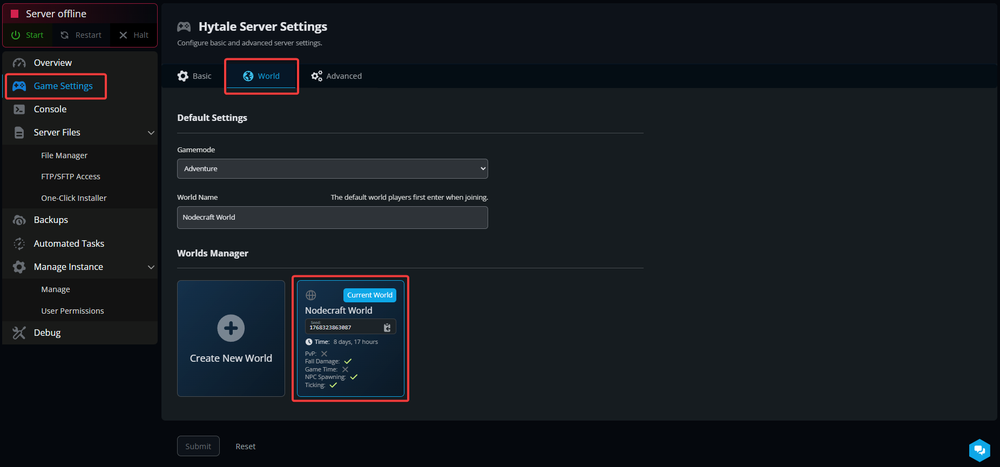
On the world tab you will see your worlds. Find the Current World, Hover over it and select Settings.

Once on the settings page for the world, about half down the page you will see Simulation Settings.
To disable the markers, toggle the Spawn Markers Enabled off to disable them, or back on to enable them.

Once set, click Save Changes at the bottom of the page then start your server.
Need Help?
If you have questions or run into any issues, our support team is here to help! Reach out using the support widget on our website or visit our support center for further assistance.