


How to Change Your Hytale Server's Gamemode

In this guide we’ll be going over how you change the default gamemode for hytale. This is the gamemode that will be applied on new players. There 3 primary game modes to choose from Adventure which is the survival mode, creative and spectator.
How to Set the Gamemode
Open your Dashboard.
Locate your Hytale server and click on the Panel button.
Once on your panel, ensure your server is stopped then click on Game Settings.
Once on the Game Settings page, click on the Worlds tab.
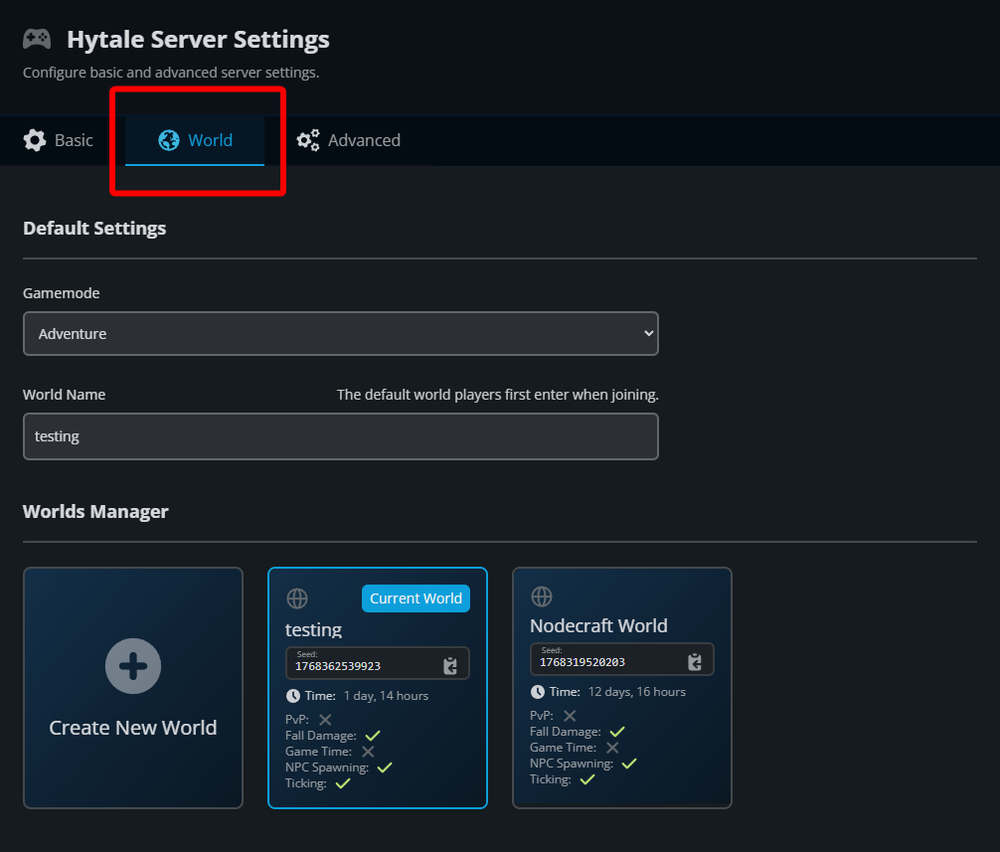
Once on the World tab locate the Gamemode dropdown and select which gamemode you want to be the default.
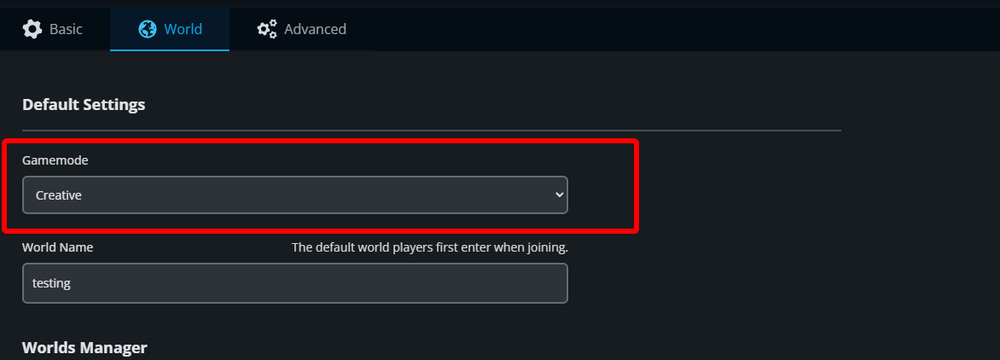
Once selected click on the Submit at the bottom of the page then start your server.
Conclusion
Your default gamemode has now been changed on your server. This gamemode will only apply to new players. existing players that have previously joined the server will need to have their gamemode setup via the gamemode command.
Need Help?
If you have questions or run into any issues, our support team is here to help! Reach out using the support widget on our website or visit our support center for further assistance.