


How to Kick and Ban Players on Your Minecraft Server

This guide will walk you through the process of kicking and/or banning players on your Minecraft server.
How to kick a player
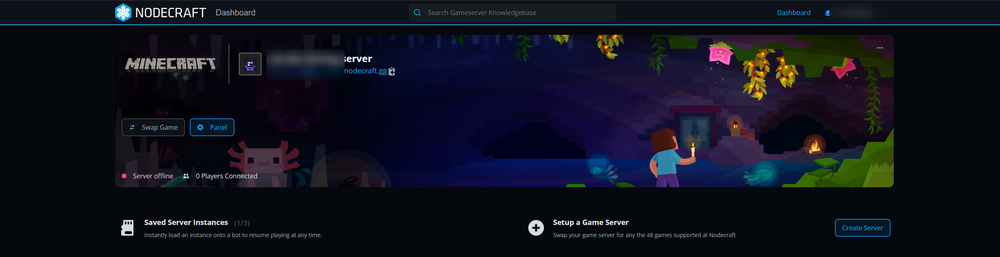
Open your Dashboard.
Navigate to the control panel for your Minecraft server.
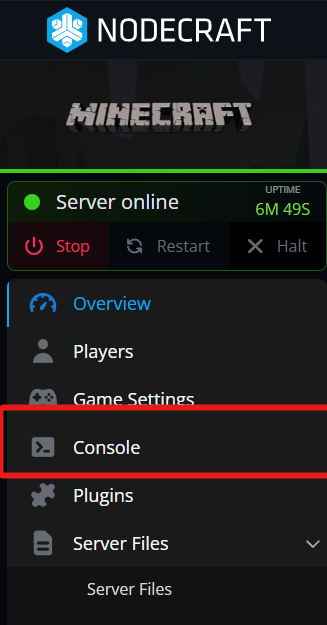
Once on your panel click on Console.
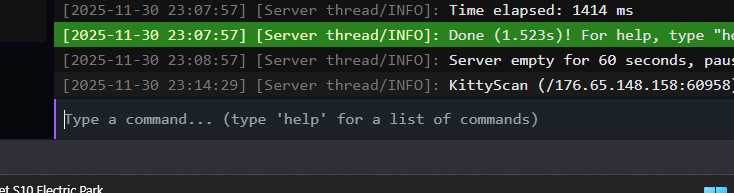
Once on the console you will see an input box at the bottom that says, “Type a command”.
In the box type “kick <player>” without the quotes and the real players name in place of <player>
Note: This would look like the example: kick notch
You have now kicked a player using your console. Alternatively, you can also use OP permissions in your server to kick in-game. To do so you would open your text chat and type “/kick <player>” without the quotes, just as if you did in the console only adding a / at the beginning.
How to ban a player
As before, navigate to the Console area of your Minecraft server's dashboard.
Once on the console you will see an input box at the bottom that says, “Type a command”.
In the box type “ban <player>” without the quotes and the real players name in place of <player>.
Note: An example is: ban notch
Note: You can also ban the IP of the player is using by doing “ban-ip <player>”
You have now banned a player using your console. You can also use OP permissions in your server to ban/ban-ip in-game. To do so you would open your text chat and type “/ban <player>” without the quotes, just as if you did in the console only adding a / at the beginning.
Need Help?
If you have questions or run into any issues, our support team is here to help! Reach out using the support widget on our website or visit our support center for further assistance.