


How to Join a Windrose Server

In this guide we’re going to go over the entire process of joining a Windrose server. To join a server, you will need your invite code which we will also cover how you can find that.
Finding your Invite Code
Note: You do not need an Invite Code if you are going to join through a Direct IP.
Open your dashboard.
Locate your Windrose server and click on the Panel button.
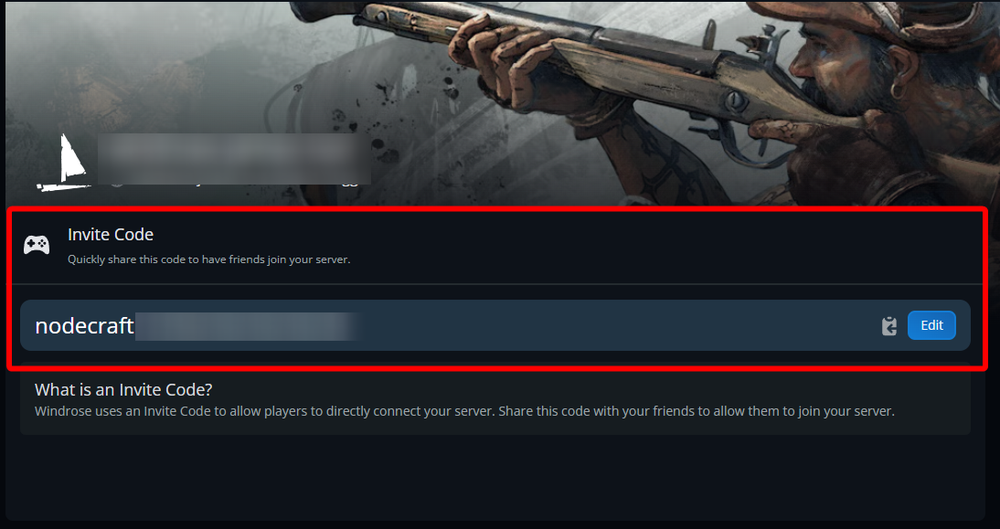
Once on your panel, locate your invite code and copy it.
Joining Your Server via Invite Code
Start Windrose.
Note: If this is your first time starting the game you will start by creating your character.
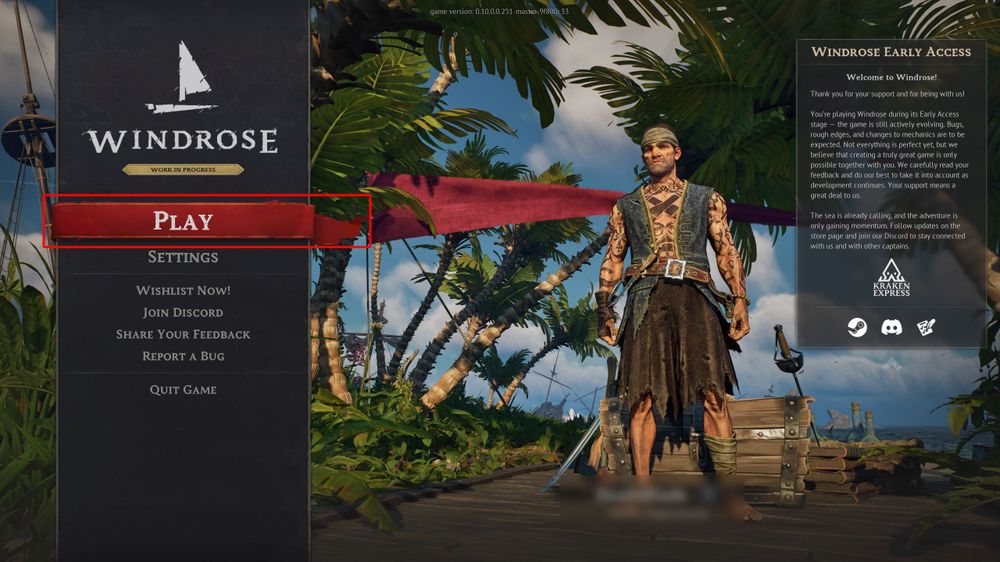
Once on the main menu, click on Play.
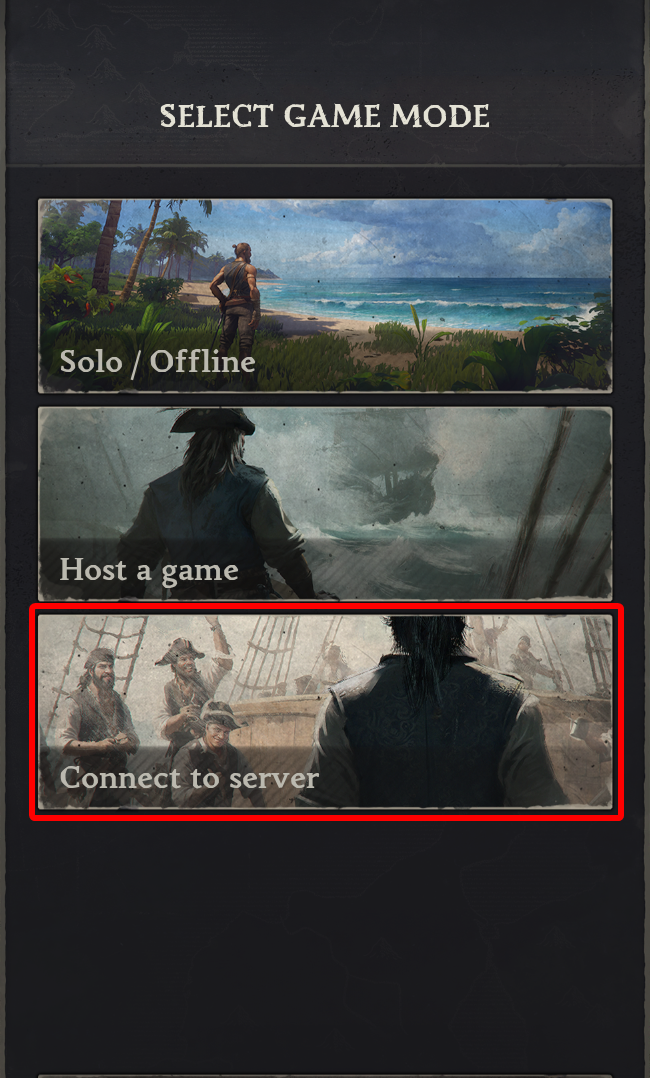
Then click on Connect to Server.
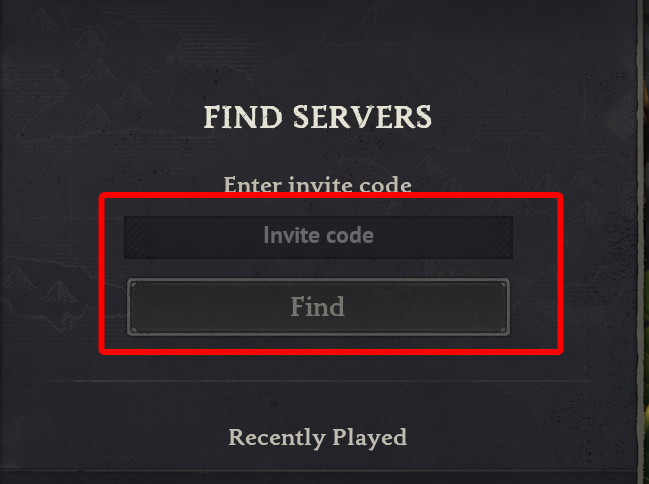
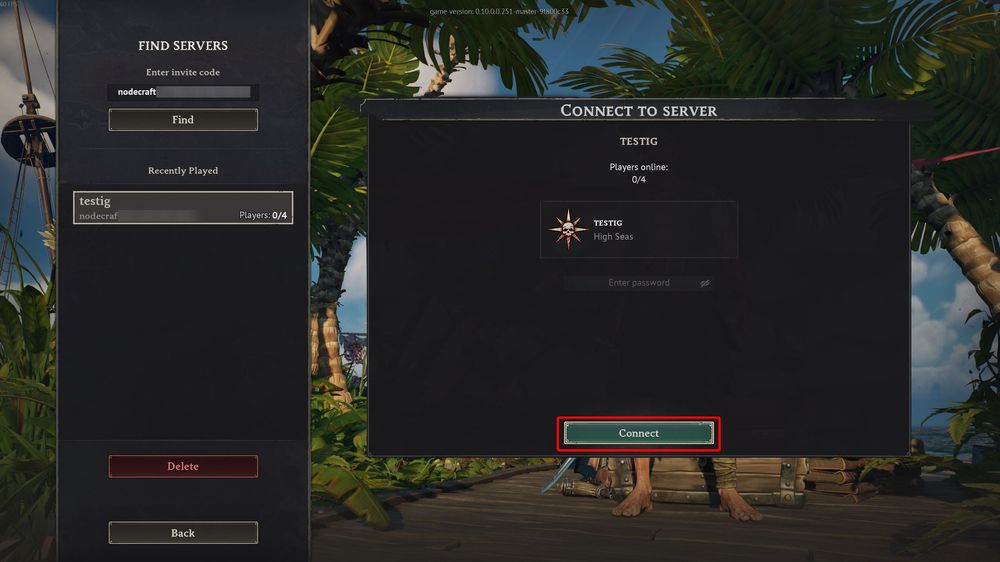
Enter or paste your Invite code then click Find.
Once you find your server click on Connect.
Note: If this is your first time joining a server you will be guided though a brief basic tutorial on how to get started with your game.
Joining Your Server via Direct IP
Start Windrose.
Once on the main menu, click on Play.
Click Connect to Server.
Choose the Direct IP option.
Enter the servers IP address and Port.
Note: Your Windrose Server's IP address and Port can be found on your Nodecraft panel in the Overview!
Then click on Connect via IP.
Conclusion
You now know how to find your invite code and join your server. The first time you start Windrose you will create your character. As for the first time joining a server a small tutorial will load to bring you up to speed with some basics before fully joining your Windrose server.
Need Help?
If you have questions or run into any issues, our support team is here to help! Reach out using the support widget on our website or visit our support center for further assistance.