


How to Join an Over the Top: WW1 Server

Getting into your Over the Top: WW1 server is where the real action starts! Once your server is up and running, joining it is fairly quick. You can either find it in the server list or connect directly with the server's IP address or DNS hostname.
Follow the steps below to join an Over the Top: WW1 server.
Launch the game.
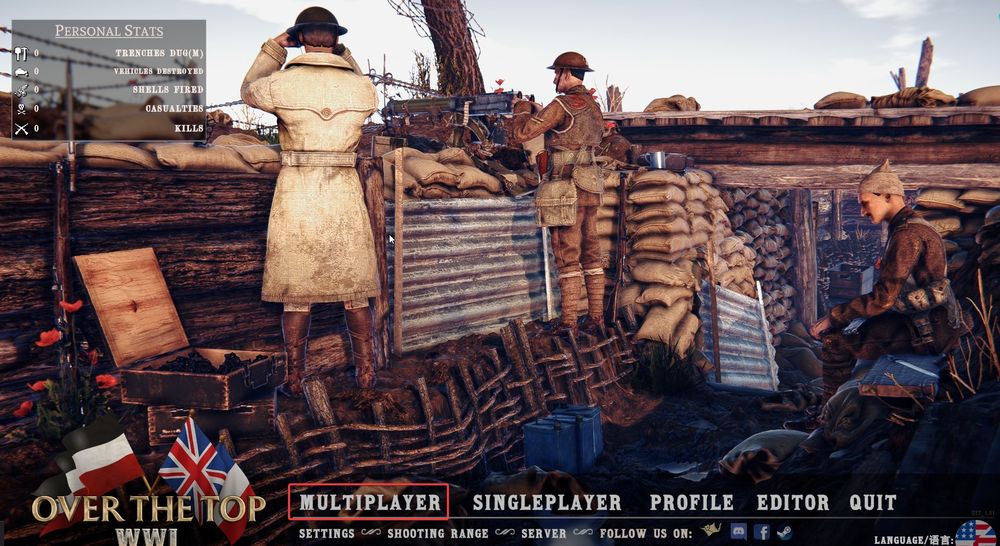
On the main menu, click Multiplayer.
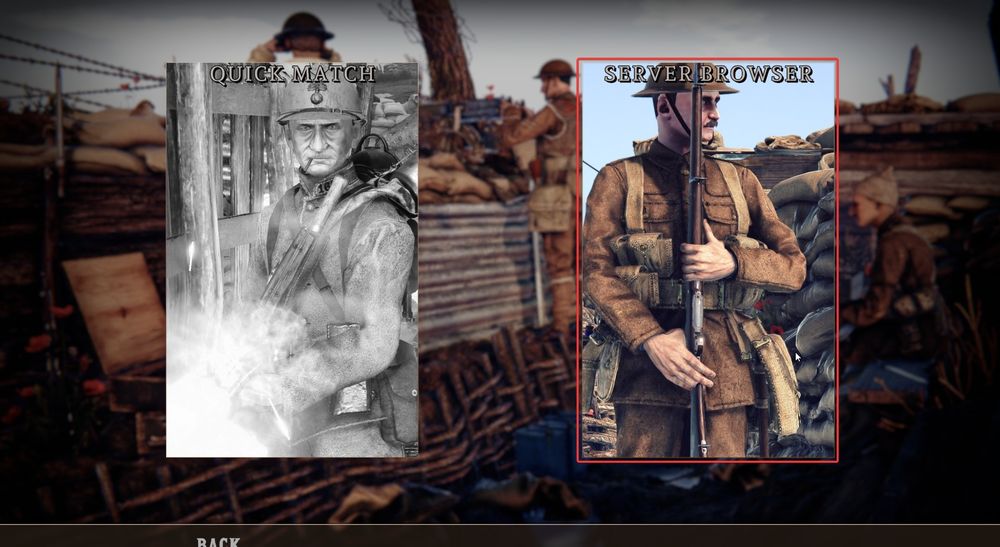
Choose the Server Browser option.
You can locate your server within the list or join it directly by clicking the Custom IP button at the bottom.
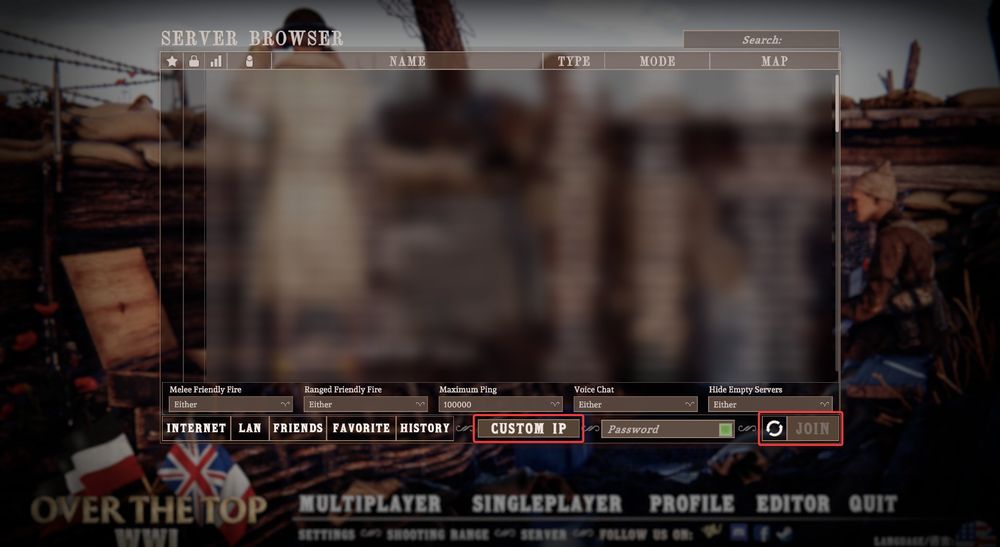
This will open a window where you can enter your server’s IP address or DNS hostname and port, along with the server password (if applicable).
Note: You can find your server’s IP address in the Server Information section on your panel overview.
Enter the information and click Join to begin connecting to the server.
Once connected, you’ll drop straight into your server and can start playing right away. If you don’t see your server in the list, using the direct IP option is usually the fastest way to get connected!
Need Help?
If you have questions or run into any issues, our support team is here to help! Reach out using the support widget on our website or visit our support center for further assistance.