


How to Change the Difficulty on a Windrose Server

Changing the difficulty on your Windrose server lets you control how punishing survival feels for everyone who joins. Whether you want a more relaxed experience or a harsher world with tougher fights and higher risk, adjusting this setting helps shape the overall tone of your server. In this guide, we’ll walk you through how to change the difficulty on your Windrose server.
Note: Be sure that your Windrose server is fully stopped before making any configuration changes or setting updates!
Using the Control Panel
Navigate to your Nodecraft Dashboard.
Click the Panel button for your Minecraft server.
Locate and click Game Settings in the menu on the left side.
Click on the Worlds tab. All the worlds on your server are listed here, with the current world highlighted.
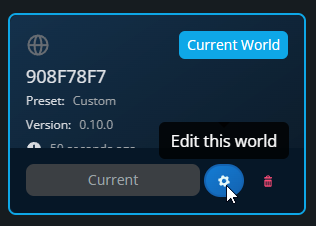
Hover over the world you want to change the difficulty on, then click Edit this world.
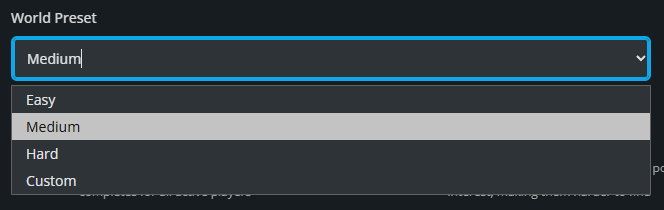
Click the dropdown under World Preset to select a difficulty. You can also choose custom to tweak the settings as you see fit.
Custom Difficulty Settings
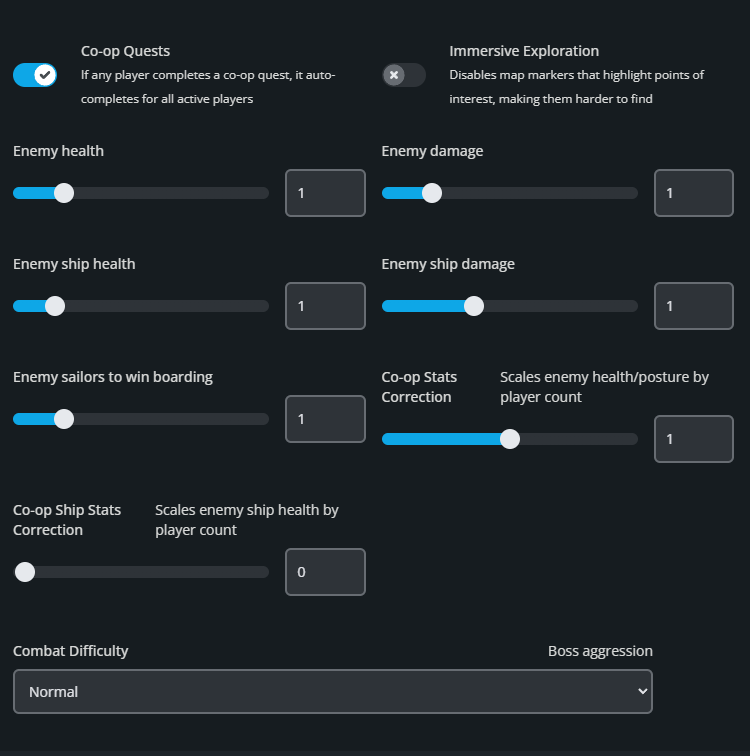
There are a number of options available for controlling the difficulty in your world.
| Name | Description | Options | Minimum | Maximum |
|---|---|---|---|---|
| Co-op Quests | If any player completes a co-op quest, it auto completes for all active players. | On/Off | - | - |
| Immersive Exploration | Disables map markers that highlight points of interest, making them harder to find. | On/Off | - | - |
| Enemy Health | Adjusts how much health standard enemies have. | Multiplier | 0.2 | 5 |
| Enemy Damage | Adjusts how much damage standard enemies deal. | Multiplier | 0.2 | 5 |
| Enemy Ship Health | Adjusts how much health enemy ships have. | Multiplier | 0.4 | 5 |
| Enemy Ship Damage | Adjusts how much damage enemy ships deal. | Multiplier | 0.2 | 2.5 |
| Enemy Sailors to Win Boarding | Controls how many enemy sailors must be defeated during boarding before you win the encounter. | Multiplier | 0.2 | 5 |
| Co-op Stats Correction | Scales enemy health and posture by player count. | Multiplier | 0 | 2 |
| Co-op Ship Stats Correction | Scales enemy ship health by player count. | Multiplier | 0 | 2 |
| Combat Difficulty | Controls how aggressive bosses behave during combat. | Easy, Normal, Hard | - | - |
Once you’ve adjusted the settings to match the kind of experience you want, click Submit to save your changes. From there, start your server so the updated difficulty settings can take effect. With these options, you can fine-tune combat, co-op balance, and exploration to better fit how you want your Windrose world to play.
Need Help?
If you have questions or run into any issues, our support team is here to help! Reach out using the support widget on our website or visit our support center for further assistance.