


How to Add Admins to a s&box Server

Managing your server is much easier when you aren't doing it alone. Here is the streamlined guide to granting admin powers on your s&box dedicated server using the Nodecraft panel.
How to Add Admins via the Nodecraft Panel
Access Your Dashboard: Log in to your Nodecraft account.
Open the Server Panel: Click the Panel button (gear icon) on your s&box server card.
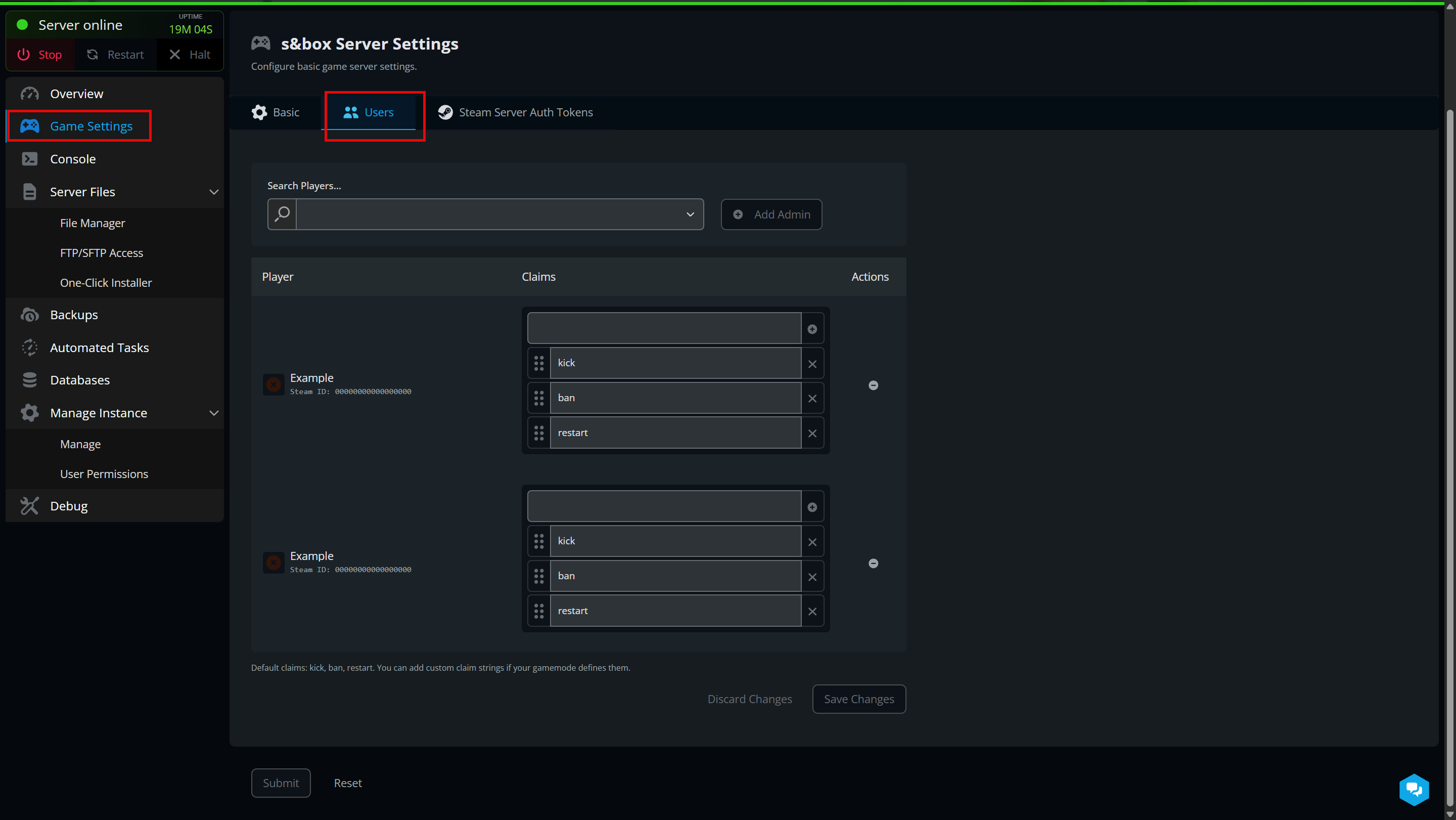
Navigate to Game Settings: Select the Game Settings tab from the left-hand sidebar.
Open the Users Tab: Click on Users at the top of the settings page.
Search for the Player: Type the user’s Steam Name into the "Search Players" field.
Add Admin: Click the Add Admin button next to their name.
Configure Permissions (Claims): Under the Claims column, toggle the specific powers you want them to have.
Default Claims: include kick, ban, and restart.
Custom Claims: You can manually add specific strings if your chosen gamemode supports unique admin commands.
Save Changes: Click the blue Save Changes (or Submit) button to finalize the update.
 Conclusion
With your administrative team in place, you’re ready to maintain a fun and fair environment for everyone on your s&box server. Whether you’re delegating minor tasks or sharing full control, these tools ensure you can focus more on playing and less on manual moderation. Keep your admin list updated as your community grows, and you'll have a smoothly running sandbox in no time!
Need Help?
If you have questions or run into any issues, our support team is here to help! Reach out using the support widget on our website or visit our support center for further assistance.