


Troubleshooting: I can't find my Windrose Server

After deploying your new Windrose dedicated server, you might find that you're unable to find the server in-game. Thankfully, this is usually pretty easy and quick to fix, and by following this article you should be able to get in-game very soon.
Steps to take to ensure you can find your server
Verify Server Status
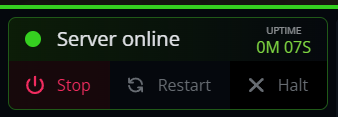
Before troubleshooting settings, ensure your server is fully booted. Check your Nodecraft Control Panel to confirm the status displays a green "Online" indicator.
Validate the Invite Code
Currently, the only way to join a Windrose server is by using the invite code.
When you start the server for the first time, an invite code is generated and may look something like this: d5398a2a . You can validate this invite code in your Nodecraft control panel in the overview:
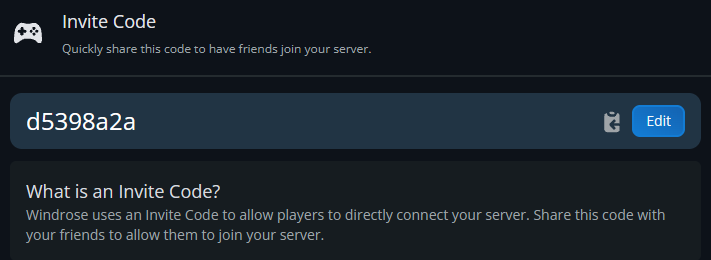
Ensure you enter the full invite code, and take note that it's case sensitive.
After searching, it may take a few seconds for the server to appear.
You can use our Windrose Server Lookup tool, https://sailwind.codes/ to also validate and test that your invite code is working. See the related article for more information.
Change Invite Code
Sometimes, changing your invite code can be the quickest way to find your server. Another user may be using the same invite code as you, or it might just need an old fashioned "turn it off and on again" approach.
You can change your invite code in the Nodecraft control panel via the Game Settings tab:
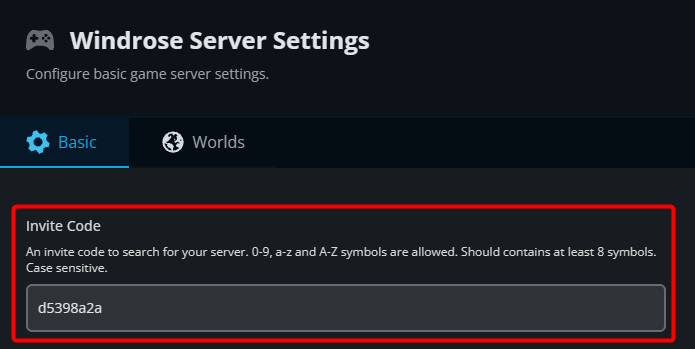 Or if you're using another host, can be found in the
 /R5/ServerDescription.json file. See our related article for more information.
To ensure your server is easy to find:
Use a unique invite code that is unlikely to be used by any other users/servers.
Ensure your invite code is at least 1-32 characters long. Codes that are shorter than this do not reliably show up in-game when searching for your server.
Need Help?
If you have questions or run into any issues, our support team is here to help! Reach out using the support widget on our website or visit our support center for further assistance.