


How to Validate a Windrose Server Invite Code

Today, the best way to join a Windrose server you have created is by using an invite code. This code is something you can configure for your server and allows players to simply search for it and jump in game.
However, sometimes you might choose a code that someone else is already using, or your code might not be long enough. This is where our Windrose Server Lookup tool, for checking and validating Windrose Server Invite Codes will help. This can be found at: https://sailwind.codes/
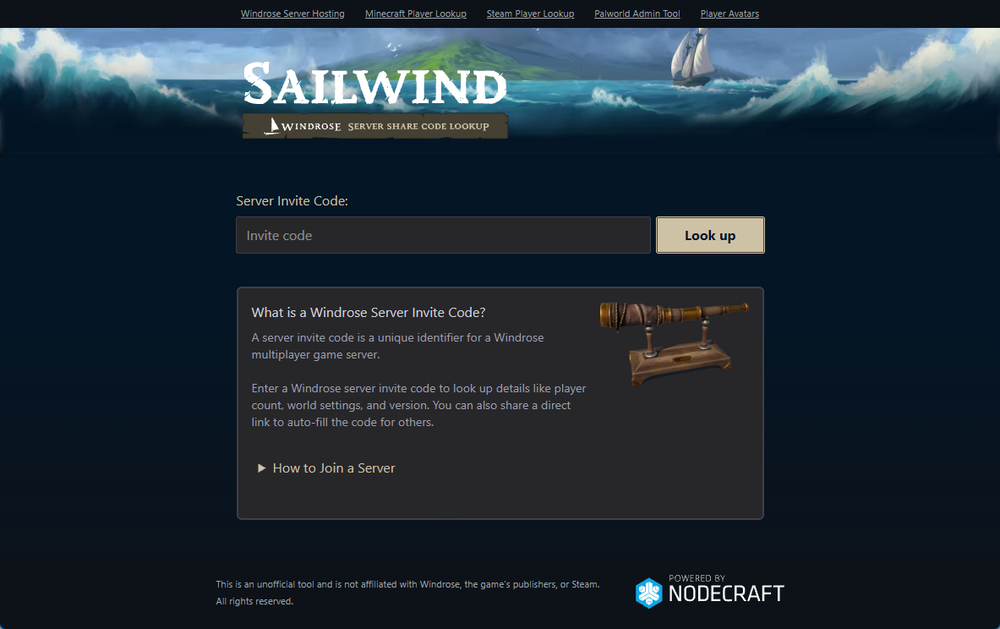 This tool also allows you check the server status, player counts, and more prior to opening the game.
Validating an Invite Code
To validate a Windrose Server Invite code, simply enter the code on the lookup tool at https://sailwind.codes/ and you should quickly see the results. For example, with a test server we're running that uses the code nodecrafttest, it looks something like the following:
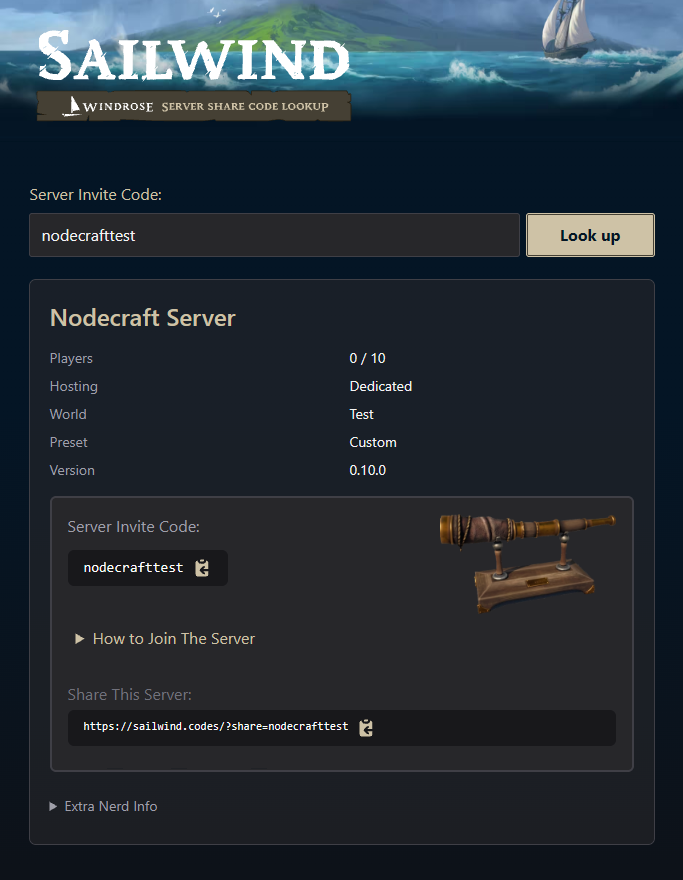 This will include all the following information:
Total player count and online players count
Hosting Type
World
Preset
Version
As well as some additional technical information such as:
Created Date
Server ID
Island ID
Share Your Server With Your Friends
Once you've looked up your server at https://sailwind.codes/, you will find the ability to share your server with your friends by using the provided link such as https://sailwind.codes/?share=nodecrafttest.
With this link, your friends will be able to see the server status, online players, before they jump in-game.
Need Help?
If you have questions or run into any issues, our support team is here to help! Reach out using the support widget on our website or visit our support center for further assistance.