


How to Kick or Ban Players on your SCP: Secret Laboratory Server

In this guide we are going to cover how you can kick players or even ban them if you want to remove and prevent a player from joining for a set amount of time or permanently.
How to Kick and Ban
Connect to your SCP server as an admin.
Once you join your server with admin permissions press the M key on your keyboard to open the remote admin menu.
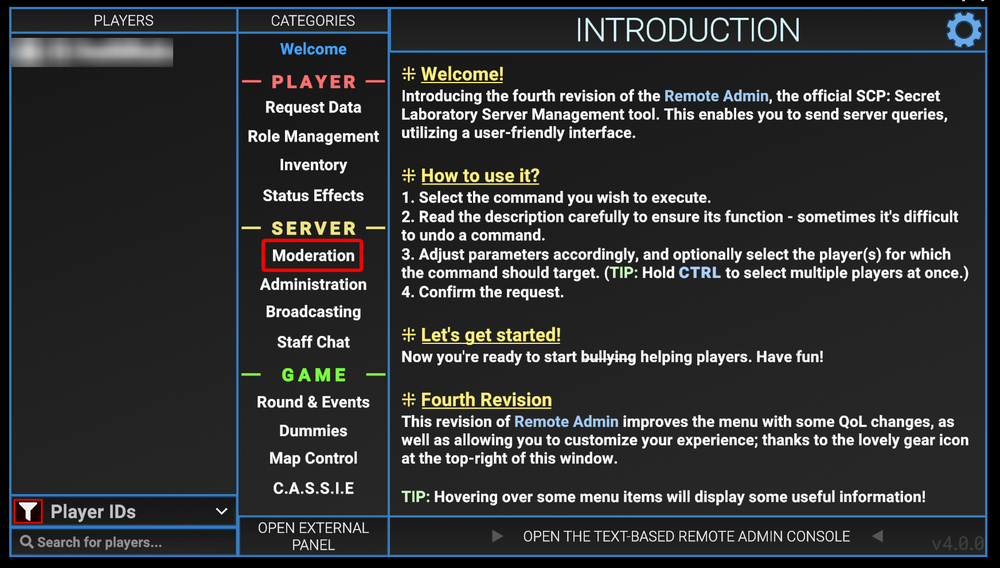
Once the remote admin menu is open, select the Moderation option under categories.
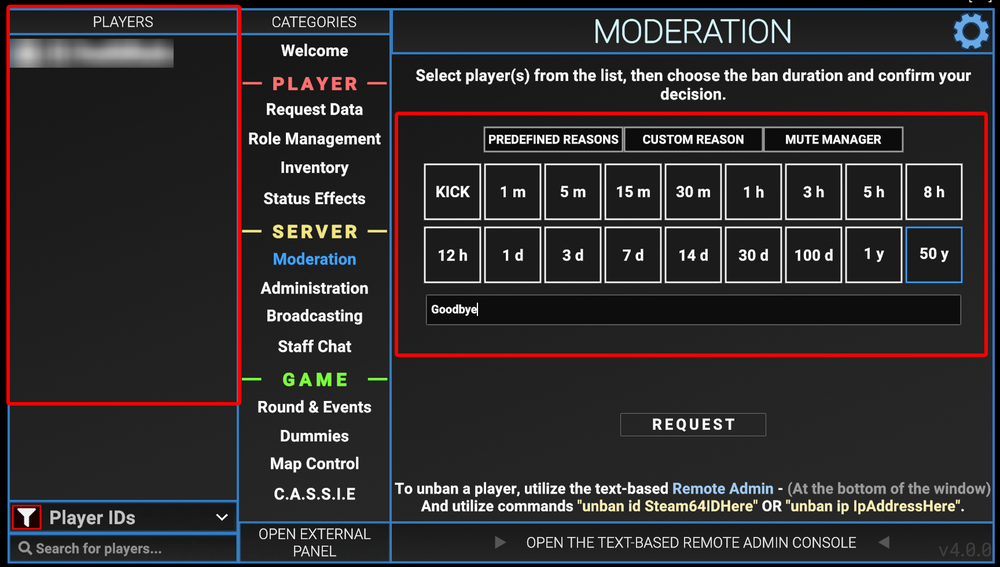
Once on the moderation page, select the player from the far left box, then select either kick to just remove them from the server. If you want to ban a player select time duration you want to ban said player for and enter a reason.
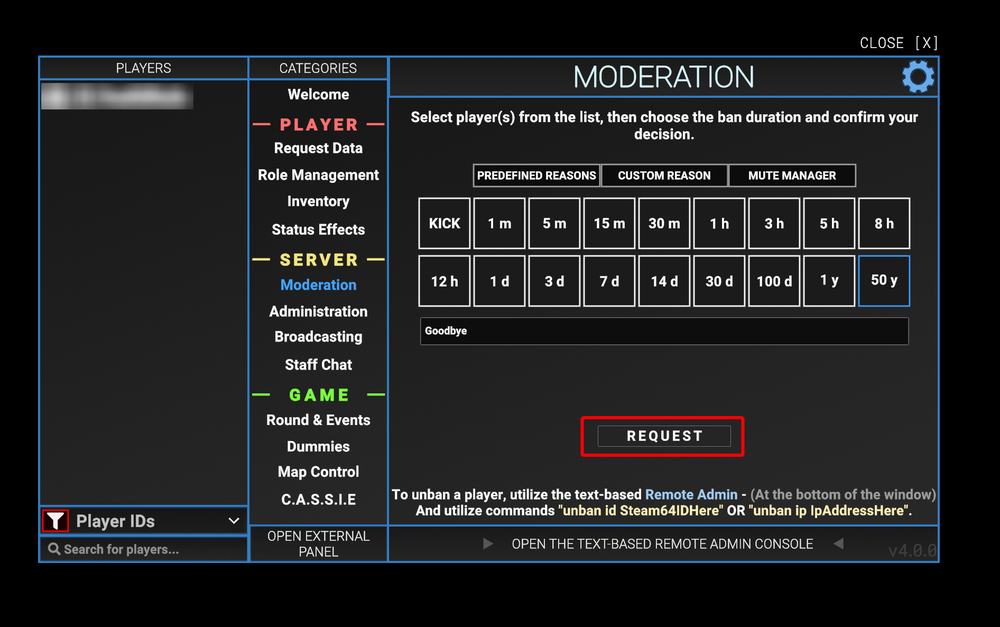
Once filled out, click on Request.
Conclusion
You have now kicked or banned a player from your SCP server. You can either just kick players using this method or you are also able to issue full bans if you don’t want the player immediately rejoining the server.
Need Help?
If you have questions or run into any issues, our support team is here to help! Reach out using the support widget on our website or visit our support center for further assistance.