


How to Enable Spawn Protection on a SCP: Secret Laboratory Server

In this guide we are going to cover how you can enable the spawn protection on your SCP server. Spawn protection is a good option so that any players who spawn have a small amount of time where they are invincible and cannot take damage.
Note: Always ensure that your SCP: Secret Laboratory server is fully offline before making any config changes or updates!
Enabling or Disable Spawn Protection
Open your Dashboard
Locate your SCP server and click on the Panel button.
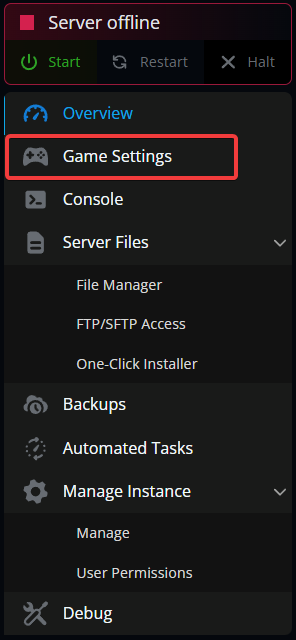
Once on your panel, navigate to your Game Settings.
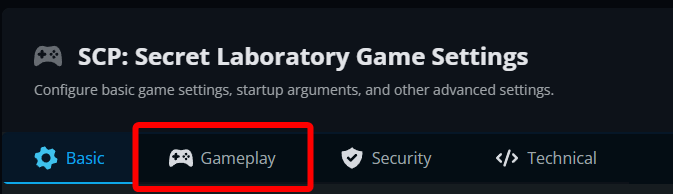
Once on the game settings page, click on the Gameplay tab.
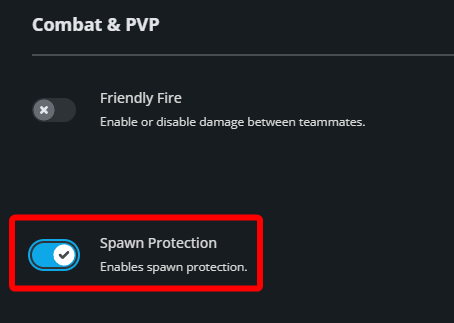
Under Combat & PVP toggle Spawn protection to enable or disable it.
Click Submit at the bottom of the page then restart your server.
Conclusion
You’ve now enabled Spawn protection. With these changes, players that have recently spawned will not be able to take damage.
Need Help?
If you have questions or run into any issues, our support team is here to help! Reach out using the support widget on our website or visit our support center for further assistance.