


How to Create a New World on a Romestead Server

Creating a new world on your Romestead server is a great way to start fresh, test new settings, or begin a new adventure with friends. The Nodecraft control panel allows you to create and manage multiple worlds directly from the Worlds tab without needing to manually edit any server files.
Note: Creating a new world will restart your server during the world generation process.
Open your Dashboard.
Navigate to your Romestead server panel.
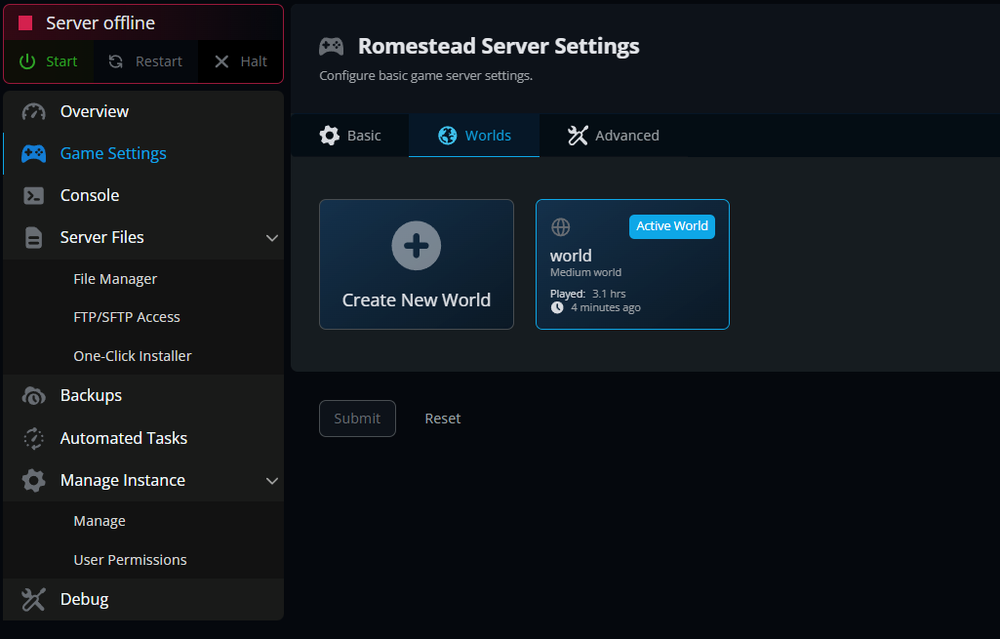
Click on Game Settings from the left-hand toolbar.
Open the Worlds tab.
Click Create New World.
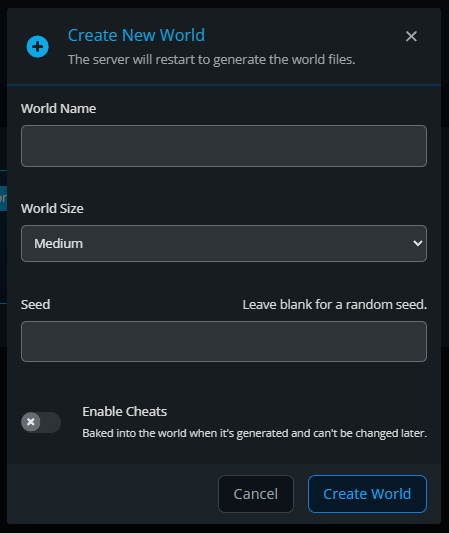
Enter your world details, including:
World Name
World Size
Seed (optional)
Cheats setting
Click Create World.
Wait for the server to restart and generate the new world.
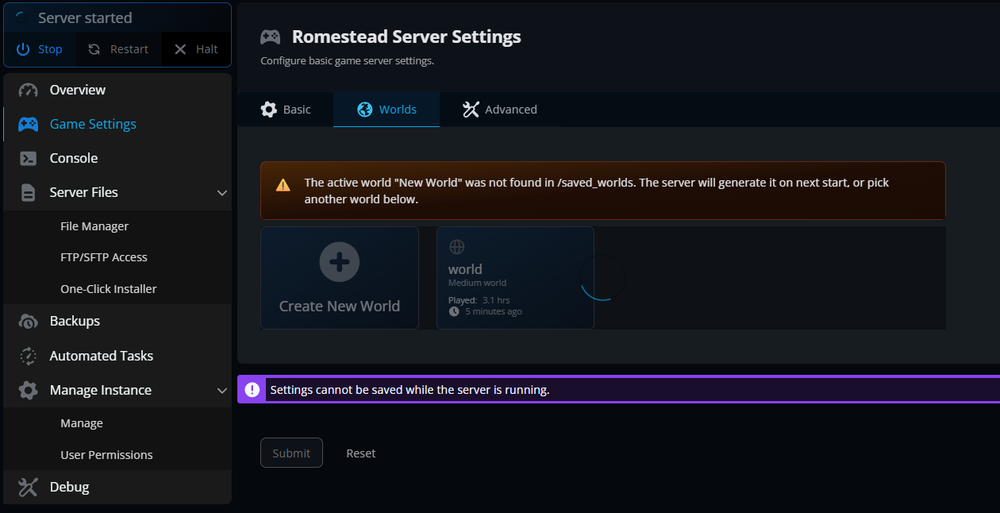
Once the process is complete, your new world will appear in the Worlds tab and be available for use.
Conclusion
Your new Romestead world is now ready to explore. Creating a fresh world gives you a clean slate for building, gathering resources, discovering new locations, and experiencing the game from the beginning again. If you have a specific world layout in mind, try experimenting with custom seeds to generate different maps and starting conditions.
Need Help?
If you have questions or run into any issues, our support team is here to help! Reach out using the support widget on our website or visit our support center for further assistance.