

How to Download and Sign into the Hytale Launcher

In this guide we will go over how you can download and sign into the Hytale launcher on Windows, MacOS or Linux. In order to download the launcher, you will need to have purchased the game.
How to download the Hytale launcher
Login into your Hytale account
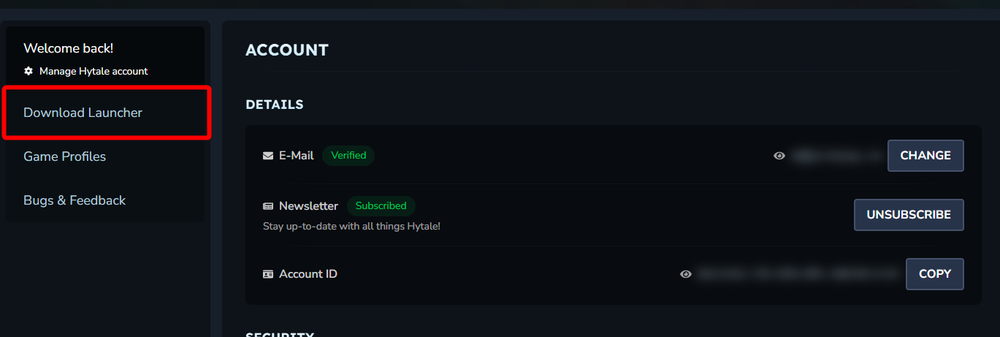
Once you are on your main account info page, click on Download Launcher.
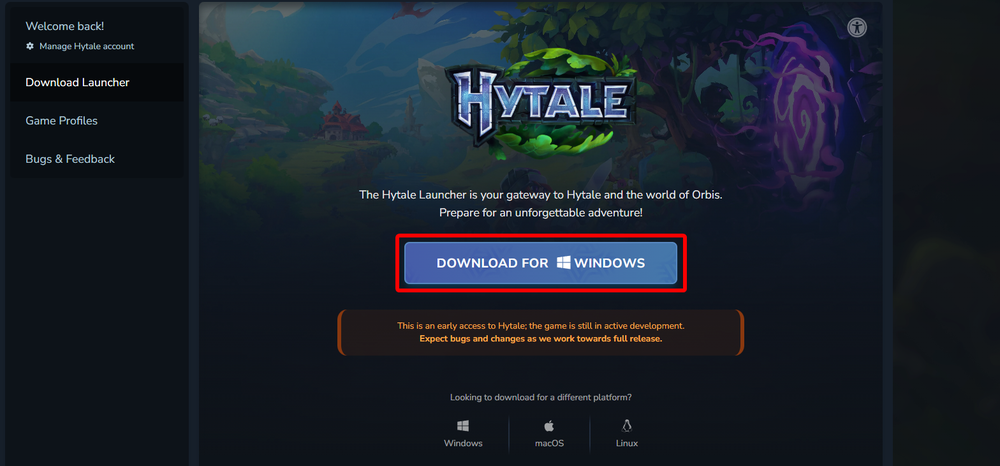
Once on the download page you can choose the download button for the operating system you're using.
Once the download is complete the installation process is the same for any application for your operating system.
You have now downloaded and installed the Hytale launcher on your computer.
How to sign into the Hytale launcher
Open the Hytale launcher.
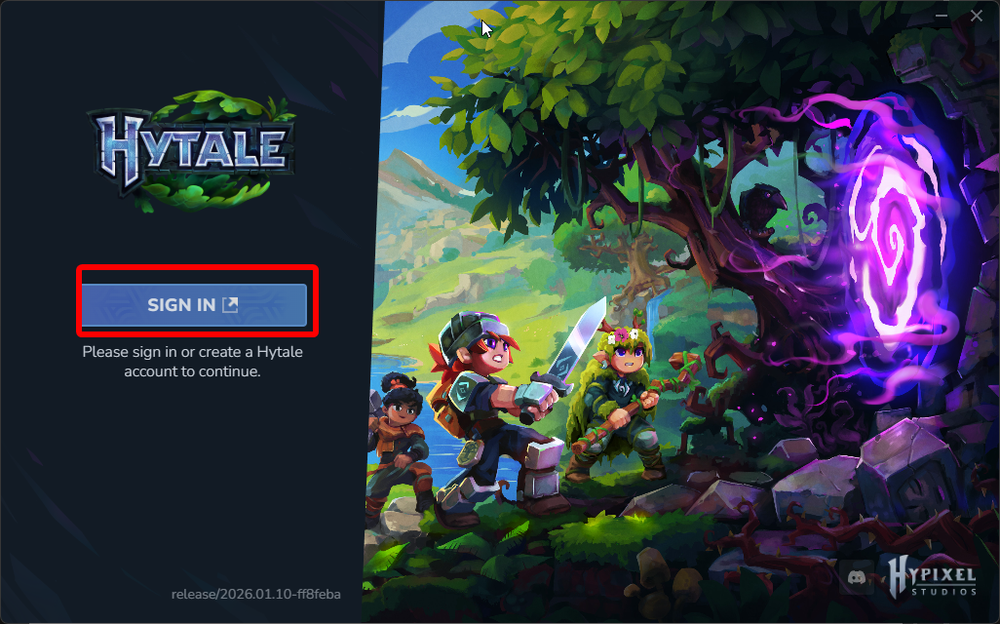
Once opened, you will be greeted with a Login button that will open your web browser.
Once the browser page opens you may need to sign in, or it may automatically authenticate if you were recently signed into your account. Once you see Authentication Successful you can close the web page and return to the launcher.

You have now logged into the Hytale launcher.
Conclusion
You have now successfully downloaded and logged into the Hytale launcher. If you are logging into the launcher prior to the 1/13/26 Early access launch date you will only see a splash screen saying Hytale is on the way!
Need Help?
If you have questions or run into any issues, our support team is here to help! Reach out using the support widget on our website or visit our support center for further assistance.