

How to Configure Death Penalties on Your Hytale Server

On your Hytale server, death penalties control how punishing it is to… well, die. This setting determines how much of a player’s resources and item durability are lost when they don’t quite stick the landing or underestimate what is very clearly a dangerous situation.
Death penalties are fully configurable and allow you to decide how forgiving or unforgiving your server should be. You can keep things relaxed with minimal losses or make death something players actually stop and think about. Changes to this setting require a server restart to take effect. This guide will walk you through where to find the death penalty options and how to adjust them to fit your server’s playstyle.
Note: Be sure that your Hytale server is fully offline before making any config changes or updates!
⚠️ The Hytale control panel is currently a work in progress. The panel and steps are subject to change as development continues.
Using the Control Panel
Navigate to your Nodecraft Dashboard.
Click on the banner for your Hytale server to open the panel.
Locate and click Game Settings in the menu on the left side.
Under Hytale Server Settings, click the World tab.
The options for Death Penalty are Partial or None. When set to Partial, you can use the Resource Loss and Durability Loss to configure the percentage lost on death.
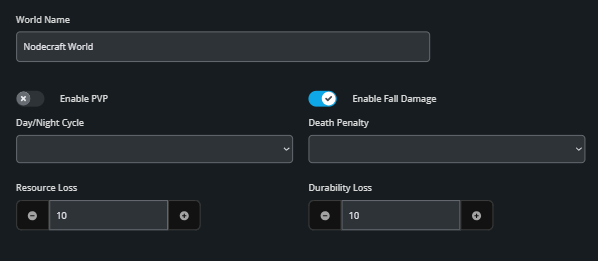
Click the Submit button at the bottom of the page to save your changes.
Start your server.
Need Help?
If you have questions or run into any issues, our support team is here to help! Reach out using the support widget on our website or visit our support center for further assistance.