


Install Valheim Plus on a Valheim Server

In this guide we will cover how you can easily install Valheim Plus on your server. Valheim Plus is a great quality of life mod that can add a lot to the game. You can view the full list of capabilities on Valheim Plus mod page.
Open your Dashboard
Locate your Valheim server and click on the Panel button.
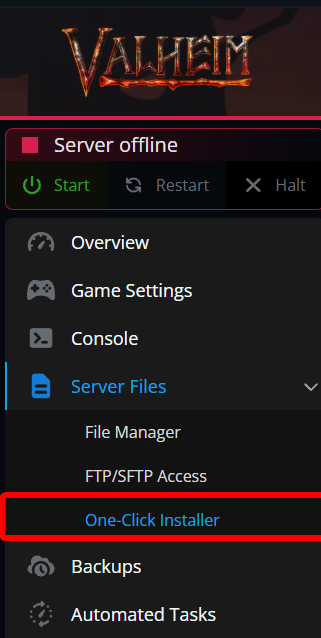
Once on your panel, navigate to the One-Click Installer.
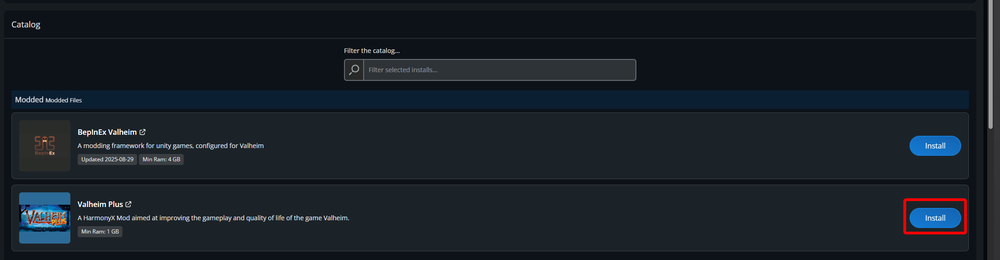
Under the Modded section, locate Valheim Plus and click on install.
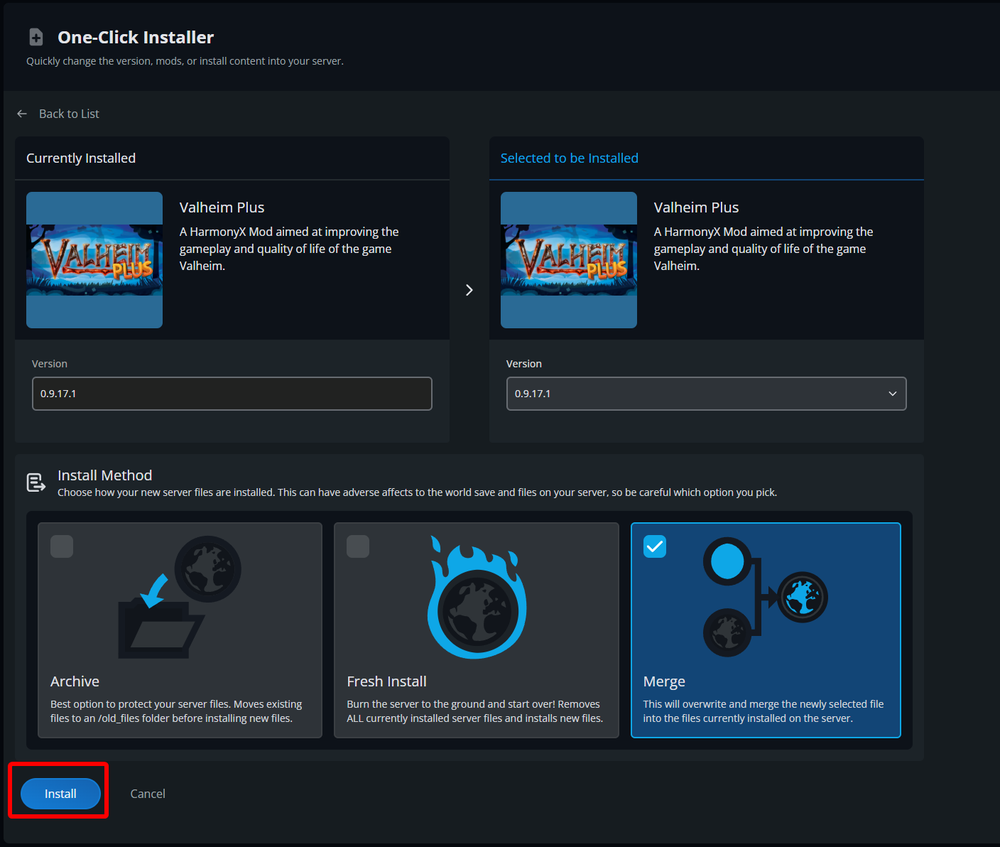
On the next page, you will be able to select the version, however, the latest is usually recommended. You can also select to merge which will install Valheim Plus to your server setup or start fresh which will remove all the current files and world. After you made your selections, click on Install.
Once completed, you can start your server with Valheim Plus installed.
Conclusion
You have now installed Valheim Plus on your server. You can now enjoy all the additional features and modifications offered by Valheim Plus on your server.
Need Help?
If you have questions or run into any issues, our support team is here to help! Reach out using the support widget on our website or visit our support center for further assistance.