


Install Mods on a Valheim Server

This guide is going to go over the process of installing mods on your Valheim server. Mods are a great way to add content or features to your server. Before installing mods, it’s recommended to have a backup of your server in the event something does not work out you can always restore your server to how it was before.
Installing Mods
Open your Dashboard
Locate your Valheim server and click on the Panel button.
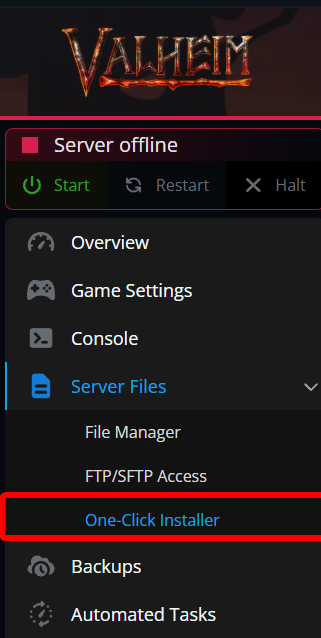
Once on your panel, we first need to install BepInEx. Navigate to the One-Click Installer.
Next, locate BepInEx Valheim under the Modded section and click on Install.

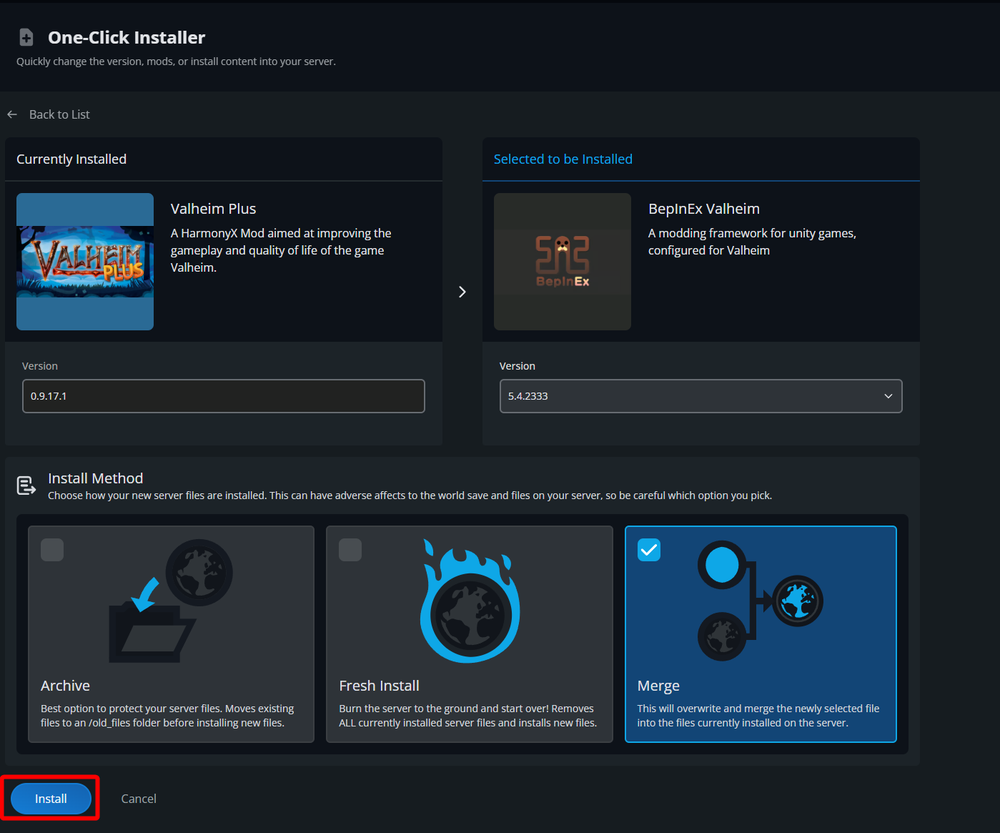
On the next page you will be able to select the version of BepInEx Valheim, and if you’d like to install on top of your current server setup or start over with a fresh install. If you are just wanting to install mods on your current server, you can leave everything at their default selections and click on Install.
Once BepInEx Valheim is installed you can install mods that you’d like to have. Mods can be found at Thunderstore or Nexus Mods.
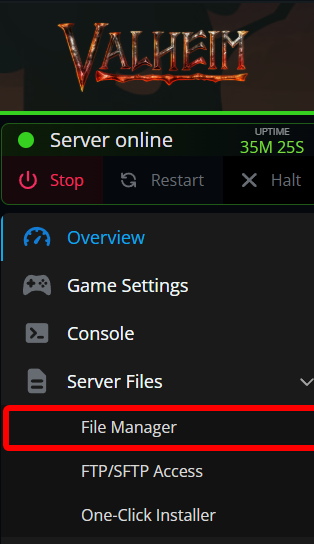
Once you have the mods downloaded that you’d like to install, open your File Manager.
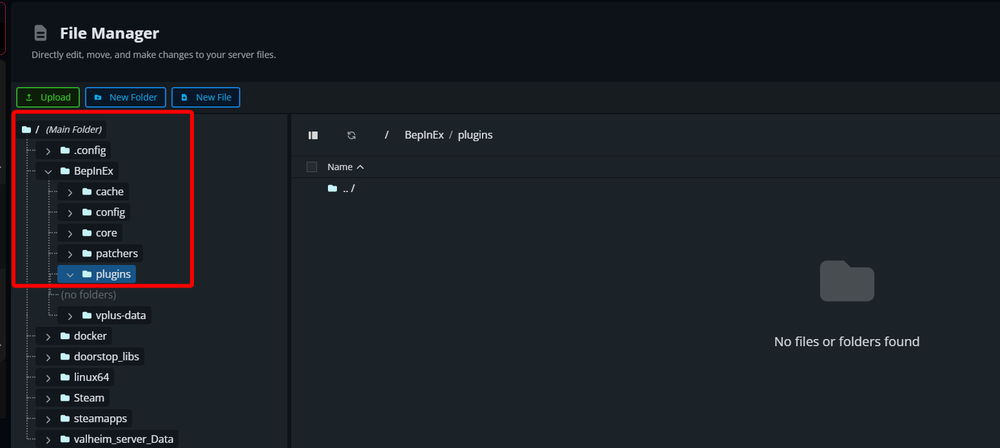
On the file manager, navigate to the plugins folder which is located at /BepInEx/plugins. If you don’t see that folder you may need to start your server once after installing BepinEx.
Drag and drop the plugins DLL files from the extracted mods that you downloaded into the plugins folder.
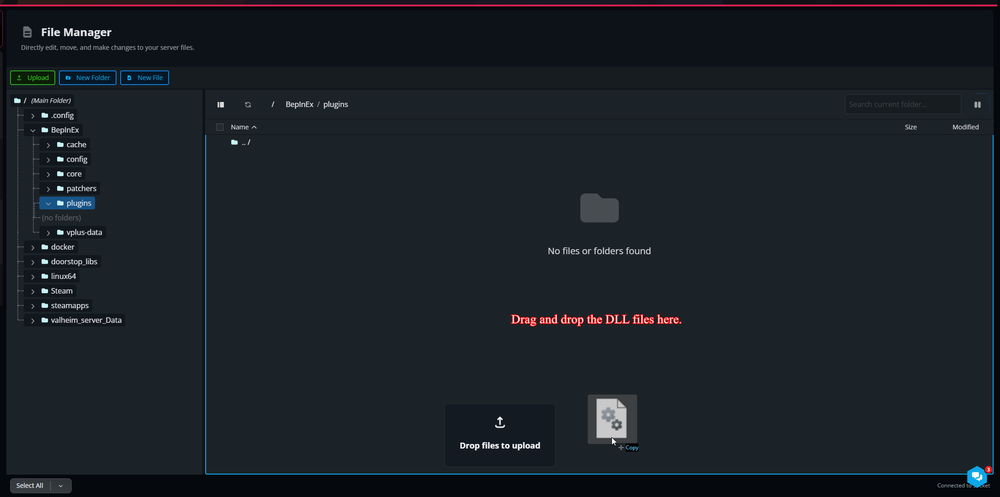
Once the upload is completed, the mod has been installed, and you can start/restart your server.
Conclusion
You have now installed BepInEx and mods onto your server. You can now start to play around with mods to add content and features to your server. Before modding any server it’s highly recommended that you have a backup of your server beforehand that you can always revert to as mods can cause issues or damage to your server.
Need Help?
If you have questions or run into any issues, our support team is here to help! Reach out using the support widget on our website or visit our support center for further assistance.