


Enable All Admin Commands on a Valheim Server

In this guide we are going to go over how you can enable all the admin commands on your Valheim server. Some examples of the admin commands that can be enabled are the ability to kick or ban players which are great for moderating your Valheim server. Your server will need to be set up for mods using BepinEx. If your server is not set up for mods you can follow our how to install mods guide first.
Install Server Devcommands
Download and extract Server Devcommands.
Open your Dashboard
Locate your Valheim server and click on the Panel button.
Open the File Manager.
Once on the file manager, navigate to /BepInEx/plugins
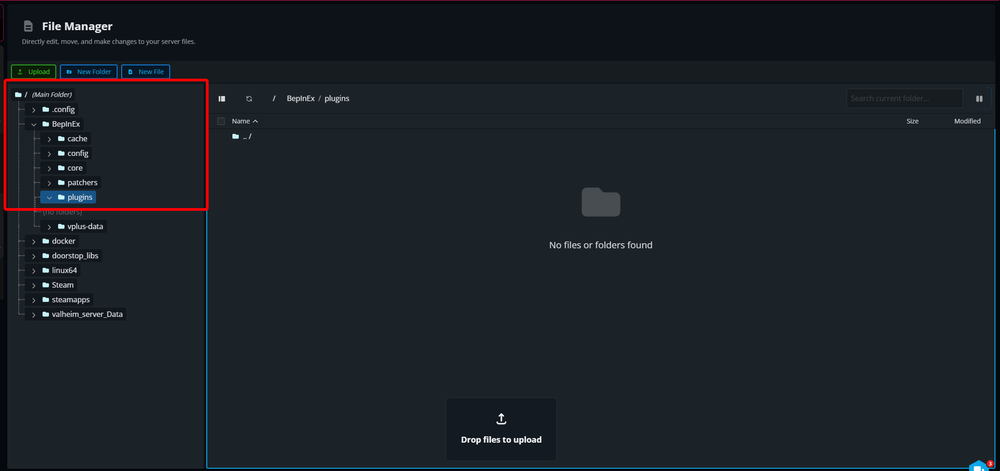
Drag and drop the ServerDevcommands.dll file into the plugins folder.
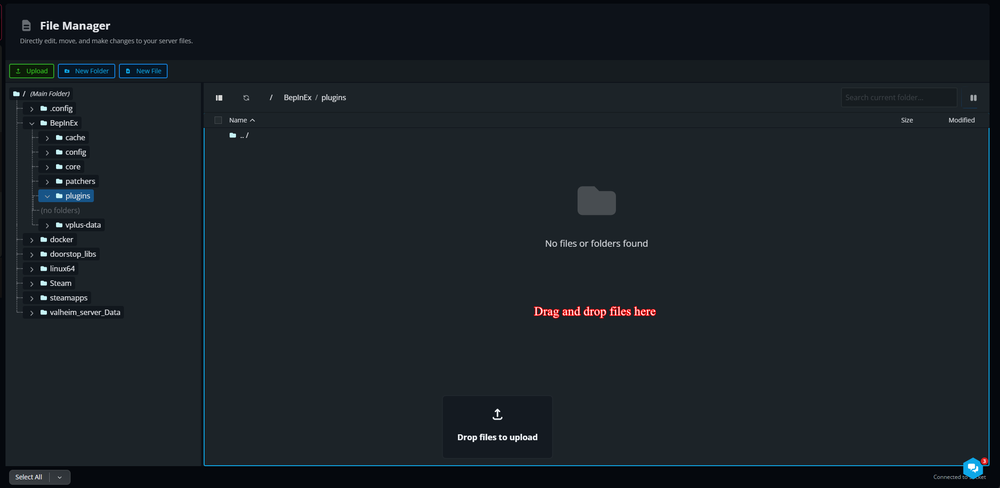
Once the upload is complete, Start your server.
Conclusion
You will not have all the admin commands enabled on your Valheim server. This will give you access to many commands including some for moderating your server. You can refer to the wiki for a full list of commands that will have been added to your server.
Need Help?
If you have questions or run into any issues, our support team is here to help! Reach out using the support widget on our website or visit our support center for further assistance.