


Change the Server Name on a Valheim Server

In this guide we are going to show you how you can change the name of your Valheim server. Changing the name is not only a good way to customize your server but also make it easier for players to find your server in the server list.
Changing the Server Name
Open your Dashboard
Locate your Valheim server and click on the Panel button.
Once on the panel, stop your server then click on Game Settings.
Once on the game settings page, locate the Server Name option and change it to your desired server name.
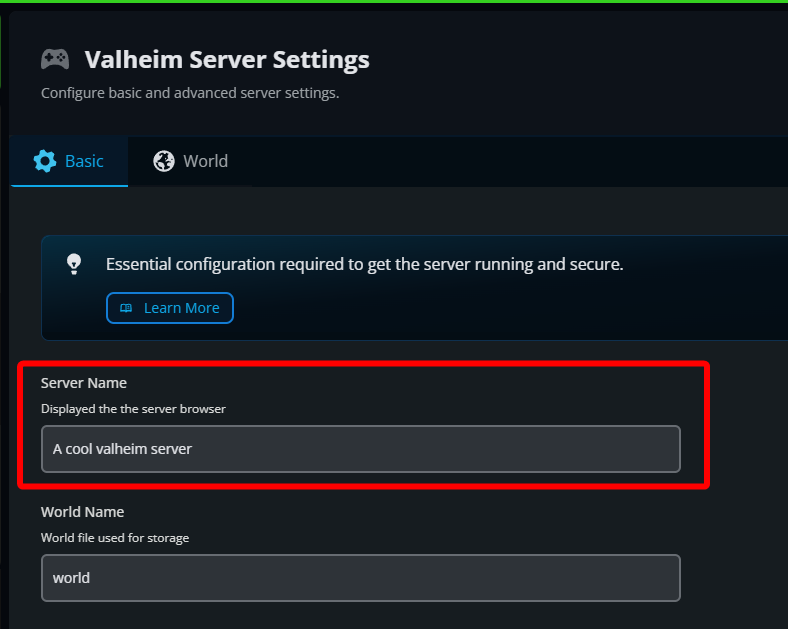
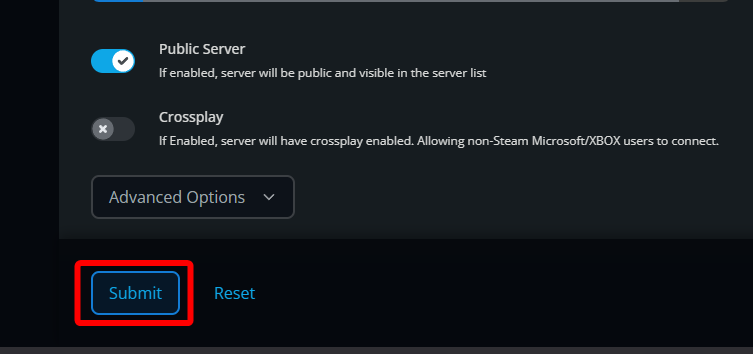
Once you have set your desired server name, click on Submit.
Start your server.
Conclusion
You have now set a new server name on your Valheim server. After starting your server, the new name should appear in the server list within 15 minutes!
Need Help?
If you have questions or run into any issues, our support team is here to help! Reach out using the support widget on our website or visit our support center for further assistance.