


Change the Max Players on a Valheim Server

In this guide we are going to go over how you can change the max player that is allowed on your Valheim server. In the game's default state, there is no way to change the max player limit, but it can be done with a plugin. Changing the max players allowed on your server does not guarantee that your servers available or total resources will be enough to handle the total number of max players that you set.
Changing the Max Players
Open your Dashboard.
Locate your Valheim server and click on the Panel button.
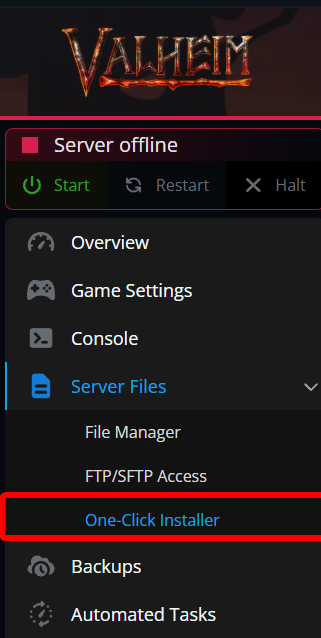
Install ValheimPlus by clicking on the One-Click Installer tab.
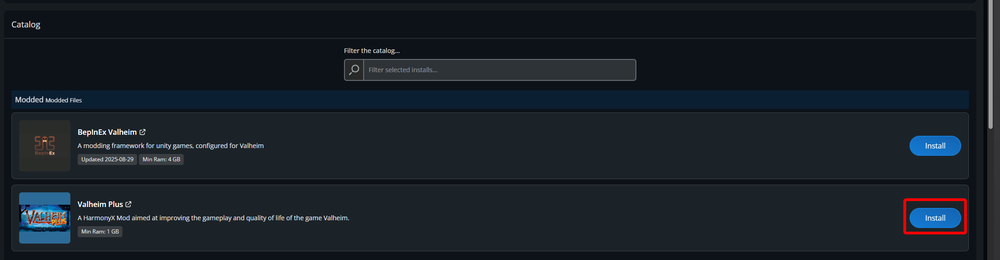
Once on the One-Click Installer page, locate Valheim Plus and click on Install.
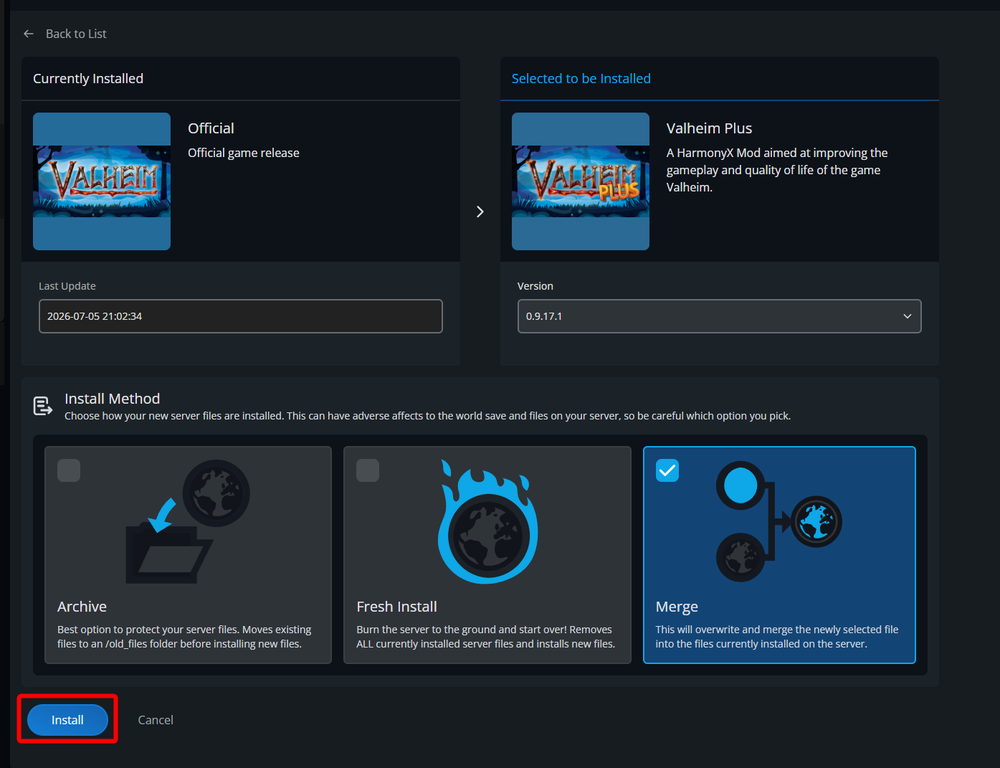
For the Install Method this will typically be Merge. Once selected, click on Install.
Once ValheimPlus is installed, make sure to start your server once to generate the config files.
Go to your File Manager.
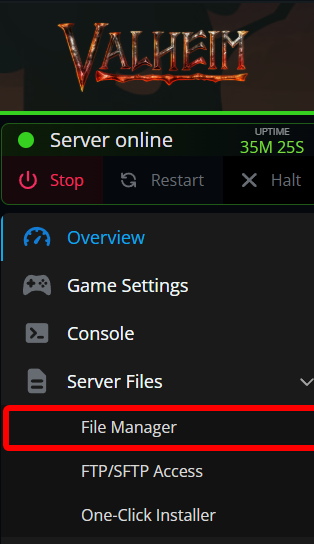
Once in the file manager, navigate to /BepInEx/config.
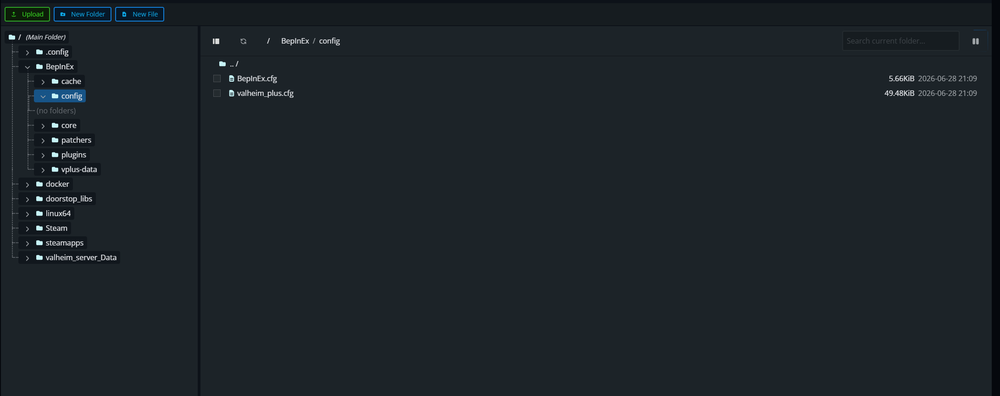
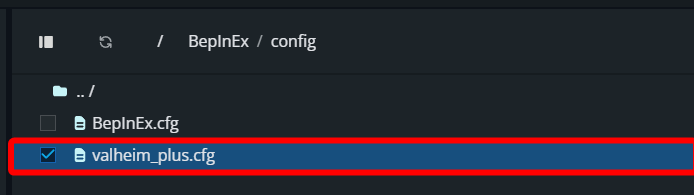
Open the valheim_plus.cfg file by double clicking on it.
With the file open, locate the line that has maxPlayers which should be halfway down the file near line 680.
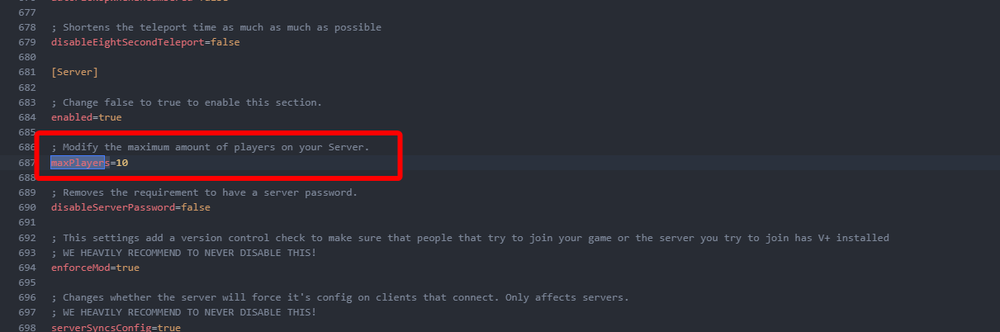
Change the number to your desired value then click on Save Changes in the upper right corner.
Once saved, Start your server.
Conclusion
You have now increased the max players that can join your server at once. While you can increase the total number of players, it does not mean your server will run smoothly with that number of players. If you encounter performance issues you may need to reduce your overall server resource load or upgrade your plan.
Need Help?
If you have questions or run into any issues, our support team is here to help! Reach out using the support widget on our website or visit our support center for further assistance.