


Change the Death Penalty on a Valheim Server

In this guide we are going to cover how you can change the death penalty level on your Valheim server. On Valheim there are a few different levels you can change the penalty to. These range from almost having no loss to playing in hardware you lose everything permanently.
Changing the penalty level
Open your Dashboard.
Locate your Vamheim server and click on the Panel button.
Now that you are on your panel, click on the Game Settings tab.
Next navigate to the Worlds tab. (460)
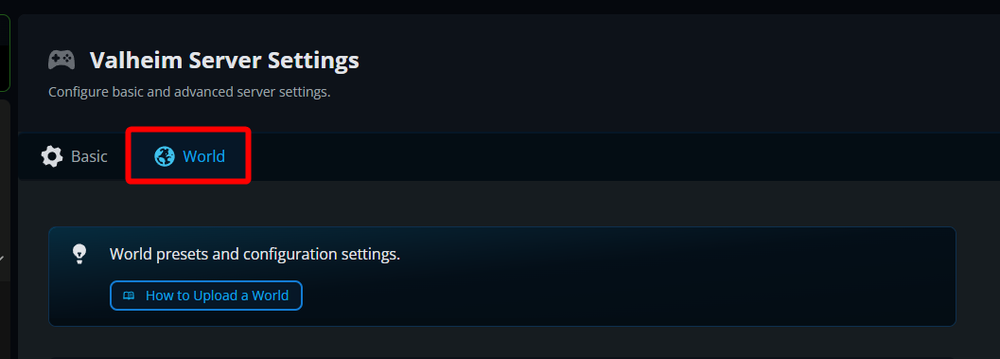
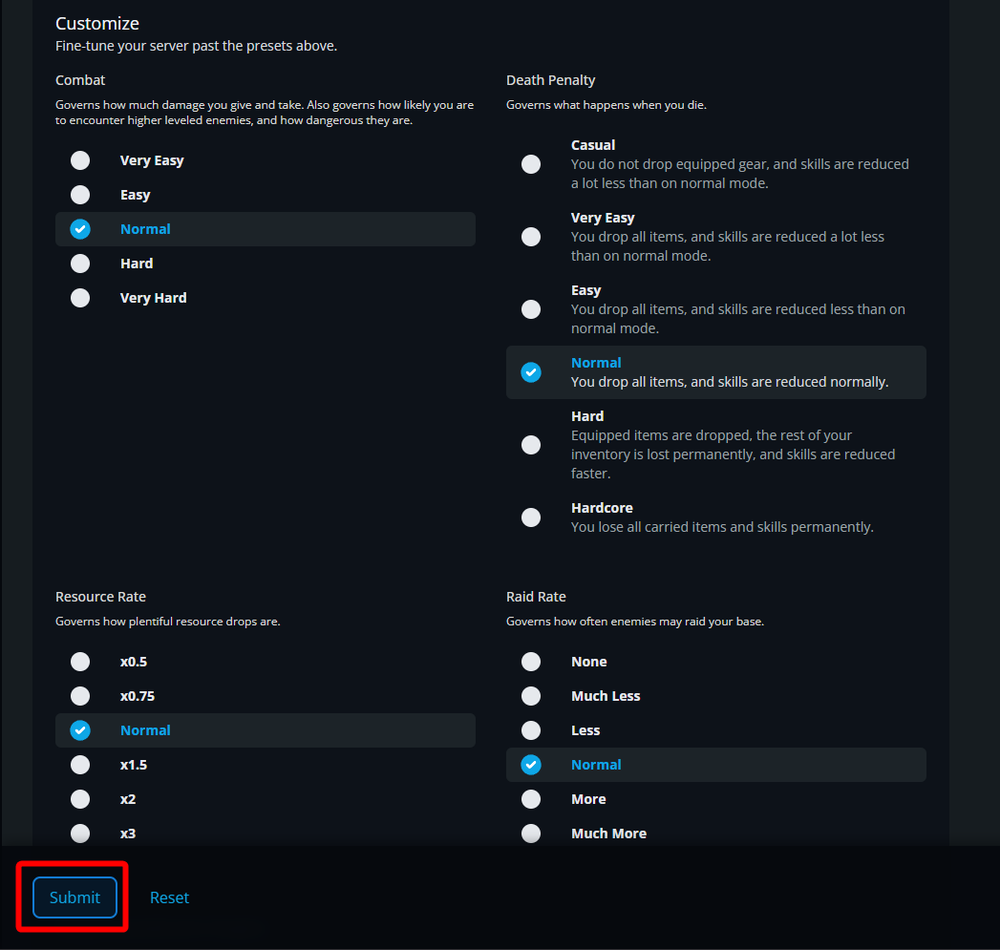
Scroll down till you find the Death Penalty section under the Customize section and select your new desired penalty level.
Once selected, click on Submit.
Restart your server.
Conclusion
You have now changed the death penalty level. If you find the new level is not what you were wanting, you can always change it again to find what you like best for your server.
Need Help?
If you have questions or run into any issues, our support team is here to help! Reach out using the support widget on our website or visit our support center for further assistance.