


How to Enable Weapon Multi-Hit on a Project Zomboid Server

In this guide we are going to cover how you can enable weapon multi-hit on your Project Zomboid server. Enabling this option allows certain melee weapons to strike multiple zombies in one hit, making it easier for players to fight groups of zombies.
Enabling weapon multi-hit
Open your Dashboard.
Locate your Project Zomboid server and click on the Manage button.
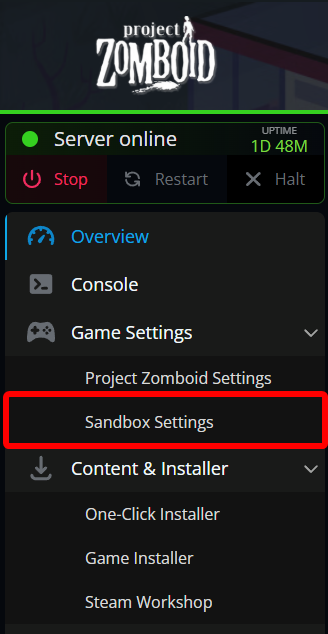
Under Game Settings, click on Sandbox Settings.
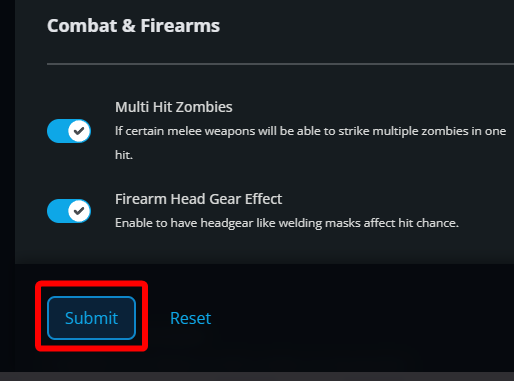
Locate the Multi Hit Zombies option under the Combat & Firearms section and turn it on.
Once the option has been changed, click on Submit.
Start/restart your server to apply the change.
Conclusion
You have now enabled weapon multi-hit on your Project Zomboid server. Players can now hit multiple zombies with a single swing when using certain melee weapons.
Need Help?
If you have questions or run into any issues, our support team is here to help! Reach out using the support widget on our website or visit our support center for further assistance.