


Remove Teleport Restrictions on a Valheim Server

Valheim normally prevents certain items, including ores and metals, from being carried through portals. If you'd rather spend less time sailing your latest haul across the map, you can change the server's portal world modifier to allow all items through.
You can remove those restrictions from your Nodecraft dashboard without installing a mod.
Change the Portal World Modifier
Navigate to your Nodecraft dashboard.
Locate your Valheim server and click Manage.
Stop the server.
Click Game Settings in the menu on the left and open Advanced Options.
Locate Startup Arguments.
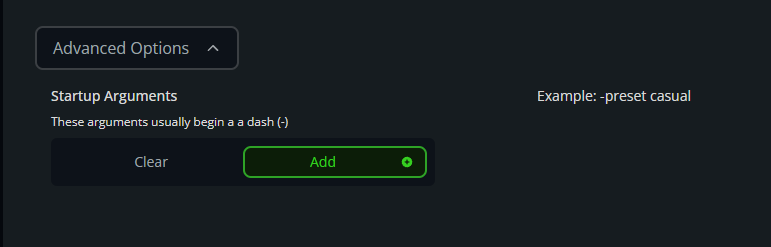
Enter -modifier portals casual in Startup Arguments.
If the server uses a preset, place the portal modifier after the preset. For example, a server using the Easy preset could have: -preset easy -modifier portals casual
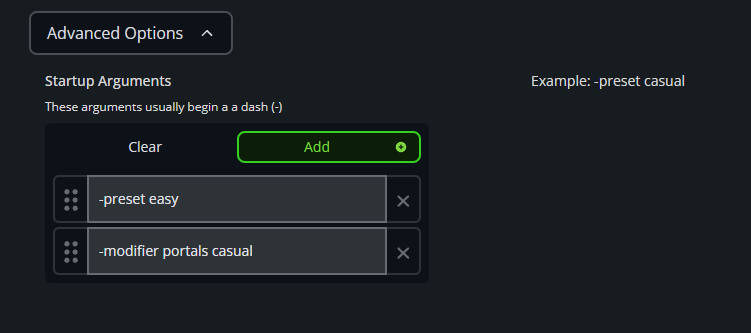
Confirm that the portal modifier appears in Startup Arguments, as shown below. Click Save, start the server, and test a portal with a normally restricted item.
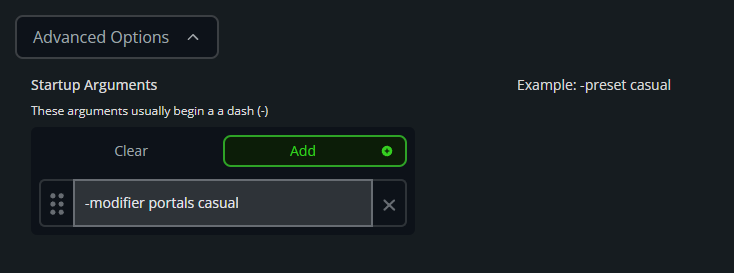
Restore Normal Portal Restrictions
Stop the server.
Open Game Settings, then Advanced Options.
Remove -modifier portals casual from Startup Arguments.
Save the changes and start the server.
Final Thoughts
The casual portal modifier keeps Valheim's portals useful without installing another mod or changing the rest of the world's difficulty. Your ore can finally travel at portal speed, leaving the longship free for exploration, sea serpents, and the occasional voyage that somehow becomes everyone else's rescue mission.
Need Help?
If you have questions or run into any issues, our support team is here to help! Reach out using the support widget on our website or visit our support center for further assistance.