


How to Restore Deleted Files with the Recycle Bin
Deleted the wrong file? Files and folders you delete in the File Manager go to the Recycle Bin first, so you can restore them for up to 7 days.
Each server's Recycle Bin holds up to 20 GiB. When it's full, the oldest items are permanently deleted to make room.
Items in the Recycle Bin count toward your plan's storage until they're permanently deleted.
Only deletions made in the File Manager go to the Recycle Bin. Files removed over FTP/SFTP are deleted right away.
Deleting Files and Folders
In your
File Manager, tick the files or folders you want to delete and clickDelete.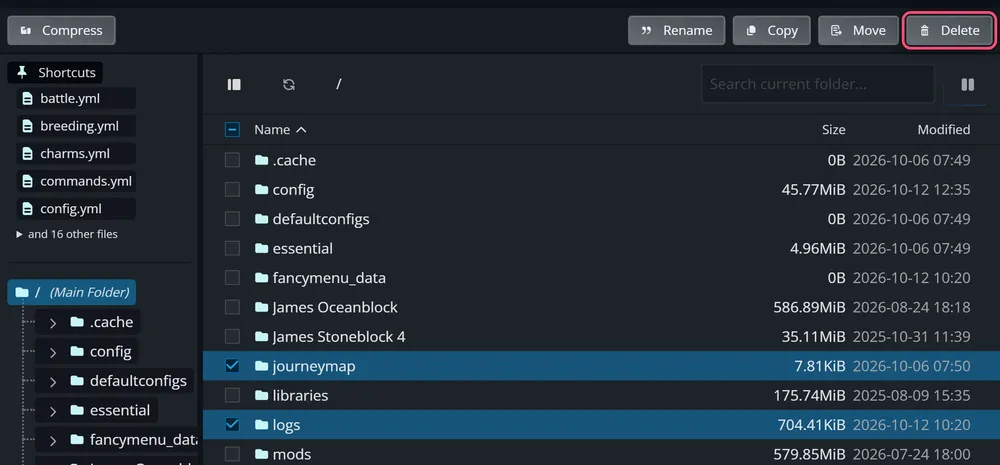
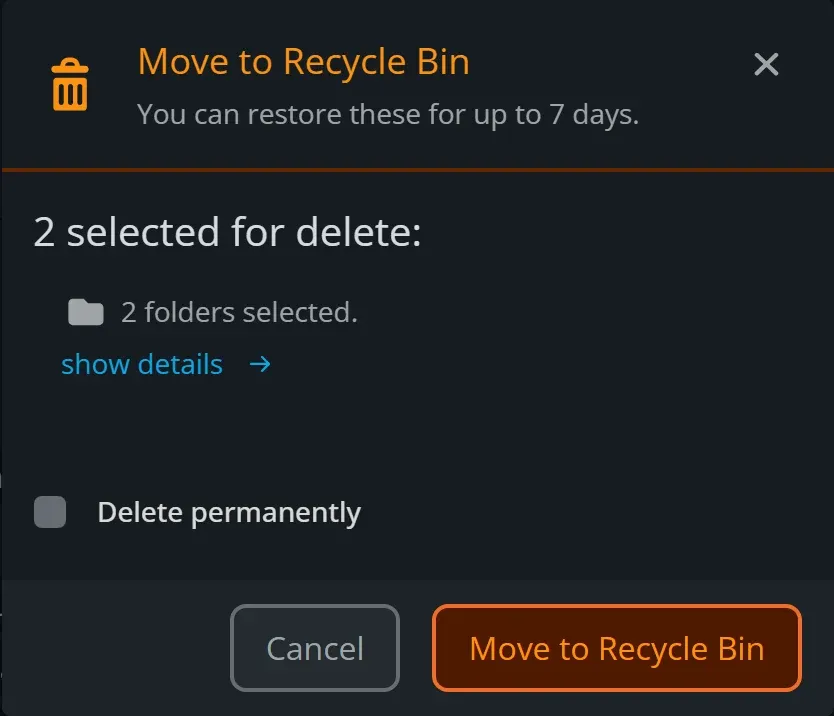
Click Move to Recycle Bin.
Restoring Files and Folders
Click
Recycle Binat the bottom of the File Manager's folder panel. If the panel is hidden, use theRecycle Binbutton in the toolbar.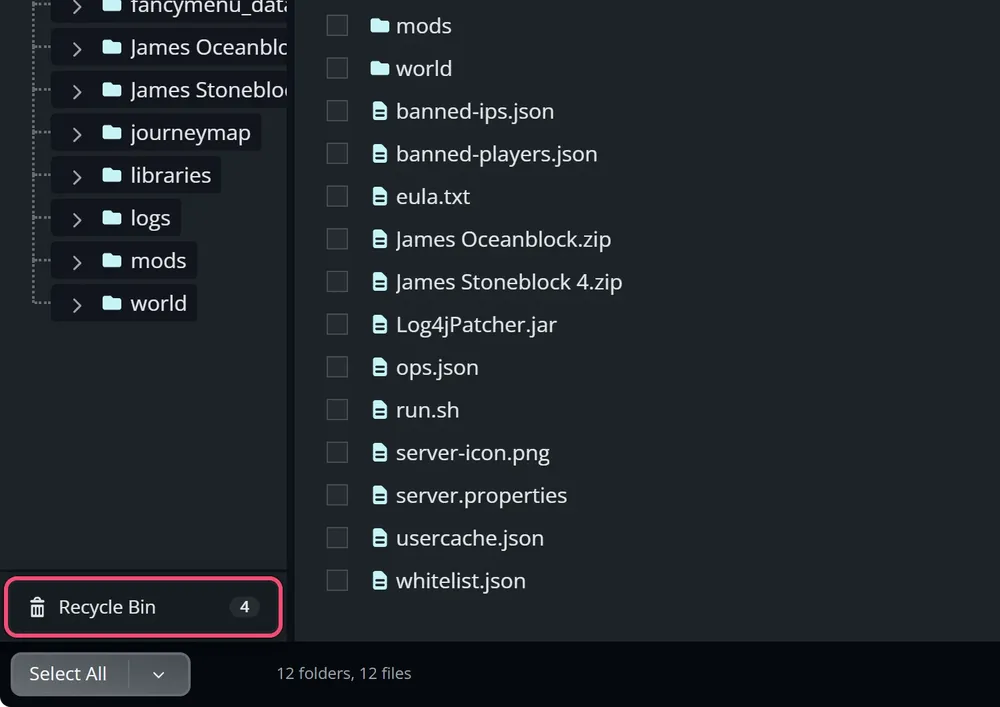
Tick the items you want back and click Restore, then confirm.
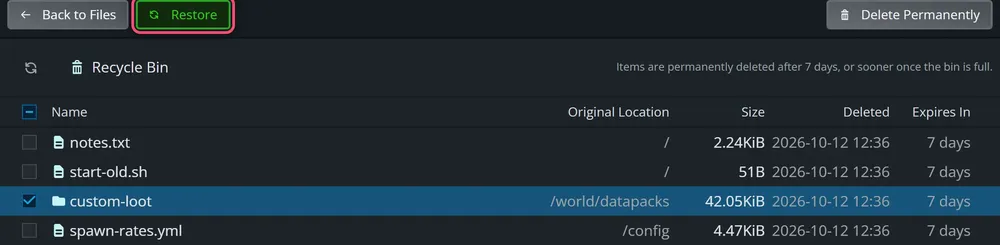
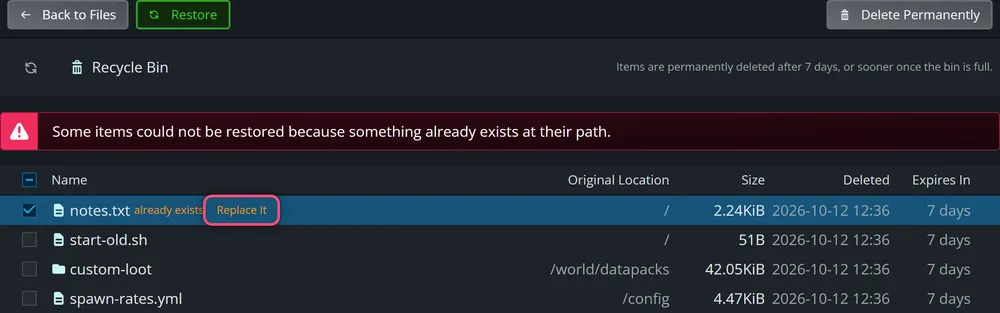
Items go back to their original location, and any missing folders are recreated. The Expires In column shows how long each item has left. You can also right-click an item to restore just that one.
When a File Already Exists
If another file or folder is already in an item's original location, the item is marked already exists instead of being restored. Click Replace It to restore it anyway. The current file is moved to the Recycle Bin, so nothing is lost.
Emptying the Recycle Bin
To free up storage straight away, select items and click Delete Permanently, or click Empty Recycle Bin with nothing selected to clear everything. This can't be undone.
Troubleshooting
Why isn't my deleted file in the Recycle Bin? It was deleted permanently, deleted over FTP/SFTP, deleted more than 7 days ago, or removed to make room when the bin was full. Restore it from a backup instead.
Can I get back an older version of a file I edited? No. The Recycle Bin only keeps deleted items. Use a backup to roll back edits or overwritten files.
Need Help?
If you have questions or run into any issues, our support team is here to help! Reach out using the support widget on our website or visit our support center for further assistance.