


Unlock All Recipes and Buildings on a Valheim Server

Valheim normally unlocks recipes and building pieces as players discover materials. Developer commands can skip that scavenger hunt and open everything immediately, which is useful for testing, creative projects, or anyone who has already picked up enough sticks for one lifetime.
Note: Before continuing, make sure you are a Valheim server admin and have Server devcommands installed on the client you use to connect.
Enable the Valheim Console
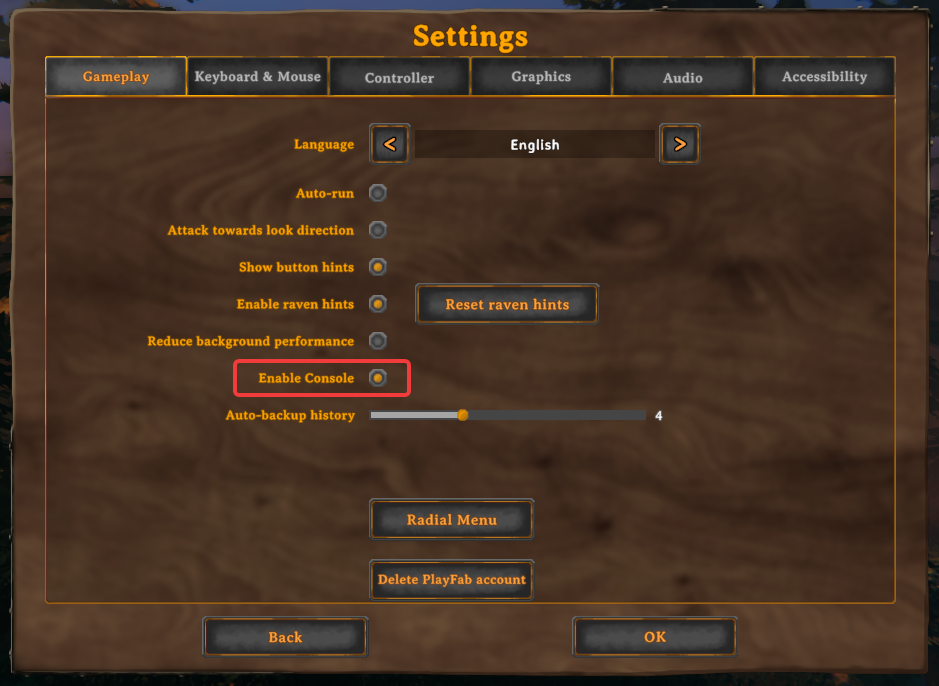
Open Valheim and select Settings.
Select Gameplay.
Turn on Enable Console.
Confirm that Enable Console is turned on, as shown below. Launch Valheim through the modded profile that includes Server devcommands, join the server, then press F5 to open the console.
Unlock All Crafting Recipes
Press F5 to open the console.
Enter setkey AllRecipesUnlocked.
Players should now be able to see crafting recipes that would normally require discovering materials or progressing further through Valheim.
Unlock All Building Pieces
Press F5 to open the console.
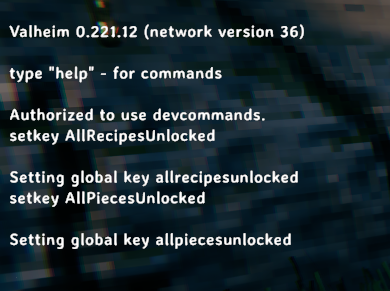
Enter setkey AllPiecesUnlocked. This enables every building piece; the console should now show both unlock commands, as shown below.
Confirm the Unlocks
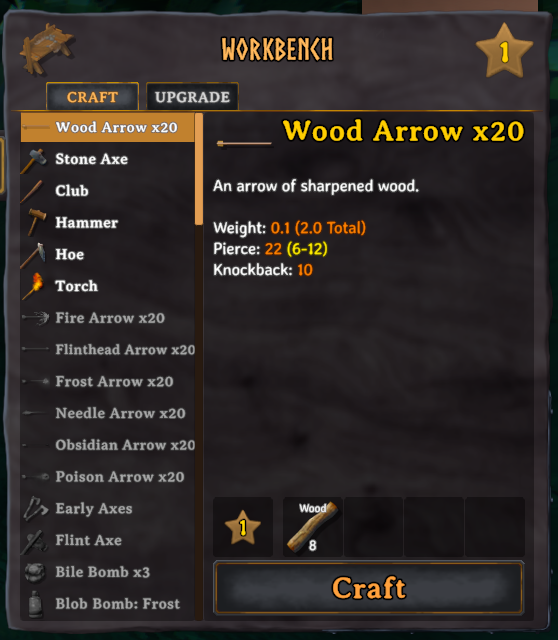
Open a crafting station or your inventory crafting menu to check the newly available recipes.
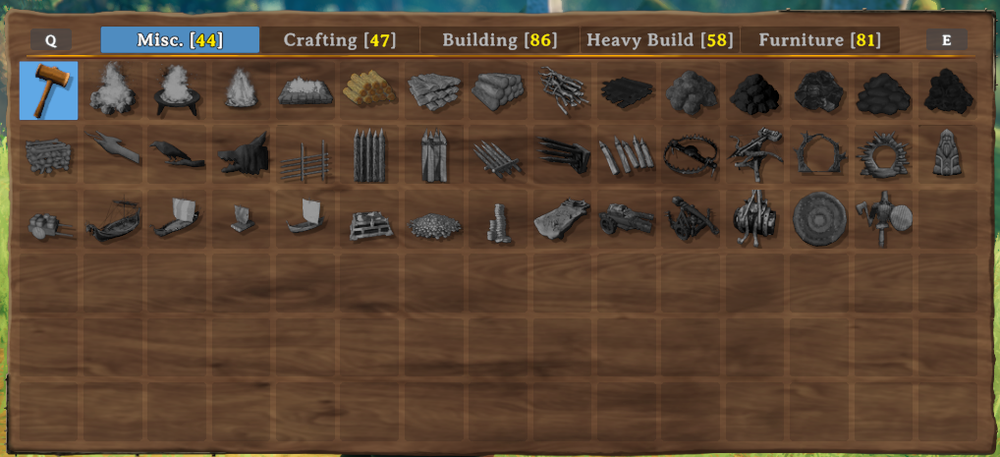
Equip a Hammer and open the build menu to check the available building pieces.
Make Building and Crafting Free
Unlocking recipes and building pieces does not remove their material requirements. Use these optional world keys when you also want creative-style building and crafting:
Enter setkey NoBuildCost to remove building material costs.
Enter setkey NoCraftCost to remove crafting costs.
Enter setkey NoWorkbench to allow building without a nearby workbench.
These settings are optional. If you only want players to have access to every recipe and building piece while keeping normal resource costs, leave them disabled.
Lock Recipes and Buildings Again
Press F5 to open the console.
Enter removekey AllRecipesUnlocked.
Enter removekey AllPiecesUnlocked.
Remove any optional keys with removekey NoBuildCost, removekey NoCraftCost, and removekey NoWorkbench.
Players will once again be limited to recipes and building pieces they have unlocked through normal gameplay. Removing the keys does not remove structures or items that were already created while they were enabled.
A Note About Achievements
Developer commands can mark a character and world as cheated and may block achievements. Keep that tradeoff in mind before using these commands on a world where achievement progress matters.
Final Thoughts
These world keys are useful when a server needs a creative workspace, a testing area, or a break from discovering one more material before the roof piece finally appears. You can keep normal resource costs or pair the unlocks with the optional free-building keys, depending on how much Viking bureaucracy your group wants to retain.
Need Help?
If you have questions or run into any issues, our support team is here to help! Reach out using the support widget on our website or visit our support center for further assistance.