


Kick or Ban Players from a Valheim Server

Sometimes a player needs to be removed from your Valheim server. Server admins can kick players temporarily, ban them from reconnecting, and remove bans when needed.
This guide covers the commands used to kick and ban players from a Valheim server, along with how to manage banned players from the Players page in your Nodecraft dashboard.
Note: You need administrator access before using moderation commands.
Manage Banned Players Through In-Game Moderation Commands
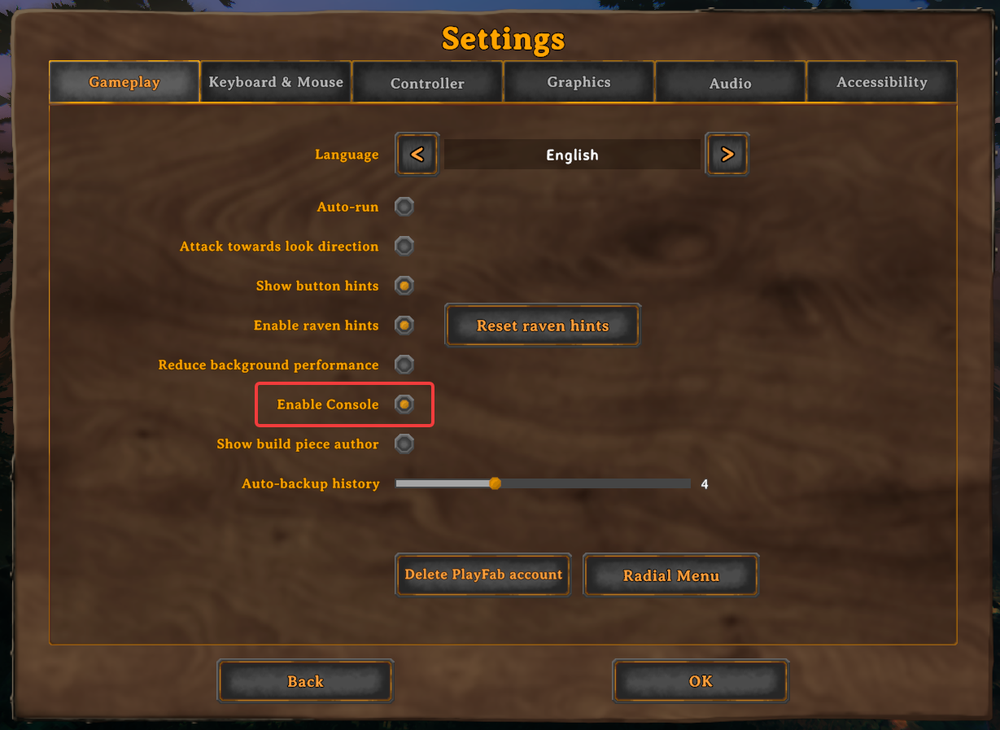
Enabling In-Game Console
Open Valheim and select Settings.
Select Gameplay.
Turn on Enable Console, as shown below. Join your server, then press F5 to open the console.
Kick/Ban a Player
Join the server with an administrator account and press F5 to open the console.
Enter the command you want to run. Use kick PLAYERNAME to disconnect a player while allowing them to reconnect or ban PLAYERNAME to prevent them from rejoining. Replace PLAYERNAME with the player’s exact name. To remove a ban, enter banned to view the ban list, then use unban USERID, replacing USERID with the ID of the player you want to unban.
Use the player's Platform User ID instead when you need to identify the account more precisely.
Unban a Player
To remove a ban, enter banned to display the current ban list, then enter unban USERID, replacing USERID with the account you want to restore.
Manage Banned Players Through the Dashboard
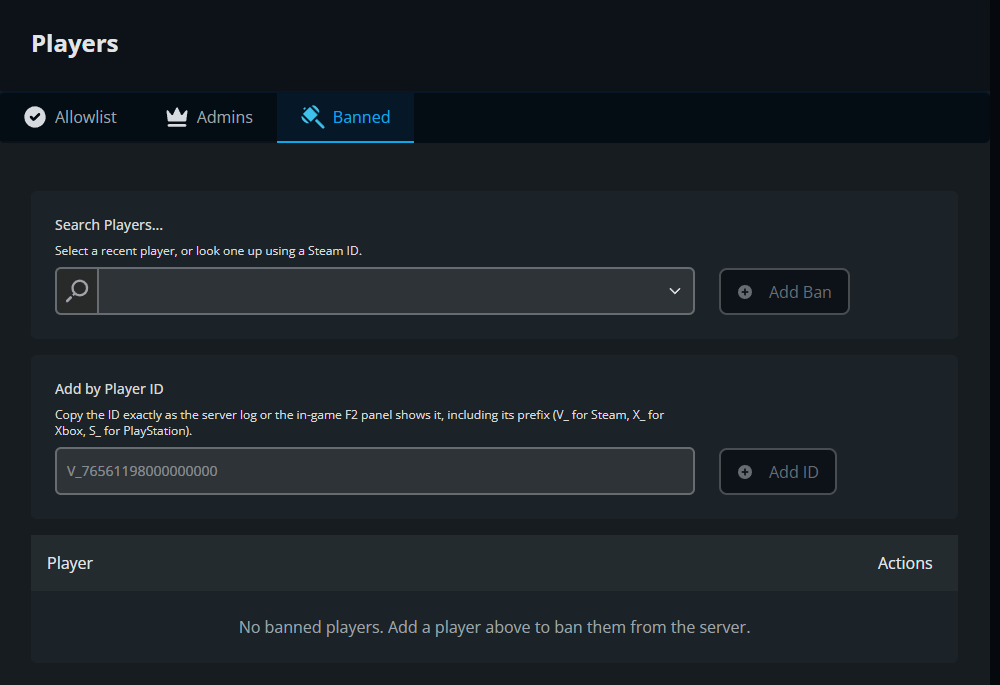
You can also manage bans from the Players page without editing server files. Use the player search to select a recent player or enter a complete Platform User ID to identify the account directly.
Add a Ban
Navigate to your Nodecraft dashboard.
Locate your Valheim server and click Manage.
Stop the server.
Click Players in the menu on the left, then select the Banned tab.
Under Search Players, select a recent player or look one up using their Steam ID, then click Add Ban.
Alternatively, paste the player's complete Platform User ID into Add by Player ID and click Add ID.
Check that the player appears in the banned list, then start the server.
The Banned tab below shows both ways to add a ban. For Add by Player ID, copy the ID exactly as the server log or in-game F2 panel displays it, including capitalization and its platform prefix: V_ for Steam, X_ for Xbox, S_ for PlayStation, or N_ for Nintendo.
Remove a Ban
Open your server's Players page and select Banned.
Find the player in the list and use the removal control in the Actions column to remove the ban.
Final Thoughts
Valheim's moderation tools are simple, but they cover the important jobs: removing a disruptive player, keeping an account out, and opening the door again when the situation is resolved. Used carefully, they keep the server welcoming without turning every disagreement over a misplaced workbench into a Viking tribunal.
Need Help?
If you have questions or run into any issues, our support team is here to help! Reach out using the support widget on our website or visit our support center for further assistance.