


Find a Valheim World Seed

Every Valheim world begins with a seed that determines how the map is generated. It is the world's blueprint, minus the longhouse, the boar pen, and whatever happened to all those missing surtling cores.
Dedicated servers do not display the seed in Game Settings. You will find it by downloading the world's small .fwl file from your Nodecraft server and reading it with a seed extractor.
Find Your World Name
First, confirm which world the server currently loads.
Navigate to your Nodecraft dashboard.
Locate your Valheim server and click Manage.
Click Game Settings in the menu on the left.
Locate World Name and make note of the value shown.

For example, a World Name of world uses a seed file named world.fwl.
Download Your World File
Stop your server.
Click Server Files in the menu on the left, then click Files.
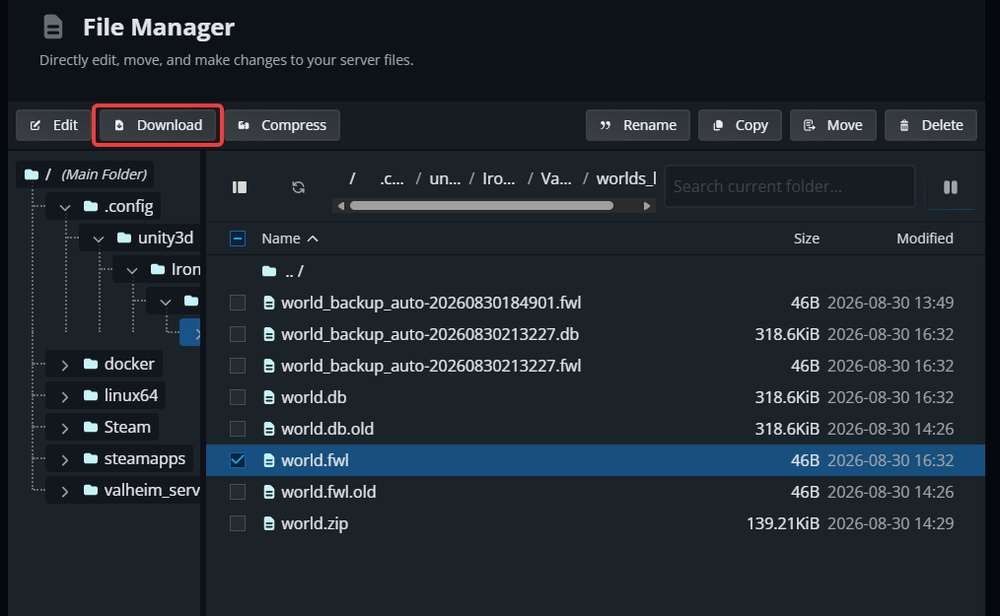
Open /.config/unity3d/IronGate/Valheim/worlds_local.
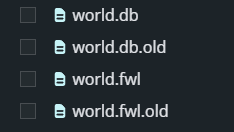
Locate the .fwl file that matches World Name. It is the smaller of the two world files and is all you need to find the seed. Select it, then click Download, as shown below.
Find the Seed
Open the Valheim World Generator Seed Extractor.
Upload or drag the matching .fwl file onto the page.
Copy the displayed seed exactly as shown. Valheim seeds are case-sensitive, so preserve every letter and number.

Note: The Valheim World Generator is a third-party community tool and is not affiliated with Nodecraft or Iron Gate.
Troubleshoot Finding the Seed
If the matching .fwl file is missing, confirm the World Name setting and check worlds_local rather than a backup folder.
If the extractor cannot read the file, stop the server, download the .fwl file again, and make sure you did not upload the larger .db file.
If a recreated world looks different, remember that world generation can change between Valheim versions.
Final Thoughts
Once you have the exact seed, you can share the world's layout, inspect it in a viewer, or begin a fresh version of the same map. Just remember that the seed is the blueprint, not a moving crew; your halls, roads, and suspiciously overbuilt dock remain safely inside the original world save.
Need Help?
If you have questions or run into any issues, our support team is here to help! Reach out using the support widget on our website or visit our support center for further assistance.