


Add Loot Rarity on a Valheim Server

Vanilla Valheim keeps loot fairly straightforward: defeat the enemy, open the chest, and hope Odin was feeling generous. The Epic Loot mod adds Magic, Rare, Epic, Legendary, and Mythic equipment with different effects and drop chances.
Before You Begin
This guide assumes Epic Loot and its required dependencies are already installed on the server and connecting clients. If you still need to set that up, follow our guide on installing Valheim server mods before continuing.
Generate the Epic Loot Configuration Files
Start the server after installing Epic Loot.
Wait until the server finishes starting so BepInEx and Epic Loot can generate their configuration files.
Stop the server before editing those files.
Locate the Epic Loot Configuration
Navigate to your Nodecraft dashboard.
Locate your Valheim server and click Manage.
Stop the server.
Click Server Files in the menu on the left, then click Files.
Navigate to /BepInEx/config/EpicLoot.
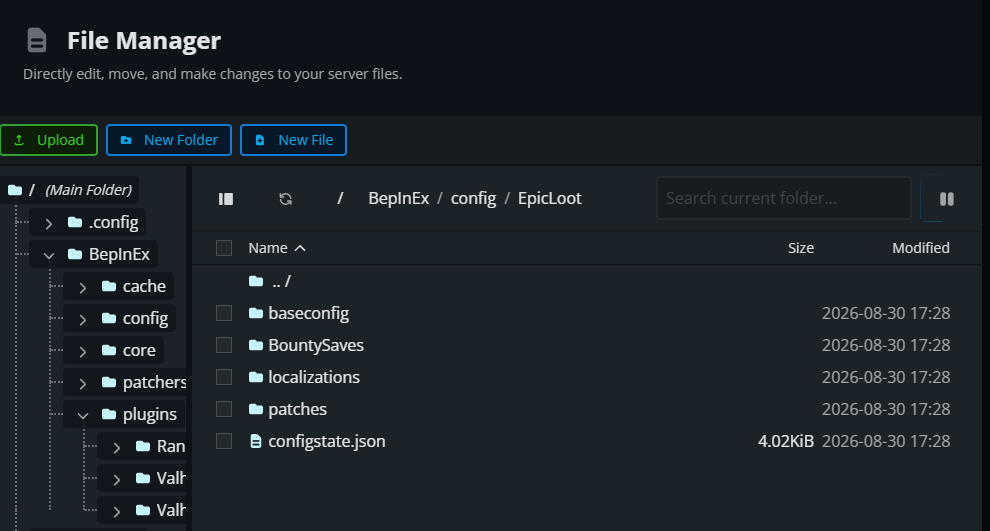 Epic Loot creates separate files for drop rates, rarity weights, magic effects, enchanting, and other mod features.
Epic Loot Rarities Explained
Epic Loot adds five rarity levels to Valheim items.
| Rarity | Description |
|---|---|
| Magic | The lowest magic-item rarity. |
| Rare | A higher tier with stronger or additional magic effects. |
| Epic | A high-tier magic item with more powerful effects. |
| Legendary | One of the highest standard rarity tiers. |
| Mythic | The highest rarity available in current versions of Epic Loot. |
The exact rarity that drops depends on Epic Loot's loot tables and the creature, chest, biome, or progression tier associated with the drop.
Change the Overall Loot Drop Rate
Open /BepInEx/config/randyknapp.mods.epicloot.cfg.
Locate Global Drop Rate Modifier. Its default value is 1.
Choose a value from 0 to 4, then save the file. Use 0 to disable Epic Loot drops, 1 for the default rate, or a higher value to increase their relative chance.
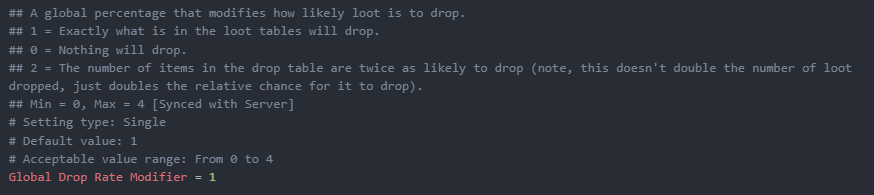
Note: Increasing this setting does not simply double the number of items dropped. It changes the likelihood of entries in Epic Loot's loot tables being selected.
Change Which Rarities Can Drop
Open /BepInEx/config/EpicLoot/baseconfig/loottables.json.
Locate the creature, chest, or loot source you want to adjust.
Change the weighted values for the desired rarities.
Save the file, then confirm that loottables.json remains in the baseconfig folder, as shown below.
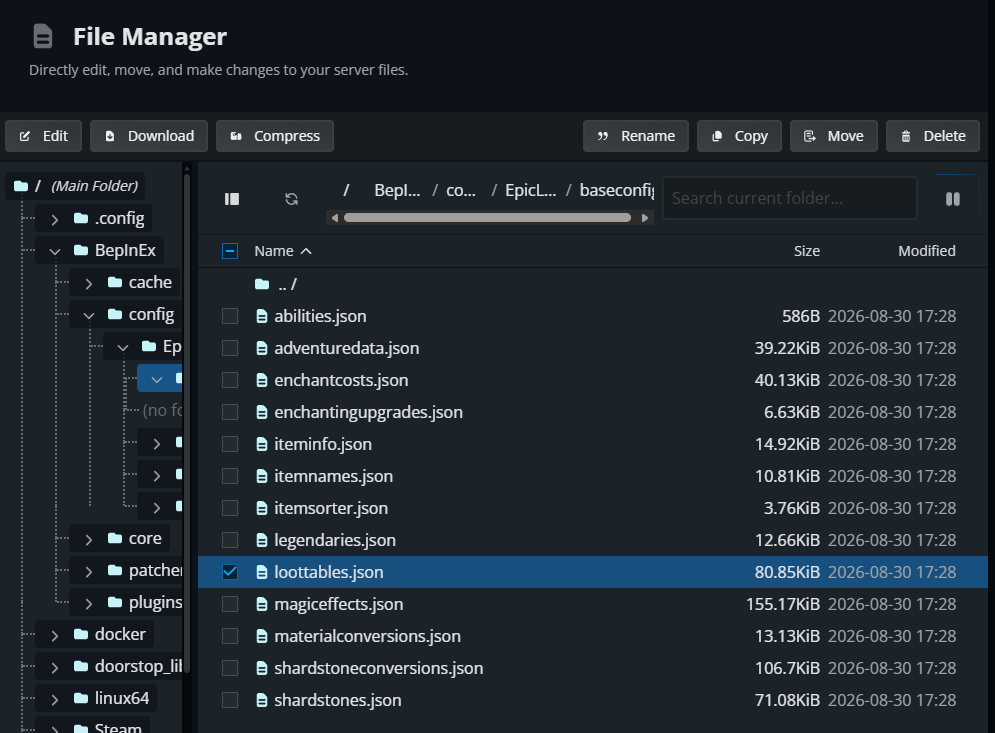
Loot tables control what each creature or container can drop. Rarity values are weighted, so increasing one value makes that rarity more likely compared with the others in the same table.
A table with a much larger Rare weight than Legendary weight will produce Rare items more often.
Note: Epic Loot's developers recommend using its configuration patching system for customized JSON settings. Updates can regenerate or change the base configuration files, so directly editing baseconfig can make future updates harder to manage.
Change Rarity Colors
Open /BepInEx/config/randyknapp.mods.epicloot.cfg.
Locate the Item Colors settings.
Enter a supported named color or an HTML hex color beginning with # for each rarity you want to change, then save the file.
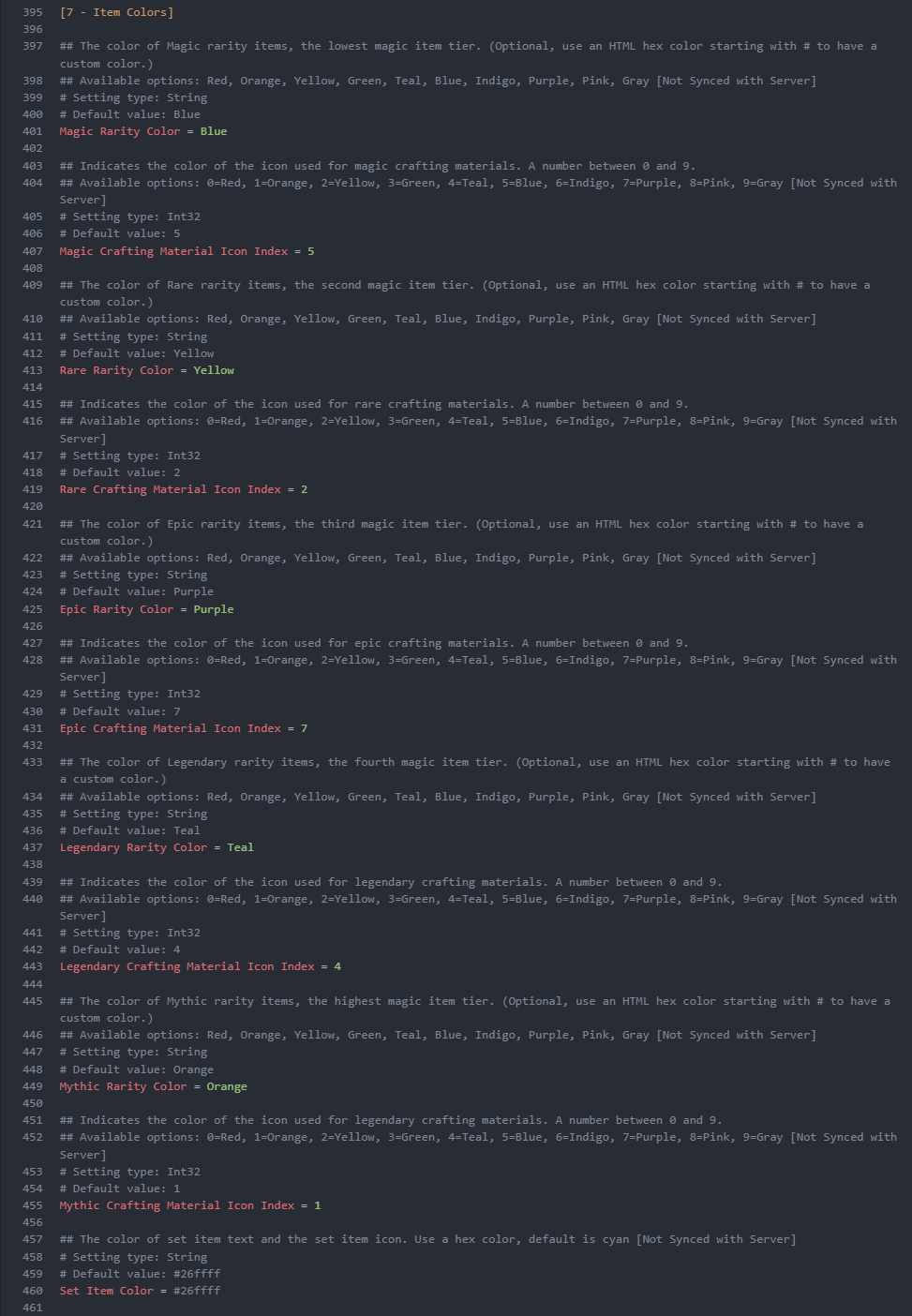
Color changes affect how rarities appear, not how often they drop.
Apply the Changes
Start the server.
Have players reconnect with compatible Epic Loot versions.
Defeat an enemy or open an applicable container to test the new settings.
Epic Loot must be installed on both the server and connecting clients, with compatible versions on each side.
Troubleshoot Epic Loot Rarity Changes
If changes do not appear, confirm that you edited the active Epic Loot configuration file and restarted the server.
Check Console during startup for Epic Loot errors or a client and server version mismatch.
If a JSON file fails to load, check for a missing comma or bracket. Restore the previous file and test again if the error is difficult to find.
If players still see the old behavior, have them disconnect and reconnect after the server has fully restarted.
Final Thoughts
Epic Loot can make every expedition feel a little more rewarding, whether the server uses a gentle boost or carefully tuned rarity weights. The best balance keeps rare finds exciting without turning every greydwarf into a walking legendary vending machine.
Need Help?
If you have questions or run into any issues, our support team is here to help! Reach out using the support widget on our website or visit our support center for further assistance.