


How to Find the New Valheim Player IDs

With the Valheim 1.0 update the Player IDs have changed for game server management. This update includes crossplay for PlayStation, XBOX, Nintendo Switch, and Steam, but the format had to be changed to improve crossplay player management for Valheim server owners.
How To Find Your Valheim Player ID
For PC: press
F2to open the Player list menu as shown below.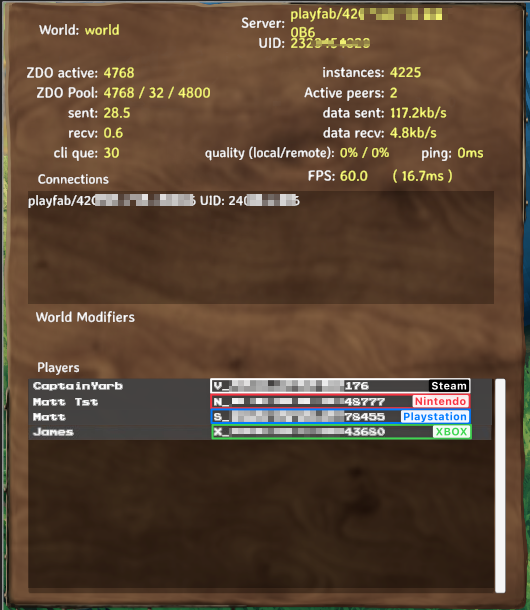 Alternatively, you can pause the game and select the "Player List" as shown below.
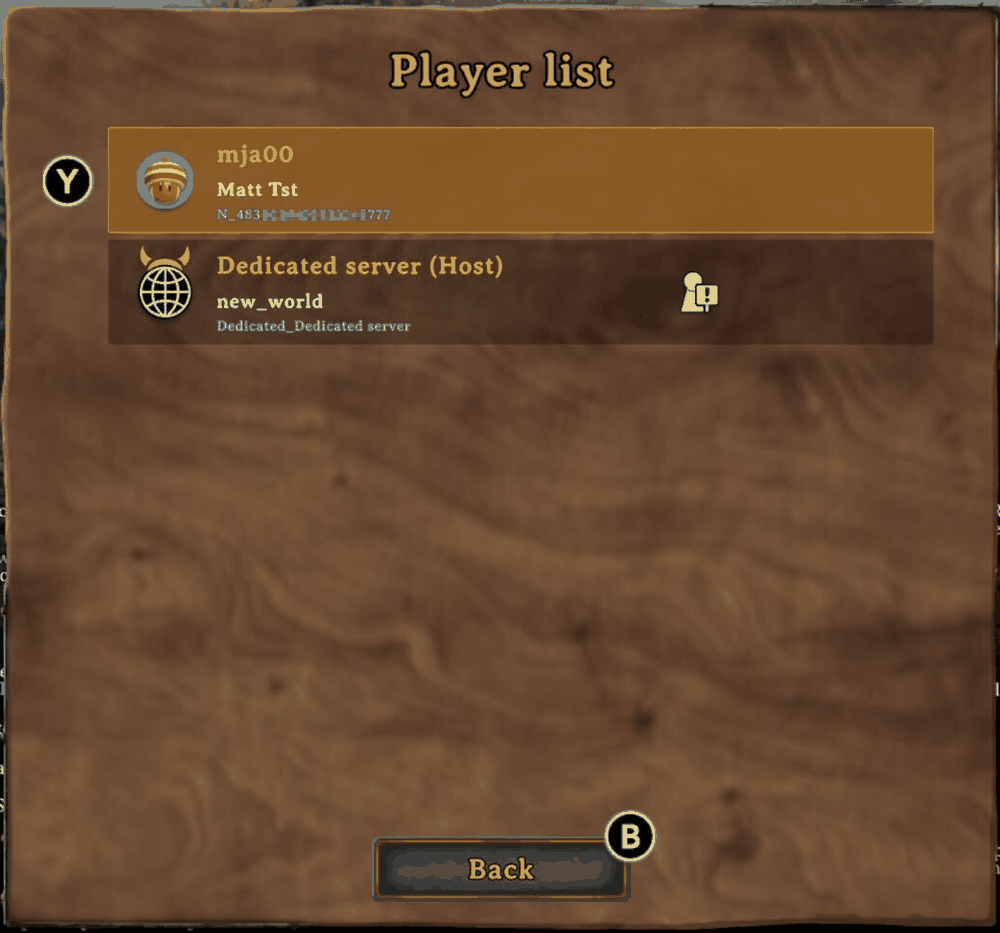
For Consoles: Pause the game and select "Player List"
How Valheim Player IDs are formatted
Each platform has a prefix before the player ID corresponding to each platform. For example, Steam's prefix is V where XBOX is X. See the table for the full list of platform formats:
| Platform | Format | ID Notes |
|---|---|---|
| Steam | V_IDXXXXXXXXX | Find your Player ID from SteamID |
| Nintendo Switch | N_IDXXXXXXXXX | |
| Sony Playstation | S_IDXXXXXXXXX | |
| XBOX | X_IDXXXXXXXXX |
In each of these examples, the IDXXXXXXXXX is a placeholder for the real ID for each platform.
Looking up Your Valheim ID
One quirk with this new ID format is that console IDs are not simple to find without first joining a server and finding your ID. Unlike Steam there is no online tool that we have identified to find these by username.
Migrating From the old Steam Format
Prior to the Valheim 1.0 launch, all Steam ids were stored as Steam_ID. Simply replace Steam_ with V_ and the IDs will continue to work as expected.
Finding Player IDs from Valheim Game Server Logs
When players join via Steam you will find a portion of the ID logged:
Example Log:
PlayFab socket with remote ID playfab/5C43CE400000E18C received local Platform ID Steam_7656000000176
For this example, the (redacted) Steam ID is V_7656000000176`
Finding Player IDs for Console
For XBOX, Playstation, or Nintendo Switch, the ID that is logged from the server is NOT the correct player ID you can use for the game server.
Example Log:
PlayFab socket with remote ID playfab/5F2B8090000007 received local Platform ID Nintendo_9573040000000000533
The Actual Nintendo ID (redacted) N_483303643000000077 , was pulled using the Player List menu as shown at the top of the article.
Need Help?
If you have questions or run into any issues, our support team is here to help! Reach out using the support widget on our website or visit our support center for further assistance.