


How to Connect to a Space Engineers Server
You just powered up your Space Engineers server. Now it is time to actually get into it.
Whether you are playing through Steam or Epic Games with crossplay enabled, connecting to your Nodecraft server only takes a few minutes once you know where to look.
This guide will walk you through both connection methods.
Before You Start
Make sure:
Your server is online in your Nodecraft Dashboard
You have copied your server’s hostname or IP address.
You can find your server hostname and IP address directly on your Nodecraft server Overview page.
Connecting to the Server
Open Space Engineers.
Click Join Game.
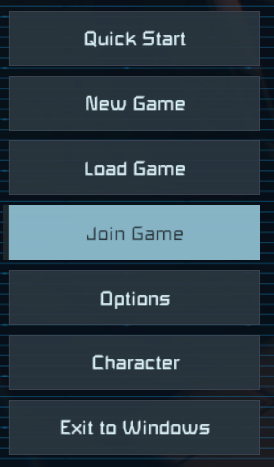
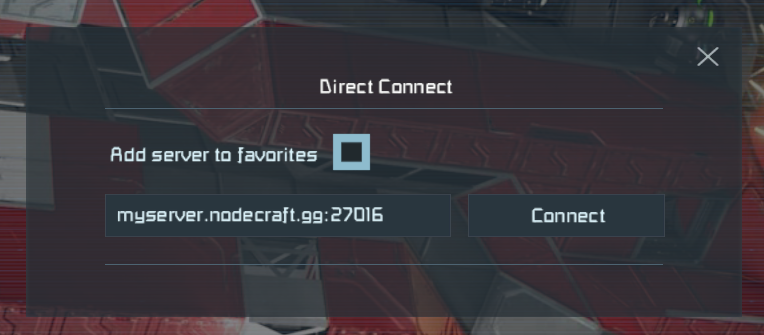
Click Direct Connect.

Paste the hostname into the box and click Connect.
Conclusion
Once connected, you are officially live on your own Space Engineers server.
From here, you can begin building, exploring, or fine-tuning your settings to match your playstyle. If you are ready to customize things further, check out our guides on configuring your server, adding mods, or adjusting world settings.
Your universe is now online.
Need Help?
If you have questions or run into any issues, our support team is here to help! Reach out using the support widget on our website or visit our support center for further assistance.