


How to Enable Player Safehouses on a Project Zomboid Server

In this guide we are going to cover how you can enable player safehouses on your Project Zomboid server. Enabling this option allows both players and admins to claim safehouses, giving players a place to establish their base.
Enabling Player Safehouses
Open your Dashboard.
Locate your Project Zomboid server and click on the Manage button.
Under Game Settings, click on Project Zomboid Settings.
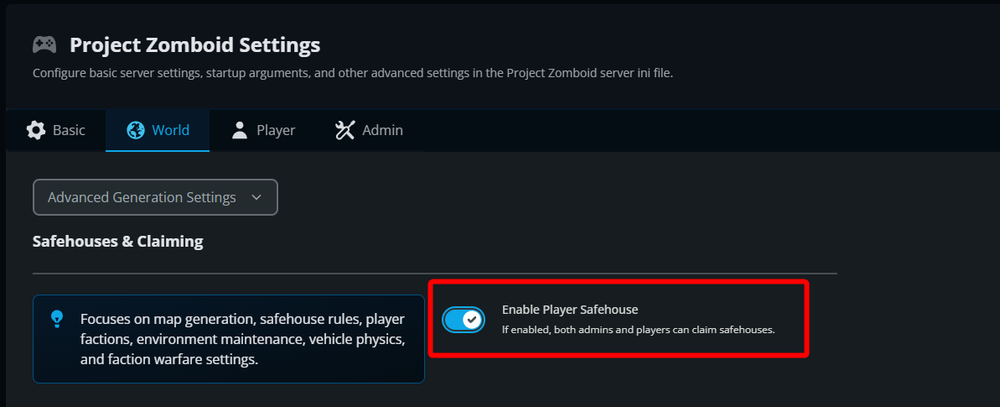
Go to the World tab.
Locate the Enable Player Safehouse option and turn it on.
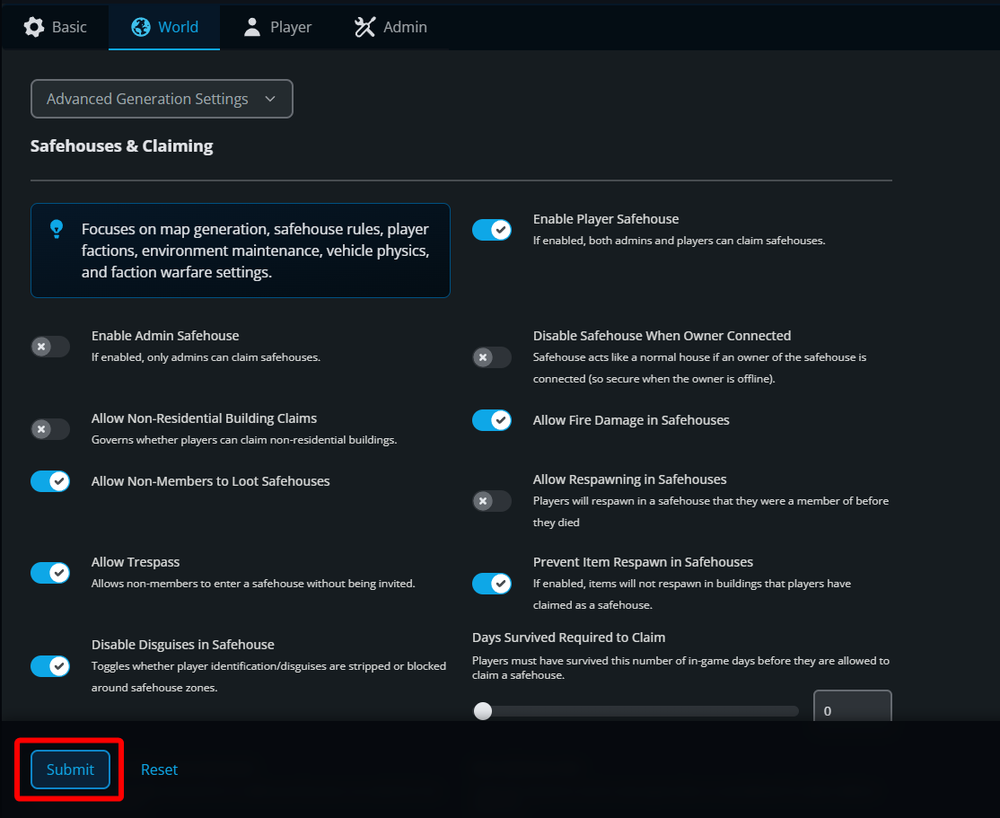
Once the option has been changed, save your changes with the Submit button at the bottom left corner.
Start your server to apply the change.
Conclusion
You have now enabled player safehouses on your Project Zomboid server. Both players and admins can now claim safehouses to establish their bases.
Need Help?
If you have questions or run into any issues, our support team is here to help! Reach out using the support widget on our website or visit our support center for further assistance.