


How to Enable Loot Respawning on a Project Zomboid Server

In this guide we are going to go over enabling loot respawning on your Project Zomboid server. Enabling this option allows eligible containers to regenerate their loot after a set number of in-game hours, giving players more opportunities to find supplies.
Enabling Loot Respawning
Open your Dashboard.
Locate your Project Zomboid server and click on the Manage button.
Under Game Settings, click on Sandbox.
Go to the Loot tab.
Locate Hours For Loot Respawn under the Loot Respawn & Removal section.
Change the value from 0 to your desired number of in-game hours between loot respawns. For example, entering 24 sets the interval to one in-game day.
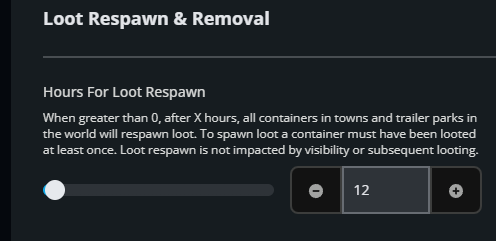
Once you have set the desired time, click on the Submit button.
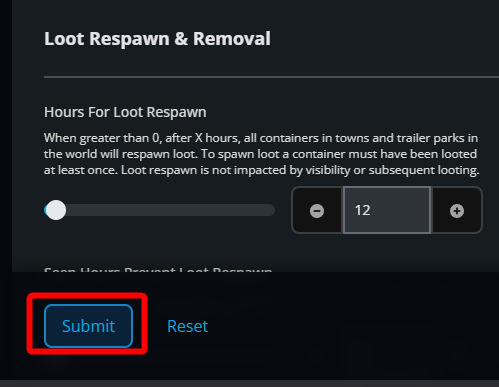
Start your server to apply changes.
Conclusion
You have now enabled loot respawning on your Project Zomboid server. Eligible containers can now replenish their supplies based on your selected interval. If you ever want to disable this, change the value back to 0.
Need Help?
If you have questions or run into any issues, our support team is here to help! Reach out using the support widget on our website or visit our support center for further assistance.