


Create a GTA Enhanced FiveM Server

In this guide we are going to cover how you can change your FiveM server to a GTA 5 Enhanced FiveM Server. The Enhanced FiveM Server will allow players to join with the more recent enhanced version of GTA 5 that was released. If you are changing a server that has progress already, a backup is highly recommended before proceeding.
Changing to Enhanced FiveM
Open your Dashboard
Locate your FiveM server and click on the Panel button.
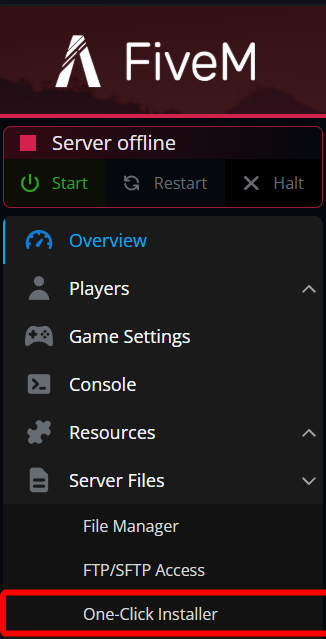
Once on your FiveM panel, navigate to the One-Click Installer.
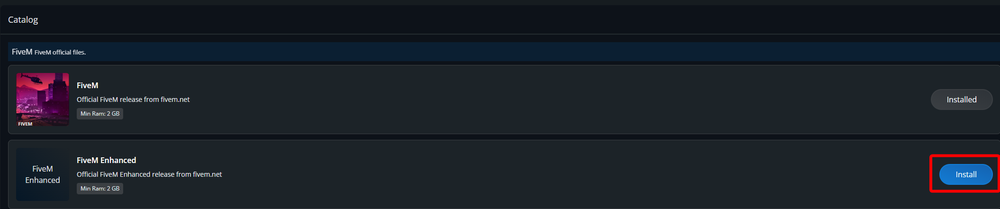
Once you get to the One-Click Installer, locate the FiveM Enhanced and click on Install.
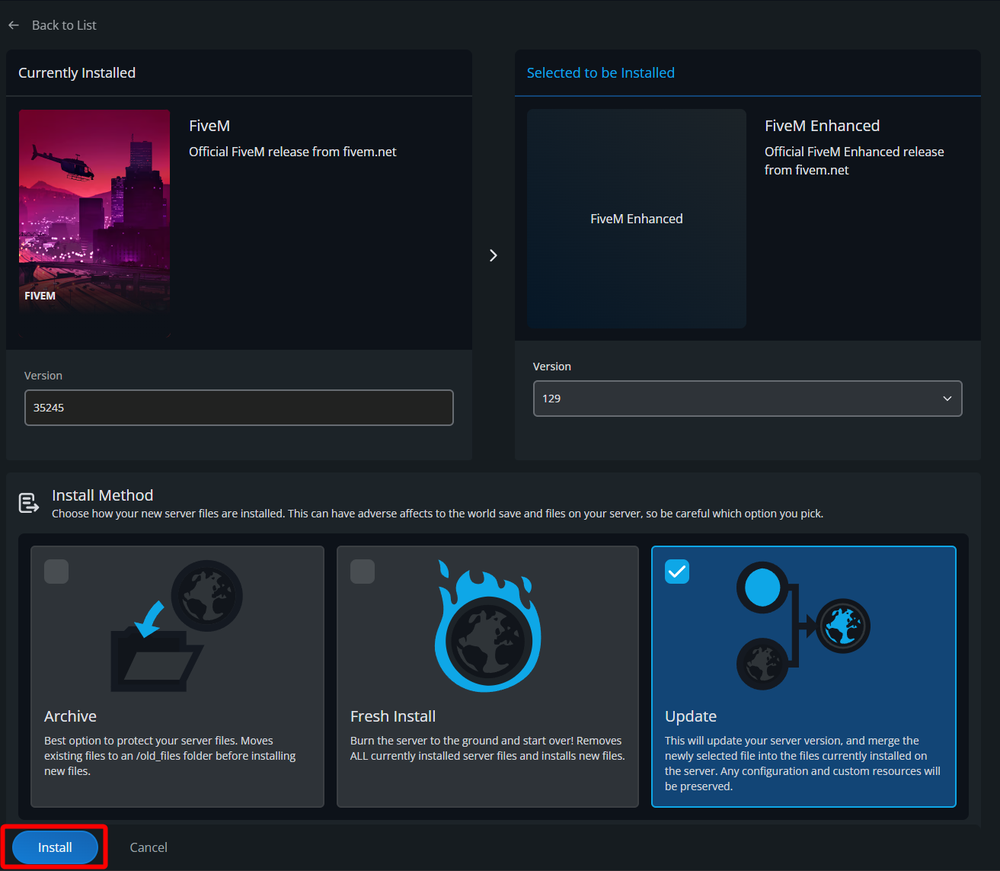
On the next page there are few options you can select such as the version and install method. If you are simply wanting to change the server to enhanced and leave everything in place as it was you can simply ignore these options and click on Install.
Once completed, you should see a message at the top of your screen that says FiveM Enhanced installed successfully.

Start your server.
Conclusion
You have now moved your server to FiveM Enhanced. With this change players can now join using GTA 5 Enhanced.
Need Help?
If you have questions or run into any issues, our support team is here to help! Reach out using the support widget on our website or visit our support center for further assistance.