


I Can't Find My Enshrouded Server In-Game

Nothing kills the mood quite like getting ready to explore Embervale and realizing your server has apparently decided to play hide-and-seek. If your Enshrouded server is not appearing in-game, the problem is usually something simple such as the server still starting, searching the wrong server list, an active filter, or a version mismatch.
Work through the checks below in order. In most cases, you should be able to find the server without changing any files.
Make Sure the Server Is Online
Navigate to your Nodecraft dashboard.
Locate your Enshrouded server and click Manage.
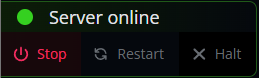
Check the server status in the upper-left corner. It should say Server online.
If the server is offline, start it. If it has been starting for several minutes or seems stuck, click Restart and give it a few minutes to finish loading.
Double-Check the Server Name
From your server, click Game Settings in the menu on the left.
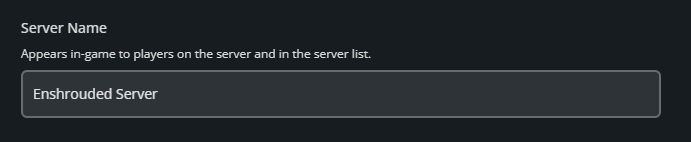
Stay on the Basic tab and check the Server Name field under Essential.
Use that exact name when searching for the server in Enshrouded.
If you change the server name, stop the server first, make the change, click Submit, and start the server again.
Check the Dedicated Servers List and Filters
Enshrouded separates player-hosted games from dedicated servers in the Join menu. Make sure you are viewing the Dedicated Servers list before searching for your Nodecraft server.
Search for the server by name and clear any filters that could be hiding it. Enshrouded can filter dedicated servers by tags, language, and chat requirements, so one forgotten filter can make a perfectly healthy server look like it vanished into the Shroud.
Try Searching by IP
If the server still does not appear in the normal list, use Enshrouded's Search by IP option. Enter the server address and port shown in your Nodecraft dashboard. Enshrouded can search for dedicated servers by IP and allows you to join directly once the server is found.
If Search by IP finds the server, you can favorite it to make future joins easier. At that point, the server is working and the public list is simply being a little dramatic.
Check for a Version Mismatch
Enshrouded can display dedicated servers that are running a different version of the game. If your server appears with a Version Mismatch message, make sure both the server and your local game are fully updated.
First, close Enshrouded and allow Steam to finish any available game update. On Nodecraft, stop the server, open Server Files > Installer, and use Update/Verify via SteamCMD. Once the update finishes, start the server again and check the Join menu.
Still Can't Find the Server?
If the server shows as online in Nodecraft, the server name is correct, filters are cleared, Search by IP cannot find it, and both the client and server are updated, restart the server one more time and wait a few minutes before checking again.
If the server still cannot be found after these steps, check the Console in your Nodecraft panel for startup errors. A server that reports as online but never completes startup may need a closer look before Enshrouded can list it normally.
Final Thoughts
Most missing Enshrouded servers come down to startup timing, server list filters, or a version mismatch. The best Enshrouded server hosting should make those problems easier to track down, and Nodecraft gives you server status, console access, and support when you need a closer look.
Need Help?
If you have questions or run into any issues, our support team is here to help! Reach out using the support widget on our website or visit our support center for further assistance.