


How to Kick Players From an Enshrouded Server

If someone is causing trouble on your Enshrouded server, you can remove them without taking the whole server offline. Enshrouded handles kicking through its in-game Social menu, but the player doing the kicking must first be in a server group with the Can Kick/Ban permission.
Make Sure You Have Kick Permissions
Navigate to your Nodecraft dashboard.
Locate your Enshrouded server and click Manage.
Click Players in the menu on the left.
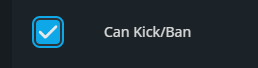
Find the user group you use to join the server and make sure Can Kick/Ban is enabled.
If you changed the permission, click Update User Group to save it.
Kick a Player from Your Enshrouded Server
Join your Enshrouded server using the password for a group that has Can Kick/Ban permission.
Press O to open the Social menu.
Select the player you want to remove from the server.
Choose Kick Player.
Kicking removes the player from the current session, but it does not permanently block them from returning. If the player should not be able to rejoin, use the ban option instead. Sometimes a timeout is enough. Sometimes Embervale needs a bouncer.
Final Thoughts
Once the right permissions are in place, removing a disruptive player only takes a few clicks. Clear access controls are part of what makes a host the best fit for an Enshrouded group, and Nodecraft keeps those permissions easy to manage.
Need Help?
If you have questions or run into any issues, our support team is here to help! Reach out using the support widget on our website or visit our support center for further assistance.