


How to Enable Peaceful Mode on an Enshrouded Server

Enshrouded does not have a difficulty preset literally called Peaceful, but the Pacify Enemies option gives you the same general idea. When it is enabled, regular enemies will not attack players until they are attacked first. Bosses are excluded, so Embervale is not quite turning into a spa day.
Enable Peaceful Mode
Navigate to your Nodecraft dashboard.
Locate your Enshrouded server and click Manage.
Stop the server.
Click Game Settings in the menu on the left.
Select the Combat tab.
If your server is not already using Custom difficulty, click Change Difficulty to Custom. Custom difficulty must be enabled before the Combat settings can be changed.
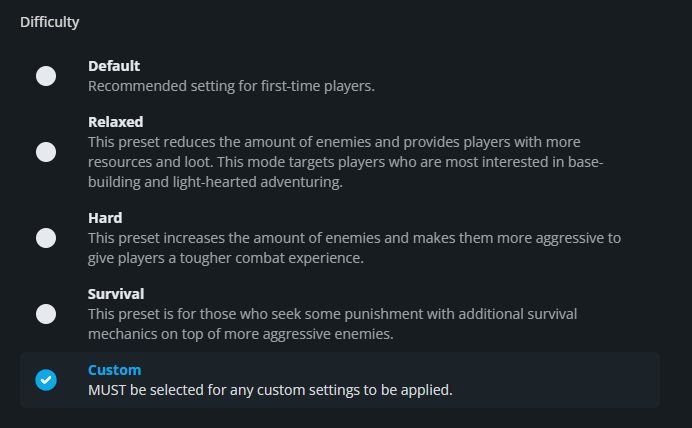
Scroll to the Enemy section and enable Pacify Enemies.

Click Submit to save the changes.
Start the server again.
What Peaceful Mode Changes
Pacify Enemies does not remove enemies from the world. Instead, regular enemies remain passive until a player attacks them first. Bosses are not affected by this setting, so boss fights will still work normally. This makes the option especially useful for groups that want to focus more on building, exploring, or gathering resources without every nearby creature immediately choosing violence.
Final Thoughts
Pacify Enemies makes regular encounters more relaxed while leaving boss fights intact. The best Enshrouded server hosting supports the way your group wants to play, and Nodecraft lets you make that adjustment from the dashboard.
Need Help?
If you have questions or run into any issues, our support team is here to help! Reach out using the support widget on our website or visit our support center for further assistance.